How to Prepare Your Business for Custom Software Development
Many businesses know they need custom software but rush into development before defining what the system must actually achieve. Strong custom software development services start long before coding, with clear goals, processes, users, data, systems, and realistic budget expectations. Without this preparation, even a promising software idea can become expensive, difficult to manage, or misaligned with everyday business needs. Preparing your business properly creates a stronger foundation for choosing the right development approach, team, and technology.

Why Should Businesses Prepare Before Choosing Custom Software Development Services?
Choosing a software development partner without first understanding your business needs can lead to costly decisions and avoidable delays. Proper preparation gives your business a clearer view of its problems, requirements, users, and expected outcomes before development begins. It also helps you communicate effectively, choose suitable technology, and select custom software development services that match your goals:
1. Preparation Helps Clarify the Business Problem
Before deciding what software to build, businesses need to understand the problem they want to solve. A clear problem statement helps separate essential needs from features that may add cost without creating real value. This allows the development team to focus on building a solution that improves specific business processes rather than simply creating software because a new system seems necessary.
2. Preparation Creates Clearer Development Requirements
Good preparation helps businesses define what they expect the software to do and who will use it. Documenting key processes, user roles, features, data needs, and expected outcomes gives developers a clearer starting point. It also reduces the risk of important requirements being misunderstood, missed, or added late in the project.
3. Preparation Helps Businesses Make Better Technology Decisions
Businesses should understand their operational needs before deciding which technologies, platforms, or development approaches to use. The right choice depends on factors such as the number of users, system integrations, security needs, scalability, budget, and long-term plans. By defining these needs first, businesses can work with providers to choose technology that supports their objectives instead of selecting tools based only on popularity or cost.
4. Preparation Reduces Misunderstandings During Development
Software projects can become difficult when the business and development team have different expectations about the final product. Clear requirements, responsibilities, timelines, and project goals create a shared understanding from the beginning. This makes it easier to identify changes early, communicate decisions, and keep the development process aligned with the agreed business objectives.
5. Preparation Helps Businesses Evaluate Development Providers
Knowing your requirements makes it easier to assess whether a development provider has the right skills and experience for your project. Instead of comparing custom software development services based mainly on price, businesses can examine technical capability, relevant experience, communication, development processes, support, and ability to meet their specific needs. This leads to a more informed choice and increases the chances of finding a provider that can deliver a suitable long-term solution.
What Should a Business Define Before Starting Custom Software Development?
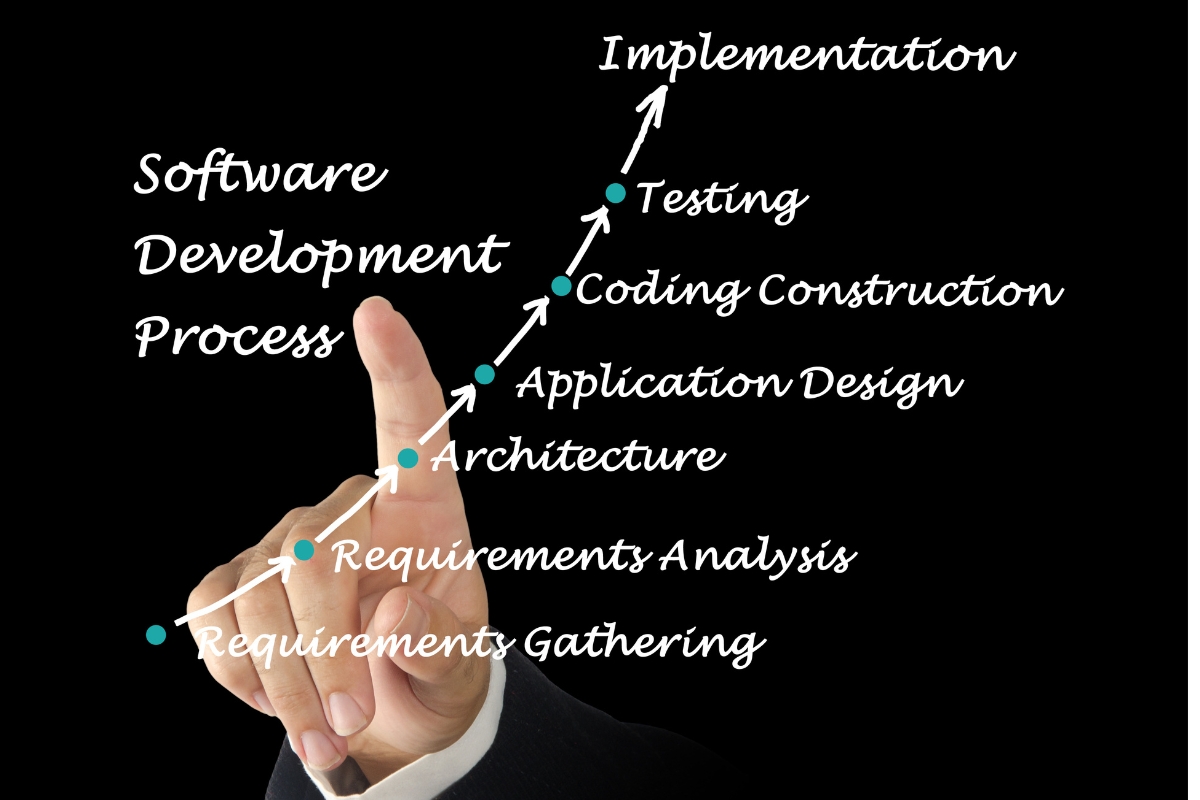
Starting software development with an unclear understanding of business needs can create confusion, unnecessary costs, and changes later in the project. Before engaging a development team, businesses should define what they want to solve, improve, support, and achieve through the new system. This preparation gives custom software development projects a clearer direction and creates a stronger foundation for successful delivery:
1. Define the Business Problem
Every software project should begin with a clear understanding of the business problem it needs to address. This may involve inefficient operations, financial losses, poor customer service, limited reporting, manual work, or difficulties managing business information. Defining the core problem helps ensure the software is designed to solve a real need rather than adding technology without a clear purpose.
2. Define the Desired Business Outcomes
Businesses should establish what they expect to improve after the software is implemented. Desired outcomes may include faster processes, lower operating costs, better customer service, improved data accuracy, stronger reporting, or increased productivity. Clear outcomes help the business and development team understand what the software should achieve beyond simply delivering a list of features.
3. Define the Target Users
A business should identify everyone who will interact with the software and understand what each user needs from the system. Users may include employees, customers, managers, administrators, suppliers, partners, or other stakeholders. Defining user groups early helps shape appropriate features, permissions, interfaces, and workflows for each type of user.
4. Define Current Business Processes
Before building a new system, businesses should document how important tasks are currently completed. This helps reveal the people, tools, information, approvals, and steps involved in each process. Understanding current workflows gives custom software development teams useful context for designing a system that supports real operations.
5. Define the Required Software Capabilities
Businesses should create an initial list of what the software needs to do without trying to define every technical detail. This may include managing customers, processing transactions, generating reports, tracking tasks, handling approvals, storing records, or connecting with other systems. A clear capability list gives developers a practical starting point while leaving room for technical recommendations during planning.
6. Define Project Priorities
Not every desired feature needs to be included in the first version of the software. Businesses should separate essential requirements from features that can be introduced later as the system develops. Setting priorities helps control the project scope, focus resources on high-value functions, and support more realistic development decisions.
7. Define Business Constraints
Every software project operates within certain limitations that need to be considered before development begins. These may include deadlines, compliance requirements, existing systems, available staff, technical resources, security expectations, and budget limitations. Identifying these constraints early helps the development team recommend an approach that is practical for the business.
8. Define What Success Will Look Like
Businesses should decide how they will determine whether the software has delivered the expected value. Success could be measured through reduced processing time, fewer errors, improved customer response times, higher productivity, better reporting, or lower operating costs. These measures provide useful benchmarks for evaluating the results of the custom software development project after implementation.
How Should Businesses Assess Their Current Workflows Before Software Development?
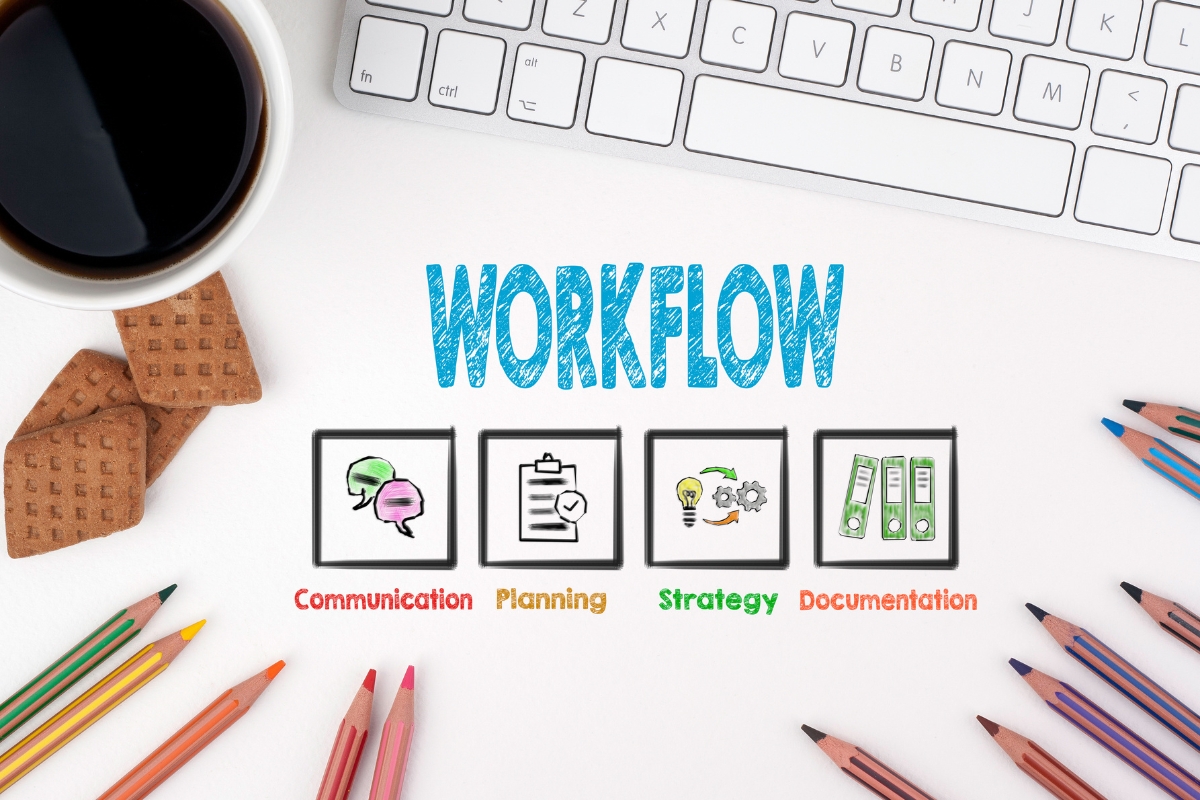
A new software system should reflect how a business operates while also addressing the weaknesses that limit its performance. Reviewing existing workflows helps businesses understand where time, information, and resources are being lost before deciding what the new system should change. A detailed workflow assessment gives custom software development teams the insight they need to design a more practical and effective solution:
1. Map Existing Business Processes
Businesses should document the main steps involved in important workflows from beginning to end. This can show who performs each task, what information is required, which tools are used, and where approvals or handoffs occur. Mapping these processes gives the development team a clear picture of current operations and creates a useful basis for deciding what the new system should support.
2. Identify Manual and Repetitive Tasks
Repetitive tasks can consume employee time and increase the risk of human error. Businesses should identify activities such as repeated data entry, manual calculations, routine notifications, report preparation, or frequent record updates that could potentially be automated. Highlighting these tasks helps custom software development teams identify areas where automation could improve efficiency.
3. Identify Bottlenecks and Delays
Businesses should examine where work regularly slows down or waits for another person, system, or approval. Delays may occur because of overloaded employees, manual processes, missing information, disconnected systems, or lengthy approval steps. Finding these bottlenecks helps determine where software could improve the flow of work and reduce unnecessary waiting.
4. Identify Duplicate Data Entry
Entering the same information into several systems can waste time and create inconsistent records. Businesses should identify where employees repeatedly copy customer details, financial information, inventory records, or other data between different tools. This assessment can reveal opportunities for system integration, shared databases, or automated data transfer.
5. Identify Communication and Approval Gaps
Poor communication can make it difficult for employees to know who is responsible for a task, whether an action has been approved, or what should happen next. Businesses should review where information is passed through emails, messages, spreadsheets, paper records, or informal conversations. Identifying these gaps can help shape software features for notifications, approvals, task tracking, and clearer internal communication.
6. Identify Processes That Should Be Redesigned
Not every inefficient process should simply be transferred into a new software system. Businesses should first question whether certain steps are necessary, outdated, duplicated, or unnecessarily complicated. Redesigning weak processes before automating them helps ensure custom software development improves the way the business works instead of making inefficient workflows faster.
What Information Should Businesses Gather for Custom Software Development Services?
A development team needs more than a general description of what a business wants before it can plan a suitable software solution. Gathering the right information helps businesses explain their operations, users, data, existing systems, and security needs with greater clarity. This information gives custom software development services a stronger foundation for defining requirements and planning the right solution:
1. Business and Operational Information
Businesses should document what they do, how they operate, and which processes the software needs to support. This includes core activities, departments involved, common workflows, operational challenges, and areas where the business wants to improve. Providing this context helps developers understand how the proposed system should fit into everyday operations.
2. User and Role Information
Businesses should identify the different people who will use the software and what each person needs to do within the system. This may include employees, managers, customers, administrators, partners, and other users with different responsibilities. Defining roles early helps determine appropriate access levels, permissions, workflows, and user experiences.
3. Data Requirements
The business should identify the information the software needs to collect, store, process, search, update, and report. This could include customer records, transactions, employee information, inventory, documents, or operational data. Clear data requirements help developers plan how information should be structured, accessed, protected, and used across the system.
4. Existing Software and Technology
Businesses should provide an overview of the websites, applications, databases, spreadsheets, platforms, and other technologies they currently use. Some of these systems may need to remain in place, while others may need to be replaced or connected to the new software. Understanding the existing technology environment helps the development team plan a solution that works with the business rather than creating unnecessary disruption.
5. Integration Requirements
Businesses should identify the systems that need to exchange information with the proposed software. These may include payment platforms, accounting systems, customer relationship management tools, websites, communication platforms, or third-party applications. Defining integration needs early allows developers to consider how information should move between systems and where reliable connections are required.
6. Security and Compliance Requirements
Security requirements should be defined before development rather than treated as an afterthought. Businesses should consider authentication, user permissions, data protection, backups, audit records, and any industry or regulatory requirements that apply to their operations. These requirements help developers build appropriate safeguards into the system from the beginning.
7. Reporting and Analytics Requirements
Businesses should identify the information management and other decision-makers need to monitor performance. This may include reports, dashboards, key performance indicators, financial summaries, operational statistics, or user activity data. Defining these requirements early helps ensure the software turns business data into useful information instead of simply storing records.
How Can Businesses Prepare Their Employees for Custom Software Development?
Employees play an important role in determining whether a new software system works effectively after implementation. Preparing them early helps businesses gather practical insights, reduce resistance, and create stronger support for the project. Involving the right people throughout custom software development also makes it easier to align the final system with real workplace needs:
1. Involve Key Employees Early
Employees who understand daily operations can provide valuable information about how work is actually performed. Their involvement can reveal practical challenges, exceptions, and workflow details that may not appear in management-level plans. Including these employees early also gives them a sense of ownership and helps the development team design around genuine operational needs.
2. Gather Feedback From End Users
End users interact with business processes every day, so their feedback can uncover requirements that management may overlook. Businesses should ask users about common frustrations, repetitive tasks, missing information, and features that could make their work easier. This feedback helps create a system that is practical to use rather than one that only reflects assumptions made during planning.
3. Explain Why the Software Is Needed
Employees are more likely to support a software project when they understand the business reasons behind it. Management should explain how the new system is expected to improve processes, reduce repetitive work, strengthen communication, or make information easier to access. Connecting the project to clear business benefits can reduce uncertainty and encourage employees to participate constructively.
4. Identify Expected Workflow Changes
New software may change how employees complete tasks, share information, request approvals, or access records. Businesses should identify these changes early and explain how existing workflows may be redesigned or automated. Preparing employees for these adjustments makes the transition easier and gives the team an opportunity to address concerns before implementation.
5. Establish Internal Decision-Makers
A software project needs clear internal ownership so that requirements and important project decisions do not become stalled. Businesses should identify who will approve requirements, resolve disagreements, provide feedback, and make final decisions when priorities change. Having defined decision-makers creates clearer communication between the business and development team.
6. Prepare for Training and Adoption
Employees need enough knowledge and support to use the new system confidently after launch. Businesses should plan training, user guidance, testing, feedback sessions, and ongoing support before the software is introduced. Preparing for adoption early increases the likelihood that employees will use the system correctly and that the business will realize the intended value from the project.
How Should Businesses Prepare Their Existing Data and Systems?
Existing data and systems can have a major effect on how smoothly a new software project is planned and implemented. Businesses should understand what information they already have, how reliable it is, which systems depend on it, and how it should connect with the proposed solution. Reviewing these areas before development helps create a cleaner foundation for building, integrating, and managing the new system:
1. Audit Existing Business Data
Businesses should identify what data they currently have and where that information is stored. Records may exist in databases, spreadsheets, websites, cloud platforms, applications, paper documents, or other systems across different departments. An audit creates a clearer picture of the available information and helps determine what the new software may need to access or manage.
2. Identify Data Quality Problems
Existing data may contain duplicate records, missing information, outdated details, or inconsistent formats. These problems can affect reporting, search functions, integrations, and the accuracy of the new system. Identifying and addressing data quality issues early can make migration and future data management more reliable.
3. Determine What Data Should Move to the New System
Not every historical record needs to be transferred into a new software system. Businesses should determine which information remains useful, which records must be retained for legal or operational reasons, and which outdated data can be archived. Making these decisions early can reduce unnecessary migration work and help keep the new system organized.
4. Review Existing Software Integrations
Businesses should identify the software platforms and services that the new system must continue working with. These may include accounting tools, payment platforms, websites, customer management systems, communication tools, or internal applications. Reviewing these connections early helps developers understand the wider technology environment and plan the new system accordingly.
5. Check API and Integration Availability
Some systems can connect through APIs or other supported integration methods, while others may have technical limitations. Businesses should investigate whether the required platforms provide suitable ways to exchange data before development starts. Confirming technical compatibility early can prevent integration problems from affecting the project later.
6. Plan for Data Security and Access
Businesses should determine who needs access to different types of information and what each user should be allowed to do. Sensitive records may require stronger access controls, authentication, audit trails, encryption, or other safeguards. Defining these requirements early helps the development team build security and appropriate permissions into the system from the start.
How Should a Business Prepare Its Budget for Custom Software Development?
Budget planning for software development should account for the full project rather than focusing only on the initial build. The scope, complexity, integrations, users, security requirements, and ongoing needs of the business can all influence the resources required. A realistic budget helps businesses prioritize their needs and evaluate custom software development options based on long-term value:

1. Understand That Scope Influences Investment
The amount and complexity of work required can influence the resources needed to develop a software solution. A system with many features, complex workflows, multiple user roles, or several integrations may require more planning, development, testing, and technical effort than a simpler system. Understanding this relationship helps businesses create realistic expectations when discussing project requirements with development providers.
2. Consider Development Beyond the Initial Build
The initial development phase is only one part of the overall software investment. Businesses should also consider design, integrations, testing, deployment, employee training, maintenance, security updates, technical support, and future improvements. Including these areas in budget planning provides a more complete view of what it may take to operate and maintain the system over time.
3. Avoid Choosing a Provider Based Only on the Lowest Quote
The cheapest proposal may not always provide the best fit for the business or its long-term needs. Businesses should also consider a provider’s technical capability, relevant experience, development process, communication, support, security practices, and ability to understand the project requirements. Looking beyond price can reduce the risk of selecting a provider whose approach creates additional costs or limitations later.
4. Prioritize Features Based on Business Value
Businesses should rank proposed features according to their importance and expected contribution to business goals. Essential functions can take priority while less critical features can be considered for later phases. This approach helps businesses direct their resources toward capabilities that solve important problems and provide meaningful operational value.
5. Allow for Future Development
A business should consider how its software needs may change as operations, users, products, and processes grow. This does not mean building every possible feature from the beginning, but it does mean choosing an approach that can support sensible future improvements. Planning for scalability and future development can make it easier to expand the system without unnecessarily increasing the complexity of the initial project.
What Should Businesses Look for When Choosing Custom Software Development Services?
Choosing a software development provider is an important business decision because the right partner can influence the quality, usability, and long-term value of the system. Businesses should look beyond attractive proposals and assess whether a provider understands their needs, has the right capabilities, and can manage the project effectively. These factors can help businesses choose custom software development services that fit their requirements and support their wider objectives:
1. Relevant Development Experience
Businesses should look for providers with experience solving challenges similar to those involved in their own projects. Relevant experience can show that the provider understands comparable workflows, user needs, technical requirements, or integration challenges. This does not mean the provider must have built an identical system, but it should demonstrate the ability to apply suitable expertise to the business context.
2. Understanding of Business Requirements
A capable provider should take time to understand the business before recommending a solution. Meaningful questions about goals, users, workflows, data, challenges, integrations, and expected outcomes show that the provider is considering the actual business need. This approach creates a stronger foundation for selecting custom software development services that solve the right problem.
3. Strong Requirements and Planning Process
Businesses should assess how a provider approaches requirements before development begins. A structured process for gathering, reviewing, prioritizing, documenting, and validating requirements can reduce confusion and unnecessary changes later. Strong planning also gives both sides a clearer understanding of the project’s scope, responsibilities, milestones, and expected outcomes.
4. Technical and Integration Capability
The provider should have the technical capability to work with the systems and technologies relevant to the project. This may include APIs, databases, third-party platforms, authentication, security controls, cloud services, and existing business applications. Assessing these capabilities helps businesses determine whether the provider can build a solution that works effectively within their existing technology environment.
5. Communication and Project Management
Clear communication is essential throughout software development because requirements and decisions may evolve as the project progresses. Businesses should look for providers that establish clear communication channels, milestones, reporting processes, responsibilities, and decision-making procedures. Effective project management makes it easier to monitor progress, address issues, and keep the project aligned with agreed objectives.
6. Post-Launch Support
Businesses should understand what support will be available after the software goes live. The provider may need to assist with maintenance, troubleshooting, security updates, system improvements, user support, or future development. Considering post-launch support early helps businesses choose a partner that can continue supporting the system as their needs change.
What Mistakes Should Businesses Avoid Before Starting Custom Software Development?
Poor preparation can create problems that become more expensive and difficult to correct once development is underway. Businesses can reduce these risks by understanding common mistakes involving requirements, workflows, employees, data, technology, security, and project decisions. Avoiding these mistakes creates a stronger foundation for custom software development services and improves the chances of achieving the intended business outcomes:

1. Starting With a Technology Instead of a Business Problem
Businesses should avoid choosing a technology simply because it is popular or appears capable of solving many problems. The starting point should be a clearly defined business need, followed by an assessment of what the software must achieve. This keeps technology decisions focused on practical business outcomes rather than allowing the chosen tool to dictate the solution.
2. Assuming Developers Will Define Every Requirement
Development providers can help refine requirements, but businesses still need to explain their operations, priorities, users, and expected outcomes. Leaving every decision to the development team can result in important business details being overlooked. Active involvement from the business creates clearer requirements and gives developers the context needed to design a suitable solution.
3. Ignoring Employees Who Will Use the Software
Employees who use the software every day can provide valuable insights into existing problems and practical requirements. Ignoring their input may result in a system that looks suitable at management level but creates difficulties during daily use. Involving end users early helps identify important needs and encourages stronger adoption after implementation.
4. Failing to Review Existing Workflows
Businesses should not assume that every current process needs to be transferred directly into the new system. Some workflows may contain unnecessary steps, duplicated activities, or outdated practices that should be redesigned first. Reviewing existing processes helps ensure the new software improves operations instead of simply digitizing inefficient methods.
5. Underestimating Data and Integration Requirements
Data migration and system integrations can become significant parts of a software project when they are not considered early. Businesses should identify existing data sources, data quality issues, third-party systems, and the information that needs to move between platforms. Addressing these requirements during planning helps reduce technical surprises later.
6. Trying to Build Every Possible Feature Immediately
Adding every desired feature to the first version can make a project unnecessarily complex and difficult to manage. Businesses should identify the functions that are essential to solving their most important problems and consider other features for later phases. Prioritizing the initial scope allows the team to focus resources on the capabilities that provide the greatest business value.
7. Choosing a Provider Based Only on Price
Price is an important consideration, but it should not be the only factor used to select a development provider. Businesses should also evaluate technical capability, relevant experience, planning, communication, security, support, and understanding of their requirements. A provider that offers a suitable overall fit may deliver greater long-term value than the lowest-priced option.
8. Failing to Plan for Adoption and Change
A new software system can change how employees perform tasks, access information, and communicate within the business. Without preparation, employees may struggle to understand or accept these changes even when the technology works as intended. Businesses should plan for training, communication, testing, feedback, and support as part of the wider implementation process.
9. Treating Security as a Later Development Task
Security should be considered from the beginning rather than added after the main system has been built. Businesses should identify requirements for authentication, permissions, data protection, backups, monitoring, and other relevant safeguards during planning. Addressing security early allows it to become part of the system’s design instead of requiring major changes later.
10. Starting Development Without Clear Decision-Makers
Every software project needs people who can approve requirements, resolve disagreements, provide feedback, and make timely decisions. Without clear decision-makers, important issues can remain unresolved and delay development or create conflicting instructions. Establishing internal ownership before the project starts creates clearer communication between the business and provider.
How Do You Prepare Your Business for Custom Software Development From Start to Launch?
Preparing for software development becomes easier when the business moves through clear steps instead of trying to solve everything at once. From identifying the initial problem to agreeing on a development roadmap, each stage helps turn a business need into a practical software project. Follow these steps to prepare your business for custom software development from the initial idea through to the start of development:
1. Identify the Business Problem
Start by defining the main challenge affecting your business and explain why it needs attention. Consider whether the problem involves manual work, slow processes, poor communication, inaccurate data, limited reporting, customer service, or another operational need. A clear problem gives the project a purpose and helps determine whether software is the right solution.
2. Define Your Business Goals
Establish what you want the software to improve once it is implemented. Your goals could include reducing processing time, improving productivity, increasing data accuracy, strengthening customer service, or making information easier to access. Define measurable indicators where possible so you can later assess whether the software has delivered the expected business value.
3. Review Your Current Processes
Map the important workflows that the proposed software may need to support. Document the steps involved, the people responsible, the systems used, and the points where work slows down or becomes difficult. Reviewing these processes helps you identify inefficiencies and gives the development team a clearer understanding of how the business currently operates.
4. Identify Your Users
Define everyone who will interact with the proposed software and understand what each user group needs to accomplish. Document roles, responsibilities, access requirements, and the tasks different users will perform within the system. This information helps shape appropriate features, permissions, interfaces, and workflows during development.
5. Document Your Software Requirements
Create an initial list of the capabilities the software needs to provide based on the problems and goals you have already identified. Separate essential functions from features that may be useful in future versions so the initial project remains focused. Clear requirements give the development team a practical starting point without requiring the business to determine every technical detail.
6. Review Your Existing Systems and Data
Identify the websites, applications, databases, spreadsheets, platforms, and other tools currently used across the business. Review the quality of the data stored in these systems and determine which information may need to be migrated, retained, archived, or cleaned. This preparation helps reveal dependencies and reduces the risk of unexpected data problems during implementation.
7. Identify Integration Requirements
List the systems and third-party services that the new software may need to connect with. These could include payment platforms, accounting applications, websites, customer management tools, communication systems, or other business technologies. Where relevant, identify available APIs and integration options early so technical compatibility can be considered during project planning.
8. Establish Your Internal Project Team
Assign the people who will represent the business throughout the development process. Identify decision-makers, requirements owners, subject matter experts, and employees responsible for reviewing and approving project work. Having clear internal ownership helps the development team receive timely feedback and prevents important decisions from becoming unnecessarily delayed.
9. Prepare Your Budget Expectations
Develop budget expectations based on the scope, complexity, priorities, integrations, users, and expected business value of the project. Consider costs and resources beyond the initial build, including design, testing, deployment, training, maintenance, support, and future improvements. This approach creates more realistic expectations than choosing an arbitrary budget before understanding what the project requires.
10. Evaluate Custom Software Development Services
Compare potential development providers based on factors that matter to your project rather than price alone. Assess relevant experience, technical and integration capabilities, requirements planning, communication, project management, security practices, and post-launch support. A structured evaluation helps you select custom software development services that are better suited to your business needs.
11. Validate the Project Scope With the Development Partner
Review your requirements with the selected development partner before development begins. Confirm the priorities, assumptions, integrations, users, major capabilities, responsibilities, and expected deliverables so both sides have the same understanding of the project. This validation creates an opportunity to identify gaps or unrealistic expectations before they become development problems.
12. Begin Development With an Agreed Roadmap
Move into design and development only after the project foundation has been clearly established. Confirm the agreed scope, milestones, responsibilities, communication channels, review points, and key deliverables with everyone involved. A shared roadmap gives the development team and business a practical direction for moving from requirements into design and development.
What Opportunities Can Proper Business Preparation Create?
Good preparation does more than reduce risks before a software project begins. It can help businesses uncover opportunities to improve operations, strengthen decision-making, and create a system that supports future growth. By preparing carefully for custom software development, businesses can create value that extends beyond the immediate problems the software was originally intended to solve:

1. Better Alignment Between Software and Business Operations
Proper preparation helps ensure that the software reflects how the business actually works and where it wants to improve. Clear goals, workflows, users, and requirements give developers the information needed to design a system around real operational needs. This creates stronger alignment between technology and everyday business activities.
2. More Efficient Internal Workflows
Reviewing existing processes can reveal repetitive tasks, unnecessary approvals, manual data entry, and other sources of inefficiency. These findings can guide the development of features that simplify or automate suitable activities. As a result, the new system can become a tool for improving how work is performed rather than simply replacing an old system.
3. Better Employee Adoption
Employees are more likely to embrace software when their needs and concerns have been considered during preparation. Involving users early helps the business identify practical requirements and explain how the new system will affect their work. This creates greater familiarity with the project and can support a smoother transition when the software is launched.
4. Smoother System Integration
Early identification of existing systems and integration requirements gives businesses a better opportunity to plan how information should move between platforms. This can reduce disconnected processes and unnecessary duplicate data entry. A well-planned integration strategy can also help the new software work more effectively within the existing technology environment.
5. Better Data Management
Preparing existing data creates an opportunity to identify duplicates, outdated records, missing information, and inconsistent formats. Cleaning and organizing important information before migration can improve the quality of data available in the new system. Better data management can also support more reliable reporting, analysis, and business decision-making.
6. More Focused Development Priorities
Preparation helps businesses distinguish between features that are essential and those that can be introduced later. This creates a clearer development focus and allows resources to be directed toward capabilities with the greatest business value. A focused scope can also make it easier to manage the project as development progresses.
7. Stronger Long-Term Scalability
Businesses that consider future users, processes, integrations, and growth can make better decisions about the structure of their software. The goal is not to build every possible feature immediately, but to avoid decisions that unnecessarily limit future expansion. This creates a stronger foundation for adding capabilities as the business evolves.
8. Better Digital Transformation Readiness
A well-prepared software project can help businesses understand their processes, data, technology, and internal capabilities more clearly. This knowledge creates a stronger foundation for future digital initiatives, automation, integrations, and technology improvements. Proper preparation therefore positions the business to make more confident technology decisions beyond the initial software project.
Why Partner With Smepal Consultancy Agency for Custom Software Development Services?
Choosing a software partner should involve more than finding a team that can write code and deliver features. At Smepal Consultancy Agency, we approach custom software development services from a business perspective, helping our clients connect technology decisions with operational needs and long-term objectives. We work with you to understand your business, prepare the right foundation, and develop a practical technology direction that supports your growth:

1. We Start With Your Business Problem
We begin by understanding the business problem you want to solve before discussing specific technologies or features. Our approach helps us identify what is causing operational challenges, where the business is losing time or resources, and what the software needs to improve. This allows us to focus the project on solving a genuine business need rather than building technology without a clear purpose.
2. We Help Define Your Software Requirements
We work with you to turn your business needs into clearer software requirements. We help identify the capabilities, users, workflows, data, priorities, and outcomes that should guide the project while leaving room for appropriate technical recommendations. Our goal is to create requirements that give the development process a practical and well-defined direction.
3. We Help Analyze Your Existing Workflows
We look at how your business currently performs important tasks before recommending how software should support them. Our analysis can reveal manual activities, repetitive work, bottlenecks, communication gaps, and processes that may need redesign. This helps us identify where technology can create meaningful improvements instead of simply automating inefficient processes.
4. We Help Identify Integration and Data Requirements
We help you understand the existing systems, data sources, and third-party platforms that may need to work with the new software. Our approach considers data quality, migration needs, APIs, integrations, access requirements, and the flow of information between systems. This preparation helps reduce avoidable technical challenges as the project moves forward.
5. We Help Structure Practical Software Priorities
We help separate essential software capabilities from features that can be introduced later. By considering business value, operational importance, user needs, and project scope, we can help you establish practical priorities. This approach keeps the initial project focused while creating room for future improvements.
6. We Connect Software Development With Your Business Goals
We do not view software as an isolated technology project. We connect the proposed solution with the business outcomes you want to achieve, whether those involve efficiency, customer service, data management, reporting, automation, or growth. Our approach helps ensure custom software development services contribute to measurable business objectives.
7. We Plan With Future Scalability in Mind
We consider how your software needs may change as your business grows and your operations become more complex. Our planning takes future users, processes, integrations, and potential enhancements into account without encouraging unnecessary features in the initial build. This helps create a stronger foundation for future development.
8. We Support a Strategic Approach to Digital Transformation
We help businesses view software development as part of a wider digital transformation strategy. Our approach considers how systems, processes, data, employees, and technology can work together to support better business operations. By taking a strategic view, we help you make technology decisions that can continue creating value as your business evolves.
Frequently Asked Questions About Custom Software Development Services
Businesses often have practical questions before committing to a software development project. Understanding what custom software involves, what preparation is required, and what can influence cost or delivery helps businesses make more informed decisions. These frequently asked questions address common concerns about custom software development services and preparing for a successful project:
1. What Are Custom Software Development Services?
Custom software development services involve planning, designing, building, testing, deploying, and supporting software created to address the specific needs of a business or organization. Unlike a general off-the-shelf application, custom software can be designed around particular workflows, users, data requirements, integrations, and business objectives. The exact services involved depend on the requirements and scope of each project.
2. What Should a Business Do Before Hiring a Software Development Company?
A business should first understand the problem it wants to solve and define its desired outcomes, users, workflows, requirements, data, existing systems, integrations, priorities, and constraints. This preparation gives potential development providers useful context when assessing the project. It also makes it easier for the business to compare providers based on their ability to meet its actual needs.
3. How Do I Know Whether My Business Needs Custom Software?
A business may benefit from custom software when existing tools cannot adequately support important processes or when manual, disconnected, or inefficient workflows are limiting operations. The decision should be based on a clear business need rather than a desire to use new technology. Reviewing current processes, challenges, existing systems, and expected outcomes can help determine whether a custom solution is appropriate.
4. What Information Should I Give a Software Development Company?
You should provide information about your business, current workflows, users, software requirements, data, existing technology, integrations, security needs, reporting requirements, priorities, and expected outcomes. The more clearly you explain the business context, the easier it becomes for the provider to understand what the proposed system needs to achieve. You do not need to determine every technical detail before speaking with a qualified development partner.
5. How Much Do Custom Software Development Services Cost?
There is no single price that applies to every custom software project because the investment depends on the specific requirements and scope. Factors such as functionality, system complexity, integrations, user roles, design, testing, security, deployment, and ongoing support can influence the overall cost. Businesses should therefore define their needs and priorities before requesting and comparing project proposals.
6. How Long Does Custom Software Development Take?
The duration of a software project depends on factors such as scope, complexity, integrations, development approach, feedback, testing, approvals, and the number of requirements involved. Projects with broader functionality or complex integrations may require more development and testing work than simpler solutions. A development partner should establish a more reliable schedule after reviewing and validating the project requirements.
7. Can Custom Software Integrate With Existing Business Systems?
Yes, custom software can often be designed to exchange information with existing business systems where suitable integration methods are available. Depending on the systems involved, this may include APIs, databases, third-party services, or other integration approaches. The availability and technical limitations of each system should be assessed during the planning stage.
8. Should I Build All My Software Features at Once?
Not necessarily. Businesses can prioritize essential capabilities for the initial version and consider additional features for later phases based on business value, user feedback, resources, and changing needs. A focused initial scope can make the project easier to manage while still allowing the software to evolve over time.
9. How Can Employees Prepare for New Business Software?
Employees can prepare by participating in requirements discussions, providing feedback on current workflows, testing relevant features, and learning how the new system will affect their responsibilities. Businesses should also plan appropriate training, communication, user support, and change management before launch. Early employee involvement can improve understanding and encourage stronger adoption.
10. Can Smepal Consultancy Agency Help Prepare My Business for Custom Software Development?
Yes, we can help you assess your business problem, workflows, users, requirements, existing systems, data, integrations, priorities, and wider technology goals before development begins. At Smepal Consultancy Agency, we take a strategic approach to custom software development services so that technology decisions remain connected to business needs. We can help you create a clearer foundation for evaluating, planning, and moving forward with your software project.

Prepare Your Business for Custom Software Development Services With Smepal Consultancy Agency
Ready to turn a business challenge into a practical software solution? Discuss your current problem, workflows, software requirements, users, operational needs, existing systems, integrations, data requirements, project priorities, and development goals with Smepal Consultancy Agency before development begins. We can help you assess what your business needs, structure your priorities, and establish a clearer foundation for the next stage of your software project. Contact us today to discuss your custom software development needs.