Digital Systems
Home » Digital Marketing Blog-Industry News » Business Software Development Services: When Should You Build a Custom Solution?

Business Software Development Services: When Should You Build a Custom Solution?

Software now plays a central role in managing customers, workflows, data, communication, reporting, and everyday operations. As an organization grows, however, generic applications may stop fitting its processes, leaving teams dependent on manual workarounds, disconnected platforms, or features that do not fully address their requirements. This is where business software development services can provide an opportunity to create technology around specific operational needs rather than forcing processes to fit standard software. The key question is whether custom development would deliver enough practical value to justify the investment and complexity involved.
Digital Systems

Overview of Contents

Why Do Businesses Eventually Outgrow Standard Software?

Standard software can work well when an organization has straightforward processes and limited operational demands. Over time, new services, customers, employees, departments, and workflows can expose limitations in applications that were designed for a broad market. These changes often prompt organizations to consider business software development services when existing technology no longer provides the flexibility or coordination their operations require:

1. Business Processes Become More Complex

As operations expand, simple processes can develop into interconnected workflows involving several employees, departments, approvals, and information sources. A standard application may handle individual tasks effectively but struggle to support the full process from beginning to end. Custom development can become relevant when the business requires software that reflects these more detailed operational requirements.

2. Generic Software Does Not Match Actual Workflows

Off-the-shelf applications are designed to serve a broad range of users, so their workflows may not correspond closely with how a particular organization operates. Teams may need to change their processes to fit the software or perform additional steps outside the system. When these limitations affect important operations, a purpose-built solution can provide greater alignment between technology and actual workflows.

3. Employees Rely on Workarounds

Software limitations often lead employees to create spreadsheets, manual checklists, separate documents, or other workarounds. While these approaches may solve immediate problems, they can introduce additional steps and make information harder to track consistently. A more suitable system can incorporate important processes directly into the software instead of requiring employees to work around its limitations.

4. Multiple Tools Create Fragmented Operations

Different departments may adopt separate applications for customer management, communication, finance, task management, reporting, or other activities. When these tools do not communicate effectively, employees may need to move information between systems manually. Business software development services can help organizations explore a more connected environment where related processes and information work together.

5. Business Data Becomes Difficult to Manage

Data can become scattered when different applications store separate versions of customer, employee, product, transaction, or operational information. Finding the right information may then require checking several systems and reconciling records. A purpose-built system can provide a more structured approach to storing, accessing, updating, and managing relevant business data.

6. Reporting Does Not Meet Management Needs

Standard software often provides predefined reports that may not reflect the specific information management needs. Decision-makers may therefore rely on spreadsheets or manually combine information from several platforms to produce useful reports. Custom software can be designed around the business metrics, data relationships, dashboards, and reporting requirements that matter most to the organization.

7. Existing Software Has Limited Integration Options

An organization may have useful applications that it does not want to replace, but connecting them can become difficult when integration options are limited. This can prevent information from moving efficiently between systems and create additional manual work. Custom development can provide an opportunity to connect relevant platforms through suitable APIs, data exchanges, or other integration methods.

8. Business Growth Creates New Technology Requirements

Growth changes what an organization expects from its technology. More users, customers, transactions, locations, services, and operational activities can expose weaknesses that were less noticeable when the organization was smaller. At this stage, business software development services may be worth considering when the existing technology cannot adapt effectively to the organization’s evolving requirements.

Why Does Choosing the Right Software Approach Matter?

Selecting software is not simply a technology decision because the chosen approach can influence how efficiently an organization operates every day. A solution that fits the business can reduce unnecessary work, improve access to information, support customer service, and make technology costs easier to manage. Looking at these practical effects helps decision-makers determine whether existing software is sufficient or whether a more customized approach deserves consideration:

business software requirements

1. Software Affects Operational Efficiency

The right software can help employees complete processes with fewer unnecessary steps and less manual coordination. Connected workflows can make it easier to move information between related activities, assign responsibilities, track progress, and complete approvals. When technology does not fit the process, however, employees may spend additional time switching between systems, searching for information, or correcting avoidable errors.

2. Technology Influences Employee Productivity

Employees perform better when the systems they use support rather than complicate their responsibilities. Repetitive data entry, manual record updates, and frequent movement between applications can consume time that could be directed toward more valuable work. A suitable software approach can simplify routine activities and give employees more accessible tools for managing their assigned tasks.

3. Software Can Affect Customer Experiences

Customer-facing processes often depend on how quickly and accurately employees can access relevant information. When customer records, communications, transactions, or service details are spread across different platforms, staff may struggle to provide consistent support. A well-designed software environment can connect relevant information and workflows, helping teams respond to customers with greater context and continuity.

4. Poor Data Visibility Can Affect Decisions

Management decisions depend on having relevant information available at the right time. Data scattered across separate applications can make it difficult to establish an accurate view of operations, especially when information needs to be collected and reconciled manually. The right software approach can improve data visibility through structured records, connected information, and reporting designed around the organization’s decision-making requirements.

5. Technology Choices Influence Business Costs

Software costs extend beyond the initial purchase or subscription. Organizations may also spend on multiple licenses, additional applications, integrations, manual administration, training, support, and workarounds when their technology environment becomes fragmented. Comparing these ongoing requirements with the scope and value of a custom solution can help determine which approach makes greater business sense.

6. The Right System Can Support Long-Term Growth

Technology should remain useful as an organization changes rather than becoming another limitation to overcome. A suitable software approach can account for additional users, processes, data, integrations, departments, and services as requirements evolve. For organizations with distinctive or changing needs, business software development services can provide a pathway toward systems designed with current priorities and future requirements in mind.

What Are Business Software Development Services?

Business software development services involve planning, designing, developing, testing, and maintaining software that addresses an organization’s specific operational requirements. Rather than relying entirely on pre-built applications, this approach can create functionality around particular workflows, users, data, integrations, and business objectives. Understanding what these services can provide helps decision-makers assess whether custom software is appropriate for their organization:

business software requirements

1. Business Software Is Built Around Organizational Requirements

The development process starts by understanding what the organization needs its software to accomplish. Requirements can cover operational processes, user roles, data management, reporting, integrations, automation, and specific business challenges. This creates a foundation for developing software that supports the organization’s actual requirements instead of forcing important processes into an unsuitable structure.

2. Software Can Support Specific Business Workflows

Every organization has processes that involve particular sequences of activities, responsibilities, approvals, and information. Business software can be designed to reflect these workflows and help employees complete them within a structured environment. This can reduce unnecessary manual steps and make it easier to track activities from initiation through completion.

3. Business Functions Can Be Connected Within One System

Related functions do not always need to operate as isolated applications. A custom system can connect areas such as customer management, task allocation, approvals, communication, reporting, and operational tracking where these functions depend on one another. Connecting relevant functions can make information easier to share and provide a more coordinated way of managing business activities.

4. Custom Software Can Integrate With Existing Platforms

Developing custom software does not necessarily mean replacing every application an organization already uses. Where appropriate, the system can integrate with existing accounting platforms, payment services, communication tools, websites, or other business applications through suitable integration methods. This allows an organization to retain useful services while creating better connections between the systems involved in its operations.

5. User Roles and Access Can Be Designed Around Business Needs

Different users require different levels of access depending on their responsibilities. Software can therefore be structured around roles such as employees, supervisors, managers, administrators, or other authorized users. Appropriate permissions can help users access the information and functions relevant to their responsibilities while providing greater control over sensitive business data.

6. Software Features Can Be Prioritized According to Business Objectives

Custom development allows an organization to determine which capabilities are genuinely important rather than adopting a large collection of features by default. Essential functions can be prioritized according to operational problems, business objectives, available resources, and expected value. Additional functionality can then be introduced as requirements evolve, helping keep the system focused on practical business needs.

When Should a Business Build a Custom Software Solution?

Custom development should be considered when existing software creates important limitations that affect how an organization operates or grows. The decision becomes stronger when those limitations cannot be resolved through configuration, integration, process changes, or another suitable off-the-shelf solution. The following situations can help determine whether building a custom solution is justified:
business software requirements

1. Existing Software Cannot Meet Important Requirements

A business may reach a point where its current software lacks functions that are important to daily operations. Repeatedly adapting processes around missing capabilities can create inefficiencies and prevent teams from working as intended. When available software cannot reasonably address critical requirements, custom development may provide a more suitable solution.

2. Business Workflows Are Highly Specialized

Some organizations follow processes that differ significantly from the standard workflows offered by commercial software. These may involve unique approval structures, service processes, internal procedures, or industry-specific requirements. Where adapting the business to generic software would create unnecessary complexity, custom software can be designed around the actual workflow.

3. Employees Depend on Repetitive Manual Processes

Frequent manual data entry, record updates, task assignments, notifications, or reporting can indicate that existing technology is not supporting the workflow effectively. These repetitive activities can consume employee time and introduce avoidable inconsistencies. Custom development can automate suitable processes and reduce manual work where clear rules and triggers exist.

4. Multiple Systems Need to Work Together

An organization may rely on several applications that each serve a useful purpose but do not communicate effectively. Employees may then have to transfer information between customer management, finance, communication, operations, or reporting systems. Custom software can provide a way to connect relevant systems and create a more coordinated flow of information.

5. Business Data Is Scattered Across Different Platforms

Information spread across multiple applications can make it difficult to establish a complete and reliable view of operations. Staff may need to search several platforms, compare records, or manually combine information before they can use it. A custom solution can centralize relevant data or connect existing sources so authorized users can access information more effectively.

6. Existing Reporting Does Not Provide the Required Visibility

Standard reporting tools may not provide the specific metrics, relationships, dashboards, or operational views that management requires. When important reports depend on manual spreadsheet work or repeated data collection from different systems, the reporting process itself can become inefficient. Custom software can be designed around the organization’s actual reporting and decision-making requirements.

7. The Business Needs Greater Control Over Functionality

Some organizations need more control over how their software behaves, how workflows are configured, or how information is managed. Generic applications may restrict these decisions to the features and settings made available by the provider. Custom development can give the organization greater influence over functionality, user roles, workflows, data structures, and future enhancements.

8. Existing Software Creates Significant Operational Workarounds

Workarounds can be useful as temporary solutions, but they become problematic when they form a permanent part of daily operations. Employees may maintain separate spreadsheets, duplicate records, use unofficial processes, or combine several applications to complete one business task. When these workarounds become extensive, business software development services can help assess whether a purpose-built system would provide a more effective approach.

9. The Business Has Specific Long-Term Technology Requirements

A software decision should consider more than immediate operational problems. An organization may have future requirements involving additional users, new services, integrations, automation, reporting, or changes in how its operations are managed. Custom development can be appropriate when the business needs a technology foundation that can be shaped around these specific long-term requirements.

10. Growth Requires a More Flexible Software Foundation

Rapid operational growth can expose limitations in systems that were adequate at a smaller scale. More customers, employees, transactions, departments, locations, and processes can increase the need for better coordination and flexibility. When existing software cannot adapt without creating significant limitations, a custom solution may provide a stronger foundation for supporting the organization’s next stage of growth.
When Should a Business Avoid Custom Software Development?

Custom software is not automatically the best answer whenever an organization experiences a technology challenge. In some situations, existing applications, configuration, integrations, or process improvements can solve the problem with less complexity and investment. Reviewing these alternatives before engaging business software development services helps ensure that custom development is chosen because it creates genuine business value:

business software requirements

1. Existing Software Already Meets Business Requirements

There may be little reason to build a new system when current software already handles the organization’s important processes effectively. A suitable off-the-shelf solution can provide the required functionality without introducing the additional planning, development, testing, and maintenance associated with custom software. In this situation, improving how the existing application is configured or used may be the more practical approach.

2. The Business Has Limited Custom Requirements

Some organizations have straightforward processes that align well with readily available software. When only minor differences exist between the business requirements and an existing solution, developing an entirely new system may introduce unnecessary complexity. Standard software can remain a suitable choice when it provides the necessary functionality with minimal adaptation.

3. The Problem Can Be Solved Through Software Configuration

Many commercial applications allow users to customize settings, workflows, fields, permissions, notifications, and other functions without developing new software. A business should therefore determine whether its challenge results from an unused or incorrectly configured capability before deciding to build something new. Configuration can sometimes address the problem while preserving the benefits of an existing platform.

4. An Existing Integration Can Connect the Required Systems

Disconnected applications do not always mean that a new custom platform is necessary. APIs, plugins, connectors, or other available integration options may already allow the relevant systems to exchange information. Where an appropriate integration can resolve the underlying workflow problem, connecting existing applications may be more efficient than replacing or rebuilding them.

5. The Business Is Not Ready to Manage a Custom System

Custom software requires ongoing attention after development, including maintenance, updates, security management, monitoring, user support, and future improvements. An organization should consider whether it has the resources, processes, or appropriate development support to manage these responsibilities. Where that readiness is not yet in place, improving existing systems may be a more suitable short-term approach.

6. The Expected Business Value Does Not Justify Development

Custom development involves an investment that should be weighed against the problem it is intended to solve. If the expected improvements in efficiency, automation, reporting, customer service, or other areas are relatively small, building new software may not provide sufficient value. Comparing the expected benefits with development, infrastructure, integration, maintenance, and future costs can help establish whether the project makes commercial sense.

7. Requirements Are Still Too Unclear

Starting development before understanding the actual business problem can result in a system that does not address the organization’s most important needs. Unclear requirements can also lead to changing expectations, expanding scope, unnecessary features, and avoidable development work. When requirements are still uncertain, the better approach may be to first analyze workflows, identify problems, define objectives, and determine whether custom development is genuinely necessary.

What Benefits Can Custom Business Software Provide?

Once custom development has been established as a suitable option, the focus shifts to the practical value the solution can create for the organization. Purpose-built software can bring together processes, information, people, and technology in ways that support more efficient and coordinated operations. The potential benefits depend on the business requirements, but several areas commonly deserve attention:

business software requirements

1. Improve Operational Efficiency

Purpose-built software can organize related activities into clearer digital workflows. Employees can spend less time switching between platforms, searching for information, or completing unnecessary manual steps. By aligning functionality with actual processes, the system can help make everyday operations more structured and efficient.

2. Automate Repetitive Business Processes

Repetitive activities such as task assignments, notifications, status updates, approvals, data processing, and routine reporting may be suitable for automation. The system can perform defined actions when specific conditions or events occur, reducing the amount of manual intervention required. This allows employees to focus more attention on activities that require judgment, communication, or other human input.

3. Centralize Relevant Business Information

Custom software can bring important operational information into a structured environment instead of leaving it across numerous applications and documents. Authorized users can access relevant customer, employee, transaction, workflow, or operational records from appropriate areas of the system. Centralization can also reduce the need to repeatedly search different sources for information.

4. Improve Data Visibility

Having data in a structured and connected system can make it easier to understand what is happening across different business processes. Managers can access relevant records, statuses, metrics, and other information without relying entirely on manual data collection. Better visibility can support faster identification of operational gaps and more informed management decisions.

5. Support Better Business Reporting

Custom software can be designed around the reports and metrics an organization actually needs. Instead of depending only on predefined reports, the system can organize relevant data into dashboards, summaries, or other views that support specific management requirements. This can make reporting more consistent and reduce the effort involved in collecting information from multiple sources.

6. Connect Different Departments and Functions

Departments often depend on information generated by other parts of the organization. A connected software environment can allow relevant information to move between functions such as sales, operations, finance, customer service, and management. This can reduce information gaps and help different teams work from more consistent records.

7. Improve Customer Management

Customer information can be organized around the processes used to acquire, serve, communicate with, and retain customers. Teams can access relevant records and track activities through defined workflows rather than relying on scattered information. This can support more consistent customer interactions and make it easier to manage customer-related activities across the organization.

8. Create Greater Control Over Business Workflows

Custom software gives an organization more control over how specific processes are structured and managed. Workflows, permissions, approvals, notifications, data fields, and other functionality can be designed around defined business requirements. This flexibility can be valuable when standard software does not provide sufficient control over important operational processes.

9. Support Future Business Growth

A custom system can be planned with the organization’s expected direction in mind. Its architecture, workflows, integrations, and functionality can account for potential increases in users, data, transactions, services, departments, or other requirements. This can create a more flexible technology foundation that evolves alongside the organization rather than becoming another constraint as operations expand.

What Challenges Should Businesses Consider Before Building Custom Software?

Custom software can address limitations that standard applications cannot, but development also introduces responsibilities that need careful planning. A successful project depends on clear requirements, controlled scope, suitable technology, user involvement, security, and a plan for ongoing support. Considering these challenges before development begins can help an organization make better decisions and reduce avoidable problems during and after implementation:

1. Defining Clear Software Requirements

A custom system needs a clear understanding of what the organization expects it to accomplish. Requirements should cover business objectives, workflows, users, features, data, integrations, reporting, security, and other relevant operational needs. Without sufficient clarity, development can move in the wrong direction and result in repeated changes or functionality that does not solve the original problem.

2. Controlling Development Scope

Once development begins, there can be a tendency to add more features as new ideas emerge. Expanding the scope without proper assessment can increase complexity, development effort, timelines, and ongoing maintenance requirements. Establishing priorities and distinguishing essential functionality from future enhancements can help keep the project focused.

3. Understanding User Requirements

The people who will use the software often have practical knowledge of processes that may not be obvious to management or development teams. Their responsibilities, common challenges, information needs, and preferred workflows should therefore be considered during planning. User input can help create software that supports real working conditions and is easier to adopt.

4. Integrating Existing Software

A custom system may need to exchange information with applications that the organization already depends on. This can introduce requirements involving APIs, data formats, authentication, synchronization, system limitations, and integration reliability. Reviewing these dependencies early helps determine what can be connected and how those connections should work.

5. Managing Data Migration

Moving information from spreadsheets, legacy applications, databases, or multiple platforms can be more complicated than simply transferring records. Existing data may contain duplicates, outdated information, inconsistent formats, or incomplete records that need to be addressed before migration. Proper planning, cleaning, mapping, validation, and testing can help protect data quality during the transition.

6. Addressing Security Requirements

Custom software may handle customer information, employee records, transactions, documents, or other sensitive business data. Security requirements should therefore be considered from the beginning through appropriate authentication, access controls, data protection, backups, monitoring, and secure integrations. Treating security as a later addition can create weaknesses that are more difficult to address after deployment.

7. Planning Testing and User Adoption

A system can meet its technical specifications and still create problems when users encounter it in real working situations. Testing should therefore cover actual workflows, different user roles, integrations, data handling, errors, and expected usage conditions. Providing appropriate guidance and involving users during testing can also help identify issues before the system becomes part of everyday operations.

8. Managing Maintenance and Support

Development does not end when the software is launched. Systems may require security updates, bug fixes, performance monitoring, technical support, infrastructure management, and improvements as business requirements change. Organizations should consider these ongoing responsibilities when evaluating business software development services and the long-term viability of a custom solution.

9. Planning for Scalability

A system designed only for current requirements may become restrictive as the organization grows. Planning should consider potential increases in users, transactions, data, departments, locations, integrations, and functionality. Appropriate architecture and infrastructure can provide room for growth without requiring major redevelopment whenever the business reaches a new operational stage.

10. Managing Future Changes to the System

Business requirements rarely remain completely static after software is deployed. New processes, regulations, services, integrations, user needs, and management requirements may create requests for changes. Establishing a structured approach for evaluating, prioritizing, testing, and implementing future changes can help the system evolve without creating unnecessary complexity or instability.

What Technology Trends Are Influencing Business Software Development?

Technology is changing what organizations expect from their software, particularly as operations become more connected, automated, and data-driven. These developments can influence whether a business should build custom software and which capabilities deserve priority during development. For organizations considering business software development services, the following trends are especially relevant when evaluating the flexibility, integration, intelligence, and scalability a new system may require:

business software requirements

1. AI-Powered Business Software

Artificial intelligence is increasingly being incorporated into business software to support tasks such as information processing, classification, recommendations, document handling, and customer interactions. Custom development can make it possible to apply AI to specific business processes rather than adding it simply because it is a current technology trend. This can be particularly useful when an organization has defined workflows where intelligent automation can provide practical value.

2. Business Process Automation

Automation is becoming an important consideration for organizations seeking to reduce repetitive manual work. Software can automate activities such as task assignment, notifications, approvals, status updates, data processing, and routine reporting when clear rules can be established. For businesses evaluating business software development services, automation opportunities can help determine whether a custom system could deliver meaningful operational improvements.

3. Cloud-Based Software Systems

Cloud technology allows software, data, and supporting infrastructure to be accessed through internet-connected environments rather than relying entirely on locally managed systems. This can support distributed teams, centralized information, flexible infrastructure, and easier access across different locations. Custom software can be designed with cloud requirements in mind where they align with the organization’s operational, security, and scalability needs.

4. API-Based Software Integration

APIs allow different software systems to exchange information and, where supported, trigger actions between platforms. This is important for organizations that want custom software to work alongside accounting systems, payment platforms, communication tools, websites, or other applications. Integration capabilities can therefore influence whether a business needs a completely new system or a custom solution that connects its existing technology.

5. Data-Driven Business Management

Organizations increasingly depend on operational data to understand performance, identify problems, and guide decisions. Custom software can be designed to capture relevant information during everyday processes and structure it for later analysis and use. This makes data requirements an important consideration when planning business software development services around specific management and operational needs.

6. Business Intelligence and Real-Time Reporting

Business intelligence tools are making it easier to turn operational data into dashboards, metrics, summaries, and other decision-support views. Custom software can incorporate reporting structures that reflect the specific information management needs rather than relying entirely on predefined reports. Where timely visibility is important, real-time or regularly updated reporting can become a significant requirement when defining the system.

7. Stronger Cybersecurity Requirements

As business software handles more data and connects with more external services, security becomes a fundamental development consideration. Systems may need appropriate authentication, authorization, data protection, secure integrations, backups, monitoring, and other controls based on their specific risks and requirements. Organizations considering custom development should therefore treat cybersecurity as part of the system design rather than a feature to address after deployment.

8. Modular and Scalable Software Architecture

Modern software increasingly needs to adapt as organizations add users, processes, integrations, services, and data. A modular architecture can make it easier to develop, maintain, extend, or replace specific parts of a system without redesigning the entire platform. For organizations considering business software development services, planning for scalability can help ensure that custom software remains useful as current requirements evolve into future ones.

How Should a Business Decide Whether to Build Custom Software?

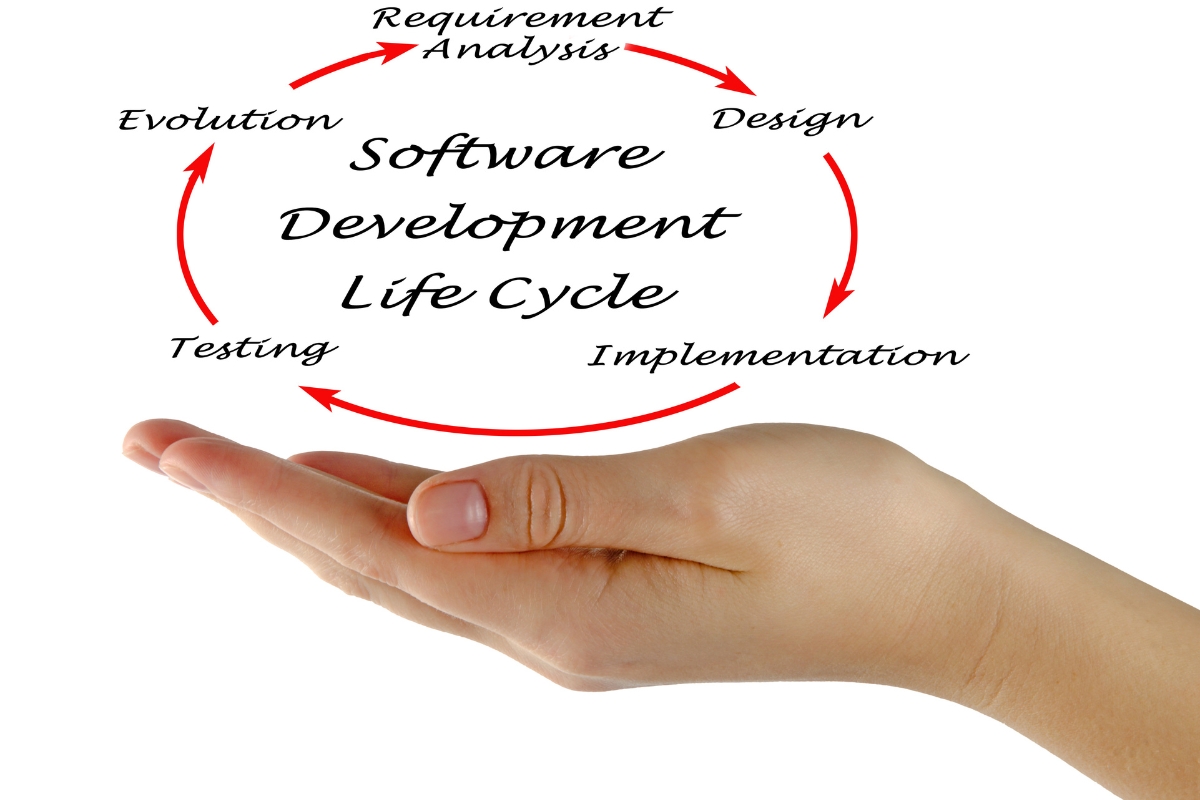
The decision to build custom software should follow a structured assessment of the organization’s problems, current technology, workflows, and future requirements. Rather than starting with a preferred technology, decision-makers should establish what is not working, what the software needs to achieve, and whether existing alternatives can address those needs. A practical evaluation can help determine whether business software development services are justified and provide a clearer foundation for discussions with a development provider:
business software requirements

1. Identify the Business Problem

Start by identifying the specific operational problem that the software needs to solve. This could involve inefficient workflows, repetitive manual work, disconnected systems, limited reporting, poor data visibility, or difficulties managing growing operations. A clearly defined problem provides a practical basis for deciding whether new software is actually necessary.

2. Review Existing Software

Examine the applications currently used across the organization and determine what each one does well and where limitations exist. Consider whether the required improvements can be achieved through existing features, configuration, upgrades, or better use of the current platforms. This prevents the organization from commissioning custom software to solve a problem that an existing solution can already address.

3. Map Current Business Workflows

Document how important processes currently move from one activity to another. Identify the people involved, information required, software used, approvals, handovers, and points where delays or errors occur. Mapping these workflows helps reveal where a custom system could provide better coordination or where process improvements may be sufficient.

4. Identify Operational Gaps

Compare what the organization needs with what its current technology actually provides. Gaps may include missing functionality, limited integrations, inadequate reporting, repeated manual tasks, restricted user controls, or fragmented information. Understanding these gaps makes it easier to determine which problems require development and which can be addressed through other solutions.

5. Document Repetitive Manual Processes

Record activities that employees repeatedly perform, particularly those involving copying information, updating records, assigning tasks, sending notifications, preparing reports, or reconciling data. Some of these processes may be suitable for automation within a custom system. Documenting them also helps estimate the potential operational value of development.

6. Define Business Objectives

Custom software should support measurable business objectives rather than simply introduce new technology. Objectives might include improving operational efficiency, reducing manual administration, connecting departments, improving customer management, strengthening reporting, or supporting expansion. Clear objectives help guide feature decisions and provide a basis for evaluating whether the eventual system delivers useful business value.

7. Establish Functional Requirements

Translate the identified problems and objectives into specific functions the software needs to perform. Requirements may cover user management, customer records, workflows, approvals, notifications, transactions, document management, dashboards, automation, or other capabilities. Separating essential requirements from desirable future features can also help control development scope.

8. Identify Data and Reporting Requirements

Determine what information the system needs to collect, store, update, retrieve, share, and report. Consider who needs access to that information and which dashboards, reports, metrics, or summaries management requires. Clear data and reporting requirements can help shape the system’s structure and prevent important information needs from being overlooked.

9. Review Integration Requirements

List the existing platforms that the proposed system needs to communicate with. These could include accounting software, payment services, websites, communication platforms, customer management tools, or other operational applications. Reviewing integration requirements early helps establish whether existing systems can remain in place and how information should move between them.

10. Consider Security and User Access

Determine what information needs protection and which users should be able to access different parts of the system. Requirements may include authentication, role-based permissions, data protection, backups, monitoring, and secure integrations. Considering these needs before development helps ensure that security and access controls form part of the system design.

11. Assess Future Growth Requirements

Consider how the organization’s software requirements could change as it grows. Additional employees, customers, transactions, services, departments, locations, data, and integrations may place new demands on the system. Planning for reasonable future requirements can help determine whether a custom solution can provide a flexible foundation rather than solving only today’s problems.

12. Compare Custom Development With Existing Alternatives

Finally, compare the case for custom development with other available approaches. The alternatives may include improving current software, configuring existing features, adding integrations, adopting another off-the-shelf platform, or combining several suitable solutions. Custom development becomes a stronger option when important business requirements remain unresolved after these alternatives have been properly considered, making the investment in business software development services more justifiable.

What Are the Best Practices for Custom Business Software Development?

Once custom development has been justified, careful execution becomes essential to achieving the intended business outcomes. Good practices help translate requirements into software that supports real workflows, remains manageable, and can adapt as the organization changes. Applying these principles throughout business software development services can improve clarity, usability, security, and long-term value:
business software requirements

1. Start With Clear Business Requirements

Development should begin with a clear understanding of the problems the software needs to solve. Document the organization’s objectives, workflows, users, functional requirements, data needs, integrations, reporting requirements, and security considerations before development progresses too far. Clear requirements give the development team a defined direction and help prevent unnecessary functionality from entering the project.

2. Involve Key Users and Stakeholders

People who manage and use the affected processes should have an opportunity to contribute to the project. Their input can reveal practical workflow details, information requirements, approval processes, and challenges that may not be visible from a management perspective alone. Early involvement also gives users a better opportunity to understand the system and provide useful feedback before launch.

3. Design Around Actual Business Workflows

Software should reflect how important activities are performed in practice. Mapping the movement of information, responsibilities, approvals, triggers, and outputs can help developers create workflows that support real operations. This approach reduces the risk of building technically functional software that does not fit the way employees actually work.

4. Prioritize Essential Features

A custom system does not need to contain every possible feature from the beginning. Separate essential functionality from enhancements that can be considered later, then prioritize features according to their business value and operational importance. Keeping the initial scope focused can make development more manageable while creating a clear path for future improvements.

5. Plan Integrations Early

Integration requirements should be identified before development rather than treated as an afterthought. Determine which existing platforms need to exchange information with the new system, what data should move between them, and what integration methods are available. Early planning can prevent the custom system from becoming another isolated platform within the organization’s technology environment.

6. Build Security Into the Development Process

Security should form part of the requirements and architecture from the beginning. Depending on the system, this may involve authentication, user permissions, data protection, secure integrations, backups, monitoring, and other appropriate controls. Addressing these considerations throughout development is more effective than treating security as a final-stage addition.

7. Design for Scalability

Future requirements should influence the system’s architecture and technical design without introducing unnecessary complexity. Consider how the software may need to accommodate more users, data, transactions, workflows, integrations, or business functions over time. A scalable foundation can make it easier to extend the system as the organization’s requirements develop.

8. Test the Software With Real Users

Testing should go beyond checking whether individual features function correctly. Real users should test practical workflows and scenarios to identify confusing interfaces, missing steps, incorrect permissions, data issues, or other problems that may not appear during technical testing alone. Feedback from these tests can guide improvements before the software becomes part of everyday operations.

9. Monitor Performance After Launch

Launching the software is not the end of the development process. Monitoring can help identify performance problems, errors, integration issues, unusual usage patterns, or workflows that require improvement once the system is being used in real conditions. Ongoing observation provides useful information for maintaining reliability and identifying opportunities for refinement.

10. Plan for Maintenance and Future Development

Custom software needs continued attention as technology, security requirements, business processes, and user expectations change. A maintenance plan should account for updates, bug fixes, security improvements, performance management, technical support, and future functionality. Including these requirements in the original business software development services plan helps ensure that the system remains useful beyond its initial launch.

What Factors Influence the Investment in Custom Business Software?

The investment required for custom business software depends on the scope, technical requirements, and complexity of the solution being developed. A system designed for a small number of users and a limited workflow will have different development requirements from one that connects several departments, external platforms, and large amounts of data. Understanding these factors helps organizations assess the likely investment and make informed decisions about business software development services:

business software requirements

1. Software Scope and Complexity

The overall scope of the project is one of the main factors influencing development investment. A system supporting a single business process will generally require less planning and development than a platform covering multiple departments, workflows, user types, and operational functions. Greater complexity can increase the work required for design, development, testing, integration, and ongoing support.

2. Number of Features

Every software feature requires consideration during design, development, testing, and maintenance. Basic functions may have relatively straightforward requirements, while advanced automation, dashboards, document management, workflow controls, or specialized functionality can require additional development work. Prioritizing features according to business value can help keep the initial scope focused.

3. Number and Types of Users

The number and types of people using the system can affect its design and technical requirements. Employees, managers, administrators, customers, and other users may require different interfaces, permissions, workflows, and levels of access. A system serving multiple user groups therefore needs appropriate role management and access controls.

4. Workflow Complexity

Software that manages simple processes will have different development requirements from a system handling complex workflows with multiple stages, approvals, dependencies, notifications, and automated actions. The number of steps and conditions involved can influence both the system architecture and development effort. Clearly documenting these workflows helps establish the scope before development begins.

5. Integrations With Existing Platforms

Connecting custom software to existing applications can introduce additional technical requirements. Accounting platforms, payment services, websites, communication systems, customer management tools, and other applications may each have different APIs, authentication methods, data formats, and integration limitations. The number and complexity of these connections can therefore influence the overall investment.

6. Data Migration Requirements

Moving existing information into a new system can require more than transferring records from one database to another. Data may need to be extracted, cleaned, reorganized, mapped to the new structure, validated, and tested before it can be used reliably. The volume, condition, and complexity of existing data can all influence the work involved.

7. Infrastructure and Hosting

The software needs an appropriate environment in which to operate. Infrastructure requirements can include hosting, databases, storage, computing resources, backups, monitoring, and other technical services. The appropriate setup depends on factors such as expected usage, performance requirements, security considerations, and anticipated growth.

8. Security Requirements

Security requirements can influence both development and infrastructure decisions, particularly when software handles sensitive customer, employee, financial, or operational information. Authentication, role-based access, data protection, secure integrations, backups, monitoring, and other controls may need to be incorporated into the system. The level of protection required should be assessed according to the information and processes the software will manage.

9. Maintenance and Support

The investment does not necessarily end when the software is launched. Ongoing requirements can include bug fixes, security updates, performance monitoring, technical support, infrastructure management, and future improvements. Organizations should account for these responsibilities when evaluating the long-term cost and sustainability of custom software.

10. Future Scalability Requirements

Expected growth can also influence how the software is designed from the beginning. A system may need to accommodate more users, transactions, data, departments, services, locations, or integrations over time. Planning for reasonable scalability can require additional architectural consideration initially, but it can also create a more flexible foundation for future business requirements.

What Mistakes Should Businesses Avoid When Building Custom Software?

Custom software can solve important operational problems, but poor decisions during development can undermine its value. Common mistakes include unclear requirements, uncontrolled scope, weak user involvement, and insufficient planning for integration, security, and future support. Avoiding these issues can help organizations get more value from business software development services while reducing unnecessary complexity and implementation risks:

1. Starting Development Without Clear Requirements

Beginning development before understanding the business problem can result in software that does not address the organization’s most important needs. Requirements should cover objectives, workflows, users, functionality, data, integrations, reporting, and security. Establishing this foundation early gives the development process a clearer direction and reduces avoidable changes later.

2. Building Features Without a Clear Business Purpose

A feature should exist because it solves a defined problem or supports an important business objective. Adding functionality simply because it appears useful can increase development effort, system complexity, training requirements, and maintenance needs. Prioritizing features according to practical business value helps keep the solution focused.

3. Trying to Copy Every Existing Software Tool

Replacing several applications does not necessarily mean recreating every feature they contain. Some existing tools may provide specialized functions that are better retained and integrated with the new system. The focus should remain on the organization’s actual requirements rather than attempting to reproduce an entire collection of unrelated software products.

4. Ignoring Employee Workflows

Software that looks effective from a management perspective may still create difficulties for the people who use it every day. Employees understand practical details such as common exceptions, information gaps, approval delays, and repetitive tasks that may not appear in formal process documentation. Involving them during planning and testing can help ensure the system supports real working conditions.

5. Adding Too Many Features at Once

Trying to build every desired function in the first version can make the project unnecessarily complex. A large scope can also make requirements harder to manage and increase development and testing demands. Businesses should prioritize essential functionality and introduce additional capabilities in stages where appropriate.

6. Underestimating Integration Requirements

Integrations can involve more technical work than expected, particularly when external platforms have different APIs, data structures, authentication methods, or limitations. Failing to assess these requirements early can create delays or force changes to the system design. Integration planning should therefore form part of the initial software requirements.

7. Neglecting Data Migration Planning

Existing data may contain duplicates, outdated records, inconsistent formats, or incomplete information. Moving this information into a new system without proper preparation can transfer these problems into the new environment. Businesses should plan how data will be reviewed, cleaned, mapped, transferred, validated, and tested before migration.

8. Treating Security as an Afterthought

Security should not be added only after the main functionality has been completed. Access controls, authentication, data protection, secure integrations, backups, and monitoring should be considered according to the system’s requirements from the beginning. Building security into the development process can reduce weaknesses that may otherwise be difficult to correct later.

9. Ignoring Scalability

A system designed only around current requirements may become restrictive as the organization grows. Increased users, transactions, data, departments, services, and integrations can place new demands on the software. Considering reasonable future requirements during architecture and development planning can create more room for the system to evolve.

10. Failing to Plan for Maintenance

Custom software requires attention after launch to remain reliable and useful. Organizations may need ongoing bug fixes, security updates, performance monitoring, technical support, infrastructure management, and new functionality as requirements change. Including maintenance and support in the overall plan helps avoid treating software development as a one-time activity.

11. Allowing Uncontrolled Requirement Changes

Changes are normal during software development, but every new requirement can affect scope, functionality, testing, timelines, and maintenance. Allowing changes without assessing their impact can make the project difficult to control and may introduce conflicting requirements. A structured process for reviewing, prioritizing, approving, and documenting changes can keep development aligned with the organization’s objectives.

Why Partner With Smepal Consultancy Agency for Business Software Development?

Choosing a development partner is as important as defining the software requirements themselves. The right partner should understand the business problem, translate workflows into practical functionality, and consider how the system will operate beyond its initial launch. Smepal Consultancy Agency approaches business software development services around these principles, helping organizations move from operational challenges to a clearer, purpose-driven software solution:

business software requirements

1. We Start With Your Business Requirements

We begin by understanding what the organization needs the software to achieve before focusing on specific features or technologies. Our approach considers business objectives, users, workflows, data, reporting, integrations, security, and operational challenges. This helps create a development direction based on actual requirements rather than assumptions.

2. We Understand Your Existing Workflows

We look at how work currently moves through the organization, including the people involved, information required, approvals, repetitive tasks, and points where delays occur. Understanding these workflows helps us identify which processes should be improved, automated, connected, or retained. This creates a stronger foundation for software that supports how your organization actually operates.

3. We Develop Around Specific Business Needs

We focus on functionality that addresses identified business requirements instead of adding features without a clear purpose. Our development approach can accommodate specific workflows, user roles, business processes, reporting needs, and operational requirements. This keeps the solution relevant to the organization while providing a foundation for future improvements.

4. We Consider Integration, Data and Automation

We assess how the proposed system needs to interact with existing platforms, business data, and repetitive processes. Where appropriate, integrations can connect relevant systems, while automation can reduce manual activities such as notifications, assignments, approvals, updates, or reporting. Considering these areas together can create a more coordinated digital environment rather than another isolated application.

5. We Plan for Scalability and Future Requirements

We consider how the software may need to evolve as users, customers, data, services, departments, and operational requirements increase. This helps guide decisions around system architecture, functionality, integrations, and future development. Our goal is to help organizations establish a software foundation that can continue supporting changing business needs rather than becoming restrictive as the organization grows.

Frequently Asked Questions About Business Software Development Services

Choosing custom software requires practical answers about suitability, functionality, integration, security, investment, and implementation. These questions can help decision-makers understand when custom development makes sense and what they should consider before starting a project. The following FAQs address common concerns about business software development services and the process of developing software around specific organizational requirements:

1. What Are Business Software Development Services?

Business software development services cover the planning, design, development, testing, deployment, and ongoing improvement of software for organizational needs. They can include custom applications, workflow systems, business portals, internal management platforms, integrations, automation, reporting tools, and other solutions. The specific services depend on the business requirements and the functionality the organization needs.

2. What Is Custom Business Software?

Custom business software is a digital solution developed around the specific requirements of an organization rather than being designed for a broad market. It can reflect particular workflows, user roles, data structures, integrations, reporting requirements, and business processes. This makes it useful when standard software cannot adequately support important operational needs.

3. When Should a Business Build Custom Software?

A business should consider custom software when existing applications cannot meet important requirements and reasonable configuration or integration alternatives are insufficient. Strong indicators include specialized workflows, repetitive manual processes, disconnected systems, limited reporting, scattered data, and significant operational workarounds. The decision should ultimately depend on whether custom development can create enough business value to justify its investment and ongoing management.

4. Is Custom Software Better Than Off-the-Shelf Software?

Not necessarily. Off-the-shelf software can be more practical when its features already match the organization’s requirements and it can be configured effectively. Custom software becomes more appropriate when important business needs remain unresolved and a purpose-built solution offers meaningful operational advantages.

5. How Do I Know If My Business Needs Custom Software?

Start by identifying the specific problems your current software creates. Review your workflows, manual processes, reporting requirements, integrations, data management needs, user requirements, and future growth plans. Comparing these requirements with available software and configuration options can help determine whether custom development is justified.

6. Can Custom Software Integrate With Existing Systems?

Yes, custom software can often integrate with existing platforms through APIs, connectors, data exchange mechanisms, or other suitable integration methods. The available approach depends on the systems involved, their technical capabilities, authentication requirements, data structures, and integration limitations. These requirements should be assessed early so they can influence the system design.

7. Can Custom Software Replace Multiple Business Tools?

It can, depending on the functions those tools provide and the organization’s actual requirements. A custom system can bring related workflows, information, user management, reporting, and automation into a more coordinated environment. However, replacing every existing tool is not always necessary, as some specialized applications may be more effectively retained and integrated.

8. Is Custom Software Suitable for Small Businesses?

Yes, provided the business has a genuine requirement that existing solutions cannot address effectively. A smaller organization may benefit from custom software when specialized workflows, automation, integrations, or data requirements create limitations that standard applications cannot reasonably solve. The scope should remain aligned with the business’s current needs and available resources.

9. What Features Can Custom Business Software Include?

Features depend on the organization’s requirements and may include user accounts, role-based permissions, customer management, workflow automation, task assignment, approvals, notifications, document management, dashboards, reporting, data management, and integrations. Custom software can also support industry-specific processes or internal operational requirements. Features should be prioritized according to their business purpose rather than included simply because they are technically possible.

10. How Secure Is Custom Business Software?

The security of custom software depends on how it is designed, developed, deployed, and maintained. Appropriate measures can include authentication, role-based access, authorization controls, data protection, secure integrations, backups, monitoring, and regular security maintenance. Security requirements should be considered throughout development rather than added after the system is completed.

11. Can Custom Software Scale With Business Growth?

Yes, custom software can be designed with future growth in mind. Development decisions can account for increasing users, customers, transactions, data volumes, departments, services, locations, and integrations. Planning for reasonable future requirements can help the system remain useful as the organization evolves.

12. How Much Do Business Software Development Services Cost?

There is no single cost for business software development services because each project has different requirements. Investment can be influenced by software scope, features, users, workflow complexity, integrations, data migration, infrastructure, security, maintenance, and scalability requirements. A development assessment should therefore establish the required functionality and technical scope before a meaningful project estimate can be prepared.

13. How Long Does Custom Software Development Take?

Development time varies according to the complexity and scope of the project. Requirements, number of features, integrations, data migration, user testing, security needs, revisions, and deployment requirements can all influence the timeline. A clearer requirements and planning process can provide a more realistic development schedule before implementation begins.

14. How Does Smepal Consultancy Agency Develop Business Software?

We start by understanding the organization’s business requirements, existing workflows, operational gaps, users, data, integrations, and objectives. We then use these requirements to guide functionality, system structure, automation, security, scalability, and other development considerations. Our approach focuses on creating software around practical business needs rather than adding technology without a clear operational purpose.

business software requirements

Build Custom Business Software With Smepal Consultancy Agency Today

Discuss your current software challenges, workflows, requirements, and integration needs with Smepal Consultancy Agency today. We can help you assess where custom development may improve efficiency, automation, data management, reporting, or system integration. Share your business requirements with our team and explore a practical software solution designed around your operations. Contact us today to discuss your business software development services project and take the next step toward a more suitable digital system.

Similar Posts