How Integrated Business Systems Connect Sales, Customers, Operations and Management
Businesses can lose valuable time and information when sales, customer management, operations, finance, and reporting rely on separate systems that do not communicate with each other. Employees may have to enter the same information into multiple platforms, transfer data manually, check different records, and wait for updates before they can complete routine tasks or make informed decisions. Connecting these systems creates a more coordinated digital environment where information can move between relevant business functions, reducing unnecessary duplication while improving visibility across the organization. For businesses considering business systems integration in Kenya, understanding how systems, processes, data, and teams can work together is an important step toward building more efficient and connected operations.

What Is Business Systems Integration?
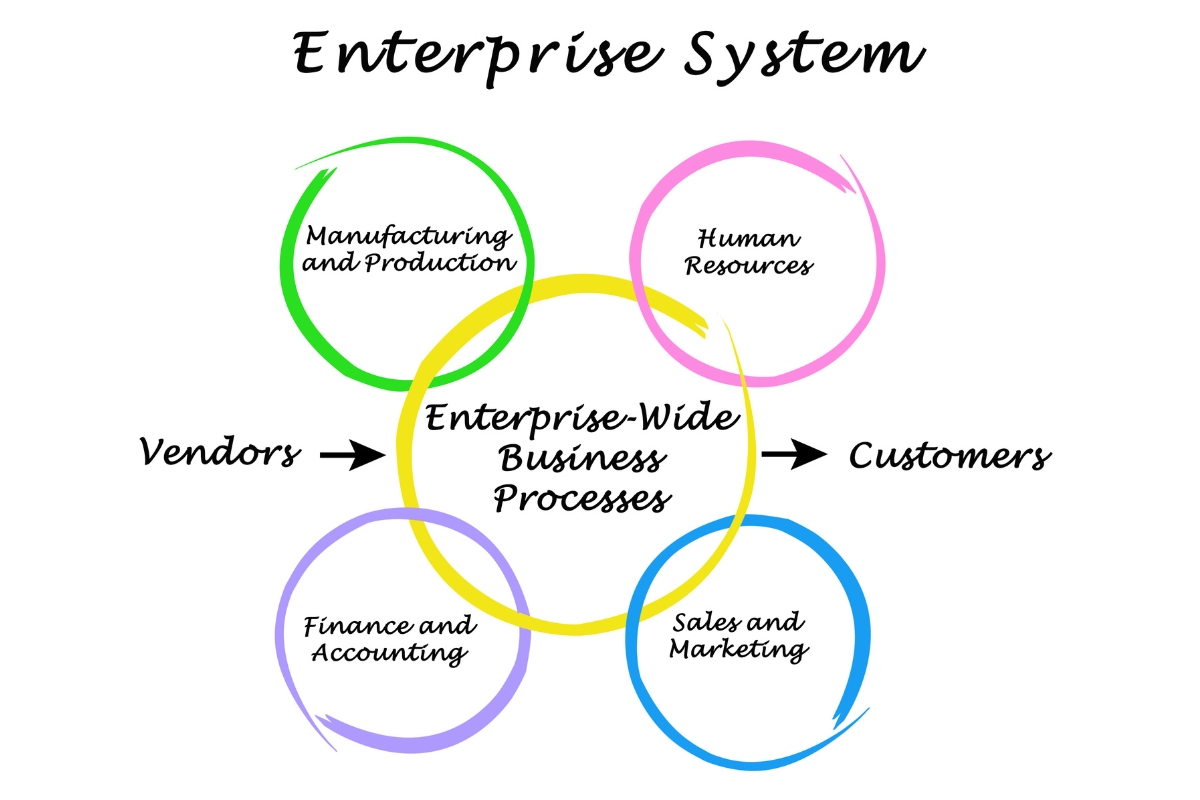
Business systems integration connects different software applications and digital platforms so they can exchange relevant information and support connected business processes. Instead of requiring employees to move information manually between separate systems, integration allows data to flow between the tools used for sales, customers, operations, finance, payments, and reporting. Understanding business systems integration in Kenya starts with knowing what systems can connect, how information moves between them, and why integration is not always the same as replacing existing software:
1. What Is Business Systems Integration?
Business systems integration is the process of connecting separate software applications, platforms, databases, and digital tools so they can communicate and exchange relevant information. A business may use a CRM to manage customer relationships, an ERP to coordinate operations, accounting software to manage financial records, a website to collect enquiries, an inventory system to track stock, and payment platforms to process transactions. Without integration, these systems may hold separate versions of related information and require employees to transfer data manually. With integration, relevant information can move between connected systems so that different departments can work with more consistent and timely data.
2. Why Do Businesses Integrate Different Systems?
Businesses integrate different systems to reduce the gaps created when important information remains isolated within separate platforms. When sales, customer service, finance, inventory, and operations use disconnected systems, employees may repeatedly enter the same information, manually transfer records, or wait for other departments to provide updates. Integration helps connect these workflows so that information captured in one system can support activities in another without unnecessary duplication. This can improve information flow, reduce administrative work, and give employees better visibility into processes that depend on multiple systems.
3. What Types of Business Systems Can Be Integrated?
Many of the systems a business already uses can potentially be integrated when their functions, data, and technical capabilities allow them to communicate effectively. These may include CRM systems, ERP systems, accounting software, websites, ecommerce platforms, inventory systems, payment platforms, customer portals, databases, communication and marketing systems, and custom business applications. For example, a website can send customer enquiries to a CRM, a payment platform can share transaction information with accounting software, or an inventory system can exchange stock information with an ecommerce platform. The right integration approach depends on the business processes involved and the systems that need to exchange information.
4. How Does Information Move Between Integrated Systems?
Information can move between integrated systems through APIs, software connectors, automated workflows, data synchronization, and other integration methods that allow applications to exchange information according to defined requirements. For example, when a customer submits information through a website, an integration can transfer the relevant details to a CRM instead of requiring an employee to enter them again. Similarly, information from sales, payments, inventory, or customer interactions can be passed to other connected systems when specific business events occur. The technical method may differ from one project to another, but the business objective is to make relevant information available where it is needed while reducing unnecessary manual transfer.
5. What Is the Difference Between System Integration and System Replacement?
System integration connects existing systems so they can work together, while system replacement involves removing an existing system and introducing another solution. A business does not necessarily need to replace useful software simply because its systems are disconnected. If an existing CRM, accounting platform, website, inventory system, or other application continues to meet its intended requirements, integration may provide a practical way to connect it with other business systems. Businesses should therefore assess their existing technology, processes, data, and integration requirements before deciding whether to integrate, upgrade, replace, or develop a custom solution.
How Do Integrated Business Systems Connect Sales and Customer Management?
Sales teams need access to accurate customer information at different stages, from the first enquiry to follow-up, transactions, and ongoing service. When customer and sales information remains separated across websites, CRM systems, communication platforms, spreadsheets, and other tools, employees may spend unnecessary time searching for information or updating multiple records. Integrated business systems connect these activities so sales teams can work with relevant customer information while other business functions receive the information they need:
1. Connecting Leads With Customer Records
An integrated system can transfer lead information from sources such as websites, enquiry forms, landing pages, or other customer touchpoints into a centralized customer record. Instead of manually copying names, contact details, enquiries, and other relevant information from one platform to another, the business can create or update customer records through an automated process. This reduces repeated data entry and gives sales teams quicker access to new leads. It can also help maintain more consistent customer information as the lead moves through the sales process.
2. Connecting Sales Activities With Customer Interactions
Sales teams often need more than basic contact details to understand where a customer stands in the buying process. Integration can connect sales activities with relevant enquiries, communications, previous interactions, transactions, and other customer information stored across business systems. This gives authorized sales staff a more complete view of the customer’s relationship with the business instead of requiring them to search through separate platforms. With this information available in the right place, sales teams can make more informed follow-ups and respond to customers based on their previous interactions.
3. Connecting Sales Orders With Other Business Functions
A completed sale can create activities that involve several other parts of the business, including invoicing, inventory, fulfilment, delivery, finance, and operations. When sales systems are connected to these functions, information from an order can support the next required processes without employees having to transfer the same details manually. For example, an approved order can provide relevant information to an invoicing system while also supporting inventory or fulfilment activities. This creates a more connected workflow from the initial sale to the delivery of the product or service.
4. Improving Customer Follow-Up Through Automation
Integrated systems can use customer or sales activities to trigger tasks, notifications, reminders, and other predefined workflows. For example, a new enquiry can create a follow-up task, a completed sales activity can notify another team, or a customer action can trigger a reminder for the responsible employee. These automated processes help reduce the risk of important follow-ups being overlooked when employees manage large numbers of customers or enquiries. The business can therefore create more consistent follow-up processes while reducing reliance on manual reminders.
5. Giving Sales Teams Better Customer Visibility
Connected systems can give sales teams a broader view of customer status, previous activities, transactions, enquiries, follow-up actions, and other relevant information. Instead of viewing each activity in isolation, employees can use connected information to understand what has already happened and what needs to happen next. This can help sales teams identify outstanding actions, prioritize opportunities, and avoid asking customers for information they have already provided. Better visibility also allows managers to gain a clearer understanding of sales activity and customer movement across the business.
6. Creating a More Consistent Customer Experience
Customers can have a better experience when sales, customer service, operations, and other customer-facing teams can access the information relevant to their interactions. Connected systems reduce situations where customers have to repeatedly provide the same details because one department cannot see information recorded by another. For example, customer information captured during an enquiry can remain available as the customer progresses through sales, payment, fulfilment, and service. This creates greater continuity across customer touchpoints and helps different teams respond from a more consistent understanding of the customer relationship.
How Do Integrated Business Systems Connect Customers With Operations?
Customer-facing activities often create tasks that must be completed by teams working behind the scenes. When customer information remains disconnected from operational systems, employees may need to transfer orders, requests, and other details manually before work can begin. Business systems integration in Kenya can connect these customer activities with internal processes so businesses can respond to customer requirements with greater coordination and efficiency:
1. Connecting Customer Orders With Internal Processes
An order, booking, enquiry, or customer request can contain information that several internal teams need to complete the next steps. An integrated system can transfer the relevant details into predefined workflows so the responsible employees know what action is required. For example, a customer booking submitted through a website can create an internal task for the appropriate team, while an approved order can initiate processes involving invoicing, inventory, fulfilment, or delivery. This reduces the need for employees to manually communicate every step and helps move customer requests into execution more efficiently.
2. Connecting Customer Information With Fulfilment
Teams responsible for delivering products or services need accurate information about what the customer requested, when it is required, and any other details relevant to fulfilment. Integration can make this information available to the appropriate operational teams after a customer completes an order, booking, or other transaction. Instead of relying on separate emails, spreadsheets, or manually transferred records, employees can access the information generated through connected business systems. This can reduce misunderstandings and help fulfilment teams act on customer requirements using more complete information.
3. Connecting Inventory With Customer Demand
Customer demand can directly affect the stock, materials, or resources a business needs to maintain. When sales, customer orders, and inventory systems are connected, information about demand can provide better visibility into what is available, what has been committed to customers, and what may need replenishment. For example, information from completed orders can update or inform inventory processes without requiring employees to repeatedly transfer the same data. This connection helps businesses coordinate customer demand with stock management and reduce avoidable gaps between what customers request and what the business can provide.
4. Connecting Customer Requests With Service Teams
Customer enquiries, complaints, support requests, and other service needs often require action from specific operational teams. Integrated systems can route relevant information to the appropriate employees or workflows based on the type of request, customer, product, service, or required action. This allows service teams to work from the information already captured instead of asking customers to repeat details or manually forwarding information between departments. A connected process can also make it easier to track outstanding requests and ensure that operational teams receive the information needed to respond.
5. Connecting Websites With Internal Business Systems
Websites, enquiry forms, customer portals, booking platforms, and ecommerce systems can generate valuable information that internal teams need to act on. Through integration, information submitted through these digital channels can move into relevant CRM, ERP, inventory, accounting, service, or custom business systems according to defined workflows. For example, a website enquiry can create a customer record and notify the sales team, while an ecommerce order can provide information needed for payment, inventory, and fulfilment processes. This reduces the gap between what happens on the customer-facing side of a business and what employees must execute internally.
6. Reducing Gaps Between Customer Expectations and Operations
Customers expect businesses to act on the information they provide accurately and within reasonable timeframes, but disconnected systems can make this difficult when important details remain separated between departments. Connected systems can give operational teams access to relevant customer, order, service, inventory, and workflow information without relying on repeated manual transfers. This can help employees understand what the customer expects and respond according to the information available across the connected processes. As a result, business systems integration can help create stronger coordination between customer-facing activities and the operational work required to deliver on them.
How Do Integrated Business Systems Connect Operations With Management?
Daily business operations generate information about sales, customers, inventory, employees, finances, workflows, and service delivery that management needs to evaluate performance. When this information remains distributed across disconnected systems, managers may depend on manually compiled reports that take time to prepare and may not provide a complete view of what is happening across the business. Business systems integration in Kenya can connect relevant operational information with reporting and management tools, helping decision-makers access more consistent and timely information without requiring every business function to use the same software platform:
1. Connecting Operational Data With Management Reports
Business operations continuously generate data through activities such as sales, orders, customer interactions, inventory movements, financial transactions, and service delivery. Integrated systems can transfer relevant information from operational applications into dashboards, reports, or other management tools according to defined requirements. This reduces the need to collect information manually from several departments before preparing every report. Management can therefore work with information that is connected more closely to the activities generating it.
2. Giving Management a More Complete View of Business Performance
Management decisions often depend on relationships between different areas of the business rather than one isolated metric. Connecting information from sales, customers, finance, inventory, employees, and operations can provide a broader view of how these functions are performing together. For example, management can compare sales activity with customer demand, inventory availability, operational capacity, or financial outcomes to understand what may be influencing performance. This broader visibility can help managers evaluate the business based on connected information rather than fragmented departmental records.
3. Improving Real-Time or Timely Business Visibility
Integrated systems can reduce reliance on manually compiled reports by moving or synchronizing relevant information between connected platforms according to how the integration has been designed. Some integrations can provide information with minimal delay, while others may synchronize data at scheduled intervals or after specific activities occur. This means businesses should define the level of information timeliness they actually require instead of assuming every integration must operate in real time. Better access to timely information can nevertheless help management identify important changes sooner and respond before small operational issues become larger problems.
4. Supporting Data-Driven Decision-Making
Connected business information can help management identify trends, bottlenecks, costs, opportunities, customer behaviour, and operational problems that may be difficult to see when information is scattered across separate systems. For example, management may compare sales activity with inventory levels to identify supply concerns or examine customer requests alongside operational performance to identify service bottlenecks. Integration does not make decisions automatically, but it gives decision-makers a stronger information base from which to evaluate available options. This can support more informed decisions about resources, processes, customer service, technology, and business growth.
5. Connecting Performance Across Departments
Business performance in one department can affect results in several other areas, making it difficult to understand outcomes when each function is viewed separately. Integrated systems can connect information about sales activity, customer demand, inventory, operations, finance, and other functions so management can examine these relationships more clearly. For example, increased sales may affect inventory requirements, fulfilment workload, revenue, and customer service demands at the same time. Connecting this information helps management understand how activities across departments contribute to overall business performance.
6. Creating a Single Operational View
A single operational view does not necessarily mean putting every business function into one software platform. Instead, it means connecting relevant systems and information so management can access the information needed to understand business performance without constantly moving between isolated records or manually combining unrelated reports. A business may continue using separate CRM, accounting, inventory, ERP, website, or custom applications while connecting the information that needs to move between them. This approach can create a more coordinated view of operations while allowing the business to retain systems that continue to meet specific functional requirements.
What Business Problems Can Business Systems Integration Solve?
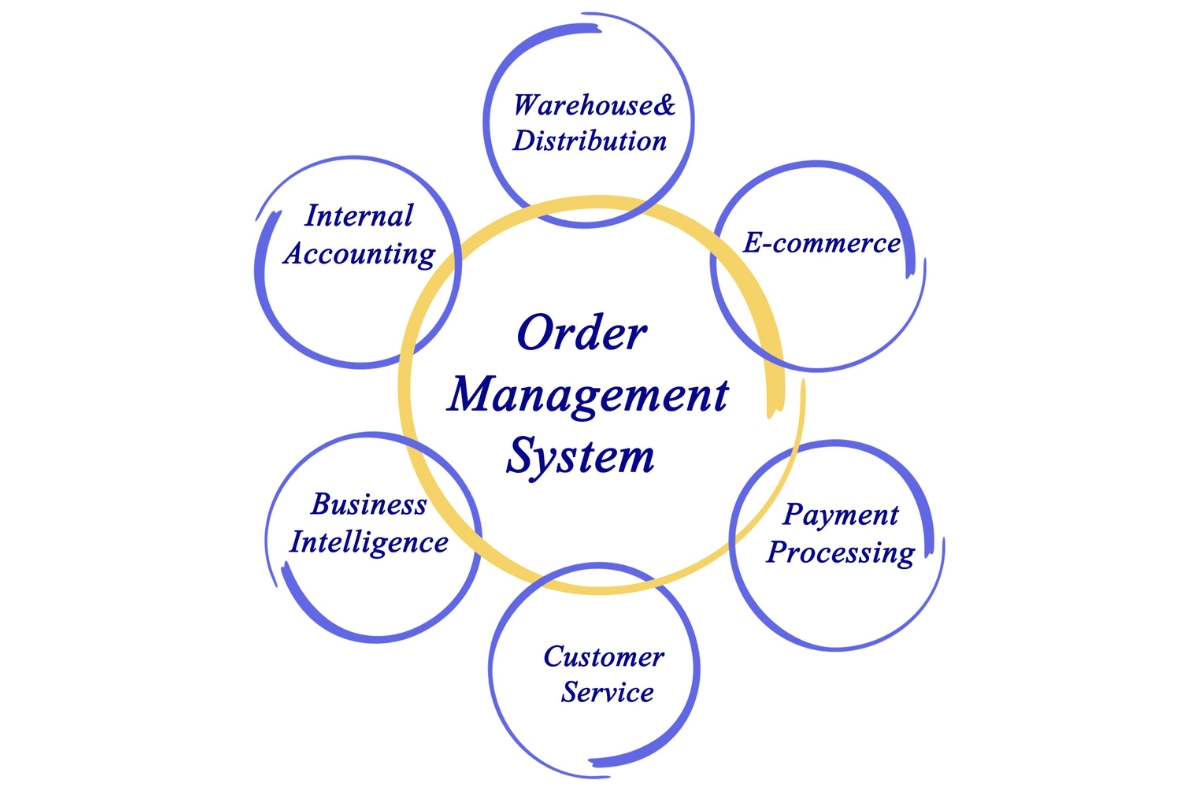
Businesses can lose time, accuracy, and visibility when their systems operate separately and require employees to move information between platforms manually. Business systems integration in Kenya helps connect applications, databases, workflows, and departments so information can move between the systems that depend on it. This reduces operational friction while giving businesses more consistent data, faster processes, and better visibility across daily operations:
1. Duplicate Data Entry
When employees enter the same customer, order, payment, or operational information into multiple systems, the process wastes time and increases the risk of errors. Business systems integration can synchronize relevant information between connected platforms so employees do not have to repeatedly enter the same data. This reduces duplication, improves data accuracy, and allows employees to focus on higher-value tasks.
2. Information Silos Between Departments
Separate systems can prevent departments from accessing the information they need to complete their responsibilities effectively. Business systems integration in Kenya can connect systems used by sales, finance, customer service, operations, and management, allowing relevant information to flow between departments. This creates better coordination and reduces delays caused by departments working with isolated information.
3. Inconsistent Business Information
Businesses can end up with different versions of customer, product, order, or financial information when each system maintains its own records. Integration can synchronize selected data across connected systems and reduce inconsistencies between platforms. As a result, employees can work with more reliable information when serving customers, processing transactions, or making operational decisions.
4. Manual Data Transfer
Copying information from one platform to another creates repetitive work and can introduce mistakes, especially when employees handle large volumes of transactions. Integrated systems can automatically transfer relevant information between applications when specific actions occur, reducing the need for manual movement of data. This makes processes faster, more consistent, and less dependent on repetitive employee intervention.
5. Delayed Reporting
Reporting can take longer when employees must collect information from several disconnected systems before preparing reports. Integration can bring relevant data from different business applications into connected reporting systems, dashboards, or databases. This gives managers faster access to current information and supports more timely operational and strategic decisions.
6. Poor Customer and Sales Visibility
Customer and sales information can become difficult to track when enquiries, customer records, orders, payments, and follow-ups are stored across separate platforms. Business systems integration can connect these customer-facing and sales processes so relevant information is available across the systems that need it. This improves visibility into customer interactions, sales activity, and outstanding actions.
7. Disconnected Operational Workflows
A business process can slow down when one completed activity does not automatically trigger the next step in another system. Integration can connect related workflows so information or actions can move from one stage to another without unnecessary manual intervention. This creates smoother operations and helps employees complete processes with fewer delays and handoffs.
8. Limited Management Visibility
Managers may struggle to understand overall business performance when important information remains distributed across separate systems. Business systems integration can connect operational data and make relevant information available through centralized dashboards, reports, or management systems. This gives decision-makers a clearer view of business activities, performance, and emerging issues.
9. Repetitive Administrative Tasks
Employees can spend significant amounts of time updating records, transferring information, sending notifications, or performing other repetitive administrative activities across different platforms. Integration can automate these actions by allowing connected systems to exchange information and trigger predefined processes. This reduces administrative workload while improving process consistency and employee productivity.
10. Difficulty Scaling Disconnected Systems
Disconnected systems can become increasingly difficult to manage as a business adds employees, customers, transactions, departments, or new digital platforms. Business systems integration in Kenya provides a structured way to connect existing and new systems so business processes can continue working together as operations expand. This creates a more scalable digital environment and reduces the operational complexity associated with disconnected technology.
What Are the Benefits of Business Systems Integration in Kenya?
Businesses can gain more than connected technology when integration addresses specific operational needs and improves how information moves across the organization. Business systems integration in Kenya can help reduce avoidable costs, improve productivity, strengthen customer experiences, and give decision-makers more reliable information. The most valuable benefits come from measurable improvements in how efficiently a business operates, serves customers, manages resources, and supports growth:
1. Centralized Access to Business Information
Employees can waste time searching across different platforms when important customer, sales, financial, or operational information is stored separately. Integrated systems can make relevant information accessible through connected platforms, dashboards, or centralized business applications. This reduces time spent locating information and helps employees work with a clearer view of business activities.
2. Improved Data Accuracy
Separate systems and repeated manual data entry can create inconsistent or outdated records. Integration reduces unnecessary duplication by allowing relevant information to move between connected systems more consistently. This improves data reliability and reduces the operational costs associated with correcting avoidable errors.
3. Greater Operational Efficiency
Disconnected processes often require employees to perform unnecessary steps before a task can move forward. Business systems integration can reduce these inefficiencies by connecting related activities and automating suitable parts of business processes. The result can be faster task completion, lower administrative effort, and better use of employee time.
4. Better Customer Service
Customer service can suffer when employees cannot quickly access accurate information about enquiries, orders, bookings, payments, or previous interactions. Integrated systems can make relevant customer information available across the platforms used to manage customer-facing activities. This helps employees respond faster, resolve issues more effectively, and provide a more consistent customer experience.
5. Improved Sales Visibility
Sales teams and managers may struggle to track enquiries, opportunities, orders, and customer activity when information is spread across different systems. Integration can connect sales information with relevant customer, operational, and financial records to create a clearer view of the sales process. This helps businesses monitor performance, identify follow-up opportunities, and understand where sales activities may be losing momentum.
6. Faster Information Flow
Delays can occur when employees have to manually collect and transfer information before another department can act on it. Integrated systems can enable relevant information to reach the appropriate platform or team more quickly. Faster information flow reduces process delays and helps employees respond to customers and operational requirements sooner.
7. Better Management Reporting
Management reports can take considerable time to prepare when information must be collected from several disconnected sources. Integration can make relevant operational, financial, customer, and sales data available to reporting systems or dashboards. This can reduce reporting effort while giving managers more timely information for monitoring business performance.
8. Improved Decision-Making
Business decisions become more difficult when managers rely on incomplete, outdated, or inconsistent information. Integrated systems can provide a broader and more reliable view of business activities, helping decision-makers compare performance, identify problems, and evaluate opportunities. Better information supports decisions based on actual business conditions rather than assumptions or fragmented records.
9. Reduced Manual Work
Employees may spend significant working hours transferring data, updating multiple records, checking information, or performing repetitive administrative tasks. Integration can automate suitable data exchanges and process steps, reducing the amount of manual work required. This can lower administrative effort and allow employees to dedicate more time to activities that directly support customers and business growth.
10. Greater Business Scalability
As businesses grow, disconnected systems can create more administrative work and make it harder to coordinate increasing volumes of information and transactions. Integration creates a more connected operational environment that can support additional users, processes, systems, and business activity. This makes it easier for businesses to expand without increasing operational complexity at the same rate.
What Systems Should Businesses Consider Integrating?
Businesses do not need to integrate every system they use, as the right opportunities depend on their processes, objectives, existing technology, and information requirements. Identifying systems that frequently exchange information can reveal practical opportunities for improving efficiency, accuracy, and customer service. Common integration opportunities include the following:
1. CRM and ERP Systems
CRM systems manage customer relationships, sales activities, and interactions, while ERP systems often manage internal operations such as finance, inventory, procurement, and resources. Connecting these systems can allow customer and sales information to inform internal processes without requiring employees to transfer it manually. This creates better coordination between customer-facing teams and operational functions.
2. CRM and Accounting Systems
Sales and customer activities often need to connect with invoicing, payments, and other financial processes. Integrating CRM and accounting systems can allow relevant customer, sales, invoice, and payment information to move between the two platforms. This reduces repeated data entry and helps sales and finance teams work with more consistent information.
3. ERP and Inventory Systems
Businesses that manage physical products may need inventory information to connect with procurement, sales, warehousing, and other operational processes. Integrating ERP and inventory systems can provide better visibility into stock levels, purchases, sales, and related activities. This helps reduce information gaps and supports more efficient inventory management.
4. Websites and Business Management Systems
A business website may receive enquiries, bookings, orders, applications, or customer information that employees later process through internal systems. Connecting the website with relevant business management systems can transfer this information into the appropriate workflow without requiring employees to re-enter it manually. This creates a smoother path from online customer activity to internal processing.
5. Payment Systems and Business Software
Payment platforms can generate transaction and payment-status information that businesses need to associate with customer accounts, orders, invoices, or service records. Connecting payment systems with relevant business software can help update these records when transactions occur or payment statuses change. This improves financial visibility and reduces the need for employees to reconcile basic payment information manually.
6. Databases and Business Applications
Businesses may have existing databases containing customer, product, employee, transaction, or operational information that needs to work with newer applications. Where technically and securely appropriate, integration can allow business applications to access or exchange relevant information with these databases. This can extend the usefulness of existing data while reducing unnecessary duplication across systems.
7. Customer Portals and Internal Systems
Customer portals can allow users to submit information, view records, track requests, make payments, or access services without relying entirely on staff assistance. Connecting these portals with internal systems can ensure that customer actions reach the appropriate business processes and that relevant updates can be reflected back to the customer. This improves self-service while keeping customer-facing activities aligned with internal operations.
8. Custom Applications and Standard Software
Businesses sometimes rely on established software for core functions while needing custom processes that standard platforms cannot fully support. Custom applications can be integrated with existing software to fill specific workflow, data, or functionality gaps instead of replacing every system already in use. This provides a more flexible way to address unique operational requirements while preserving the value of established business technology.
What Should Businesses Consider Before Integrating Their Systems?
Successful integration starts with understanding the business problems, processes, and outcomes that the technology needs to support. Businesses considering business systems integration in Kenya should assess their existing operations, systems, data, security requirements, and available resources before selecting an integration approach. A clear assessment helps ensure that integration solves genuine business needs rather than adding technology without improving how the organization operates:
1. Business Objectives
Businesses should first identify what they want integration to achieve, such as reducing manual work, improving data accuracy, speeding up processes, or gaining better reporting. Clear objectives provide a basis for deciding which systems need to connect and what outcomes should be measured. This keeps the integration project focused on business value rather than technology alone.
2. Existing Business Processes
Businesses need to understand how their current processes work before deciding what to integrate. Reviewing workflows can reveal unnecessary steps, bottlenecks, duplicated activities, and processes that need improvement before they are connected to other systems. This prevents businesses from automating inefficient processes and helps integration support better ways of working.
3. Existing Software and Technology
An assessment of current software, databases, websites, infrastructure, and business applications helps determine what can be integrated and what may need improvement or replacement. Businesses should consider the age, capabilities, configuration, and limitations of each system. This provides a realistic foundation for planning the integration without overlooking existing technical constraints.
4. Systems That Need to Communicate
Not every system needs to connect with every other system, so businesses should identify where information needs to move between platforms. This may include customer information between CRM and accounting software or enquiries between a website and an internal management system. Defining these connections helps establish a practical integration scope and avoids unnecessary technical complexity.
5. Data Requirements
Businesses should determine what information needs to be exchanged, where it is stored, who uses it, and how frequently it needs to be updated. They should also identify duplicate, outdated, incomplete, or unnecessary data before integration begins. Clear data requirements help ensure that integration improves information flow without transferring poor-quality data between systems.
6. Integration Methods and Technical Compatibility
Different systems may support different integration methods, such as APIs, webhooks, database connections, or other technical interfaces. Businesses should assess whether their systems can communicate reliably and whether the chosen integration method supports the required data and workflows. Evaluating compatibility early can reduce technical problems and prevent unexpected development work later.
7. User and Access Requirements
Integration should account for who needs to access information and what actions different users should be able to perform. Businesses should define user roles, permissions, access levels, and the systems employees or customers need to interact with. This helps create an integrated environment that supports productivity without giving users unnecessary access to sensitive information.
8. Security and Data Protection
Connecting systems can increase the number of points through which business information moves, making security an important consideration from the beginning. Businesses should assess authentication, authorization, encryption, data handling, access controls, and other relevant security requirements. Addressing these areas during planning helps reduce the risk of unauthorized access, data exposure, or inappropriate information sharing.
9. Scalability
An integration solution should support the business beyond its current size and workload. Businesses should consider future users, transactions, systems, locations, services, and data volumes when designing their integration approach. Planning for growth reduces the risk of having to rebuild the integration as business requirements expand.
10. Implementation Requirements
Businesses should establish what needs to happen before, during, and after implementation, including configuration, development, testing, data preparation, user training, and deployment. Clear implementation requirements help teams understand the work involved and identify dependencies that could affect timelines. This creates a more controlled transition from disconnected systems to an integrated environment.
11. Budget and Total Cost of Ownership
The cost of integration can include software, development, infrastructure, data preparation, testing, training, security, support, and future maintenance. Businesses should consider the total cost of owning and operating the integration rather than focusing only on the initial development expense. Comparing these costs with expected operational benefits helps determine whether the proposed integration provides sufficient business value.
12. Ongoing Support and Maintenance
Integration requires ongoing attention because connected systems can change, receive updates, or introduce new technical requirements. Businesses should determine who will monitor integrations, resolve failures, maintain connections, and make necessary updates after implementation. Planning for ongoing support helps maintain reliable information flow and reduces the risk of integration problems disrupting business operations.
What Challenges Can Businesses Face With Business Systems Integration?
Business systems integration can improve efficiency and information flow, but connecting different technologies is not always straightforward. Businesses may encounter technical, data, security, financial, and operational challenges when systems were developed independently or processes have changed over time. Understanding these risks early allows businesses to plan appropriate controls and reduce disruption during implementation:
1. Incompatible Systems
Different systems may use technologies, interfaces, or architectures that were not designed to communicate with each other. This can make direct integration difficult and may require additional development, middleware, configuration, or changes to existing systems. Businesses can reduce this risk by assessing technical compatibility before implementation and selecting an integration approach suited to the systems involved.
2. Poor Data Quality
Incomplete, duplicated, outdated, or inaccurate data can create problems when information begins moving between connected systems. Integration may transfer these existing data problems more quickly instead of solving them. Businesses can reduce the risk by reviewing, cleaning, validating, and standardizing important data before connecting systems.
3. Different Data Structures
Two systems may store similar information using different fields, formats, naming conventions, or data structures. For example, one platform may separate customer information into several fields while another stores it differently. Businesses can manage this challenge by mapping data between systems and defining clear rules for how information should be transformed and synchronized.
4. Limited APIs or Integration Capabilities
Some older or specialized systems may provide limited APIs or lack the interfaces required for modern integration. This can restrict how information is exchanged and may require alternative technical approaches. Businesses should assess available integration capabilities early and determine whether additional development or system upgrades are necessary.
5. Security and Access Risks
Connecting systems can create additional pathways through which business information is accessed or transferred. Poorly configured integrations may expose sensitive information or provide excessive permissions to applications and users. Businesses can reduce these risks through appropriate authentication, access controls, encryption, monitoring, and security testing.
6. Complex Existing Workflows
Businesses may have processes that involve several departments, approval stages, exceptions, or manual decisions that are difficult to represent through simple system connections. Attempting to integrate these workflows without understanding their complexity can create errors or disrupt established operations. Businesses should map existing processes first and simplify suitable workflows before automating or connecting them.
7. Integration Costs
Integration costs can increase when systems require custom development, extensive data preparation, additional infrastructure, or specialized technical expertise. Projects can also become more expensive when their scope changes after implementation begins. Businesses can manage this risk by defining requirements clearly, prioritizing high-value integrations, and assessing the total cost before development starts.
8. Employee and Process Changes
Integration can change how employees enter information, complete tasks, access records, or collaborate with other departments. Employees may initially resist these changes or make mistakes while adapting to new workflows. Businesses can reduce this challenge through communication, training, clear process documentation, and gradual implementation where appropriate.
9. System Downtime or Implementation Disruption
Changes to connected systems can temporarily affect websites, applications, databases, workflows, or other business operations. Poorly planned deployments can therefore interrupt services or delay employees from completing essential tasks. Businesses can reduce disruption through testing, staged implementation, backups, contingency plans, and carefully scheduled deployment.
10. Ongoing Maintenance Requirements
An integration can stop working correctly when a connected system changes its API, database structure, authentication method, or software version. Without monitoring and maintenance, small technical changes can eventually disrupt important business processes. Businesses should establish ongoing monitoring, testing, documentation, support, and maintenance procedures to keep integrations reliable over time.
How Should Businesses Plan a Business Systems Integration Project?
A successful integration project should begin with the business problems and processes that need improvement rather than with a particular technology or integration tool. Businesses considering business systems integration in Kenya should move through a structured process that connects operational requirements with systems, data, security, implementation, and measurable outcomes. Following a clear progression helps businesses reduce integration risks while ensuring that connected systems deliver practical improvements:
1. Identify the Business Problems
Businesses should first identify the operational problems they want integration to solve, such as duplicate data entry, delayed reporting, disconnected workflows, or limited customer visibility. Defining these problems creates a clear reason for the project and helps determine what outcomes the integration should deliver. This prevents businesses from integrating systems simply because the technology is available.
2. Map the Existing Business Processes
The next step is to document how information and activities currently move through the business. Process mapping can reveal manual tasks, bottlenecks, approval points, duplicated activities, and areas where departments depend on information from other systems. Understanding these processes provides a foundation for deciding where integration can create the greatest improvement.
3. Audit Existing Systems
Businesses should review their current software, databases, websites, applications, and other technology used to support daily operations. The audit should consider each system’s purpose, data, users, technical capabilities, limitations, and integration options. This helps businesses understand what they already have before investing in new technology or integration work.
4. Identify the Systems That Need to Connect
Not every system requires integration, so businesses should identify the specific platforms that need to exchange information or support connected workflows. This may involve linking CRM, accounting, inventory, payment, website, customer portal, or internal management systems. Defining these connections helps establish a practical scope for the integration project.
5. Define Data Requirements
Businesses should determine what information needs to move between systems, where that information originates, and where it needs to be used. They should also identify data formats, update frequency, ownership, quality requirements, and rules for handling duplicate or conflicting records. Clear data requirements reduce confusion during development and help ensure that integration supports accurate information flow.
6. Define Integration Requirements
The business should establish exactly what the integration needs to do, including the systems involved, information exchanged, workflows triggered, automation required, user interactions, and expected outcomes. These requirements should describe both functional and technical needs without losing sight of the original business problems. Well-defined requirements give developers and stakeholders a common basis for planning and implementation.
7. Prioritize Integration Opportunities
Businesses may identify several systems and processes that could benefit from integration, but attempting to address everything at once can increase complexity and cost. Integration opportunities should therefore be prioritized according to business impact, urgency, feasibility, risk, and expected return. Starting with high-value opportunities can produce useful results while creating a foundation for later integration work.
8. Evaluate Suitable Integration Approaches
Different integration requirements may call for different technical approaches, including APIs, middleware, webhooks, database connections, automation platforms, or custom development. Businesses should evaluate each option based on compatibility, security, scalability, performance, maintenance, and cost. The selected approach should fit the business requirements rather than being chosen simply because it is familiar or readily available.
9. Plan Data Mapping and Data Migration
When systems use different structures, businesses need clear rules for how information from one platform corresponds to information in another. Data mapping defines these relationships, while migration planning determines how existing records will be transferred, cleaned, validated, or transformed where necessary. Proper planning reduces data loss, duplication, and inconsistencies during implementation.
10. Plan Security and Access Controls
Security should be built into the integration plan before systems begin exchanging business information. Businesses should define authentication methods, user permissions, application access, encryption, monitoring, and other relevant controls based on the sensitivity of the data involved. This helps protect business and customer information while ensuring that users and systems only access what they need.
11. Test the Integration
Testing should confirm that systems exchange the right information, trigger the correct processes, handle errors appropriately, and maintain data accuracy. Businesses should test normal workflows as well as exceptions, failed transactions, security controls, and performance where necessary. Thorough testing helps identify problems before they affect live business operations.
12. Deploy and Monitor the Integrated Systems
Once testing is complete, the integration can be introduced into the live business environment using a deployment approach appropriate to the level of risk and complexity. Businesses should monitor system performance, data transfers, workflows, errors, and user activity after deployment. Ongoing monitoring helps identify and resolve problems before they significantly disrupt operations.
13. Measure Business Performance and Improve the Integration
Integration should be evaluated against the business objectives established at the beginning of the project. Businesses can measure improvements such as reduced manual work, faster processing times, fewer data errors, improved reporting, better customer response times, or lower operational costs. Reviewing these results creates opportunities to refine existing integrations and identify additional processes that could benefit from improvement.
Should Businesses Integrate Existing Systems or Replace Them?
Businesses do not always need to replace existing software when their systems are disconnected or difficult to use together. The decision between integration, upgrading, replacement, or custom development should consider the condition of existing technology, business requirements, costs, complexity, scalability, and expected value. A practical assessment can help businesses choose the approach that improves operations without creating unnecessary technology costs:
1. Retain Existing Systems When They Still Meet Business Requirements
An existing system may continue to provide strong functionality even when it does not communicate effectively with other platforms. Businesses can retain such systems when their core features, performance, security, and scalability remain suitable for current and future needs. Integration can then address the communication gap without requiring the business to replace a system that already works well.
2. Integrate Systems When the Main Problem Is Disconnection
A business may have capable systems that operate separately and create unnecessary manual work or information gaps. In this situation, integration can connect the existing platforms and improve how information moves between them. This can solve the underlying operational problem without the cost and disruption of replacing functional software.
3. Upgrade Systems When Existing Technology Has Useful Foundations
Older software may still have a valuable foundation but lack the capabilities needed for current integration, security, performance, or reporting requirements. An upgrade can provide improved functionality while allowing the business to retain useful data, processes, and configurations. This can be a practical middle ground between keeping outdated technology and replacing it entirely.
4. Replace Systems When They Cannot Support Critical Requirements
Replacement may be appropriate when an existing system cannot meet essential business, security, performance, compliance, or scalability requirements. Continuing to build integrations around severely limited technology can increase complexity and create long-term maintenance costs. Businesses should therefore consider replacement when the underlying platform prevents the organization from achieving important operational objectives.
5. Consider Custom Integration When Standard Connectors Are Not Enough
Standard connectors can work well when established systems have compatible integration capabilities and straightforward data requirements. More complex environments may require custom integration to handle specific data flows, business rules, or workflows that standard connectors cannot support. Custom integration can provide greater flexibility while allowing businesses to retain suitable existing platforms.
6. Consider Custom Development When Business Processes Are Highly Specialized
Some businesses have unique processes that cannot be effectively supported by standard software or connectors. Custom development can provide applications or components designed around those specific requirements and connected to existing systems where necessary. This approach can be useful when specialized workflows create significant business value and cannot be adequately addressed through off-the-shelf solutions.
7. Use a Hybrid Approach Where Appropriate
A business does not have to choose one approach for every system. It may retain some platforms, upgrade others, replace systems that no longer meet requirements, and use custom integration or development to connect the resulting environment. A hybrid approach can provide flexibility while allowing businesses to address different technology needs according to their individual circumstances.
8. Base the Decision on Business Value
There is no universal answer to whether a business should integrate, upgrade, replace, or custom-build its systems. The decision should consider business requirements, existing technology, integration complexity, security, scalability, implementation costs, ongoing maintenance, and the expected operational value. Businesses can then choose the approach that solves the actual problem while providing the strongest long-term return on their technology investment.
Why Choose Smepal Consultancy Agency for Business Systems Integration?
Effective integration requires more than connecting software because the technology must support the way a business operates and the outcomes it wants to achieve. Smepal Consultancy Agency approaches business systems integration in Kenya as part of a broader digital systems strategy, helping businesses assess their requirements, existing technology, processes, data, and future needs. Our approach focuses on building practical digital systems that improve operations, support customers, and create measurable long-term business value:
1. We Start With Your Business Requirements
We begin by understanding your business objectives, operational challenges, users, processes, and desired outcomes before recommending an integration approach. This helps ensure that the proposed solution addresses actual business requirements rather than introducing technology without a clear purpose. Starting with the requirements also provides a stronger basis for defining project scope and priorities.
2. We Assess Your Existing Systems
We review the systems already supporting your business, which may include CRM and ERP platforms, websites, databases, spreadsheets, applications, payment systems, and other digital tools. This assessment helps identify what each system does, what information it manages, and where technical or operational limitations may exist. Understanding the existing environment allows us to determine whether systems should be integrated, upgraded, replaced, or supported through another approach.
3. We Identify Integration Opportunities
Disconnected systems can create duplicate data entry, delays, information gaps, and unnecessary manual work. We assess how information currently moves between systems and identify areas where integration could improve efficiency, accuracy, visibility, or customer service. This helps prioritize integration opportunities according to their potential business impact.
4. We Consider Business Processes and Workflows
Integration should support actual business workflows rather than simply establish technical connections between applications. We consider how employees, departments, customers, and systems interact throughout important processes and identify where information or actions need to move between stages. This helps ensure that the resulting solution improves the overall process instead of automating inefficient ways of working.
5. We Consider Data and Integration Requirements
We assess what information needs to move between systems, where it originates, where it needs to go, how frequently it should be updated, and how it should be managed. We also consider data quality, structures, security, access, and transformation requirements where relevant. This creates a clearer foundation for designing reliable and useful integrations.
6. We Help Identify the Right Digital Approach
Not every business needs the same integration solution. We can consider standard integrations, customization, custom integration, custom systems, or a combination of approaches based on the business requirements and existing technology. The goal is to identify an approach that balances functionality, complexity, scalability, security, and cost.
7. We Focus on Practical Business Value
Technology should contribute to measurable improvements rather than become an end in itself. We connect integration decisions to outcomes such as greater efficiency, improved productivity, better customer service, stronger reporting, cost control, and business growth. This keeps the digital systems strategy focused on the value the business expects to achieve.
8. We Help Businesses Plan Scalable Digital Systems
Business requirements can change as an organization adds users, departments, customers, transactions, services, and digital platforms. We consider these future requirements when assessing integration and digital systems so that the solution can support growth rather than create new limitations. This helps businesses develop a more sustainable technology environment.
9. We Support a Strategic Digital Systems Approach
We view integration as one part of a broader digital systems journey that can begin with identifying a business problem and continue through requirements, system assessment, process analysis, integration planning, implementation, and improvement. Our role is to help businesses make informed digital decisions based on their actual operational needs. This positions Smepal Consultancy Agency as a strategic digital systems partner rather than simply an integration vendor.
Frequently Asked Questions About Business Systems Integration in Kenya
Businesses considering integration often need clarity about what can be connected, how projects are planned, and whether integration is the right approach for their existing technology. Business systems integration in Kenya can vary significantly depending on the systems, processes, data, security requirements, and business objectives involved. The following answers address common questions businesses may have before planning an integration project:
1. What Is Business Systems Integration?
Business systems integration is the process of connecting separate software, applications, databases, websites, or digital platforms so they can exchange information and support connected business processes. Integration can reduce manual data transfer, improve information consistency, automate suitable workflows, and give businesses better visibility across their operations.
2. Why Is Business Systems Integration Important for Businesses?
Business systems integration can help businesses reduce duplicate data entry, improve data accuracy, speed up information flow, connect operational workflows, and improve access to business information. It can also support better customer service, reporting, decision-making, and scalability when integration is designed around genuine business requirements.
3. What Business Systems Can Be Integrated?
Businesses can integrate many different types of systems depending on their technical capabilities and operational requirements. Common examples include CRM, ERP, accounting, inventory, payment, website, customer portal, database, booking, sales, and custom business applications.
4. Can CRM and ERP Systems Be Integrated?
Yes, CRM and ERP systems can often be integrated when they have suitable technical capabilities. Connecting them can allow customer and sales information to work alongside internal processes such as finance, inventory, procurement, and operations, reducing manual data transfer and improving coordination between departments.
5. Can a Website Be Integrated With a Business Management System?
Yes, a website can be integrated with a business management system where the relevant platforms support the required integration methods. Website enquiries, bookings, orders, forms, customer information, or other submissions can potentially be transferred into internal workflows, reducing manual processing and helping businesses respond to online activities more efficiently.
6. Can Existing Business Software Be Integrated Instead of Replaced?
Yes, existing software can often be integrated when it still meets important business requirements and has suitable integration capabilities. Integration may be a more practical option when the main problem is that capable systems operate separately, although businesses should assess technical limitations, security, scalability, costs, and long-term requirements before making the decision.
7. How Much Does Business Systems Integration Cost in Kenya?
The cost varies depending on the systems involved, number of integrations, data complexity, available APIs or other integration capabilities, customization requirements, security needs, implementation, testing, and ongoing support. A simple connection between compatible systems may require considerably less work than a complex integration involving multiple platforms, custom workflows, data migration, and specialized development.
8. How Long Does Business Systems Integration Take?
The timeline depends on the project scope, system complexity, number of platforms, data requirements, integration methods, customization, testing, and implementation approach. A straightforward integration between compatible systems may be completed faster than a project involving several systems, complex workflows, large data sets, or custom development, so the timeline should be established after assessing the requirements.
9. Is Business Systems Integration Suitable for Small Businesses?
Business size alone does not determine whether integration is appropriate. Suitability depends more on process complexity, systems used, transaction volumes, operational requirements, information flows, and the expected business value. A small business with several disconnected systems and significant manual processes may benefit from integration just as a larger organization can.
10. What Challenges Should Businesses Expect When Integrating Systems?
Common challenges include incompatible systems, poor data quality, different data structures, limited APIs, security risks, complex workflows, implementation costs, employee changes, potential disruption, and ongoing maintenance. Businesses can reduce these risks through proper requirements analysis, system assessment, data preparation, security planning, testing, controlled deployment, and ongoing monitoring.
11. Should a Business Integrate or Replace Its Existing Software?
The decision depends on whether the existing software still meets business requirements and whether its limitations can be addressed through integration or upgrades. Businesses should compare the functionality, technical condition, security, scalability, integration capabilities, costs, complexity, and expected value of each option before deciding whether to retain, integrate, upgrade, or replace a system.
12. Can Custom Development Help Connect Disconnected Business Systems?
Yes, custom development can help connect systems when standard connectors or existing integration capabilities cannot meet specific business requirements. Custom integration can handle specialized data flows, workflows, business rules, or technical requirements while allowing businesses to retain existing systems that continue to provide useful functionality.
13. What Should Businesses Consider Before Starting a Systems Integration Project?
Businesses should consider their objectives, existing processes, systems, data requirements, integration needs, technical compatibility, users, security, scalability, implementation requirements, budget, and ongoing support. Starting with these business and process requirements helps ensure that the integration addresses genuine operational needs rather than simply connecting systems without a clear purpose.
14. Can Smepal Consultancy Agency Help With Business Systems Integration?
Yes, Smepal Consultancy Agency can help businesses assess their existing systems, business processes, data, integration requirements, and objectives to determine an appropriate digital approach. We can help businesses evaluate whether integration, customization, custom development, system upgrades, replacement, or a combination of approaches is better suited to their requirements and expected business value.
Connect Your Business Systems With Smepal Consultancy Agency Today!
Do not accept disconnected systems, duplicated data, and manual information transfer as normal when your business can operate more efficiently. Assess your sales, customer management, operations, finance, websites, databases, existing software, workflows, and reporting requirements to identify where better connections can create value. Smepal Consultancy Agency can help you assess integration opportunities and determine whether standard integration, customization, custom development, or a combination is the right approach for building practical digital systems, connected workflows, automation, reliable data, and scalable operations. Contact us today to discuss your business systems integration requirements and build a more connected digital environment around the way your business actually operates.