CRM, ERP or Custom Business Management System: Which Solution Does Your Business Need?
As businesses grow, spreadsheets, disconnected applications, manual processes, and scattered information can make everyday operations harder to manage and slow down important decisions. At this stage, businesses may consider CRM, ERP, or custom business management systems, but each option is designed to address different operational needs and challenges. Choosing a system simply because it is popular, feature-rich, or affordable can result in unnecessary costs, complex workflows, poor employee adoption, and difficult integrations. Businesses considering CRM and ERP software in Kenya therefore need to assess their processes, users, data, systems, and future requirements before deciding which digital solution is the right fit.
What Business Problems Can a CRM System Solve?
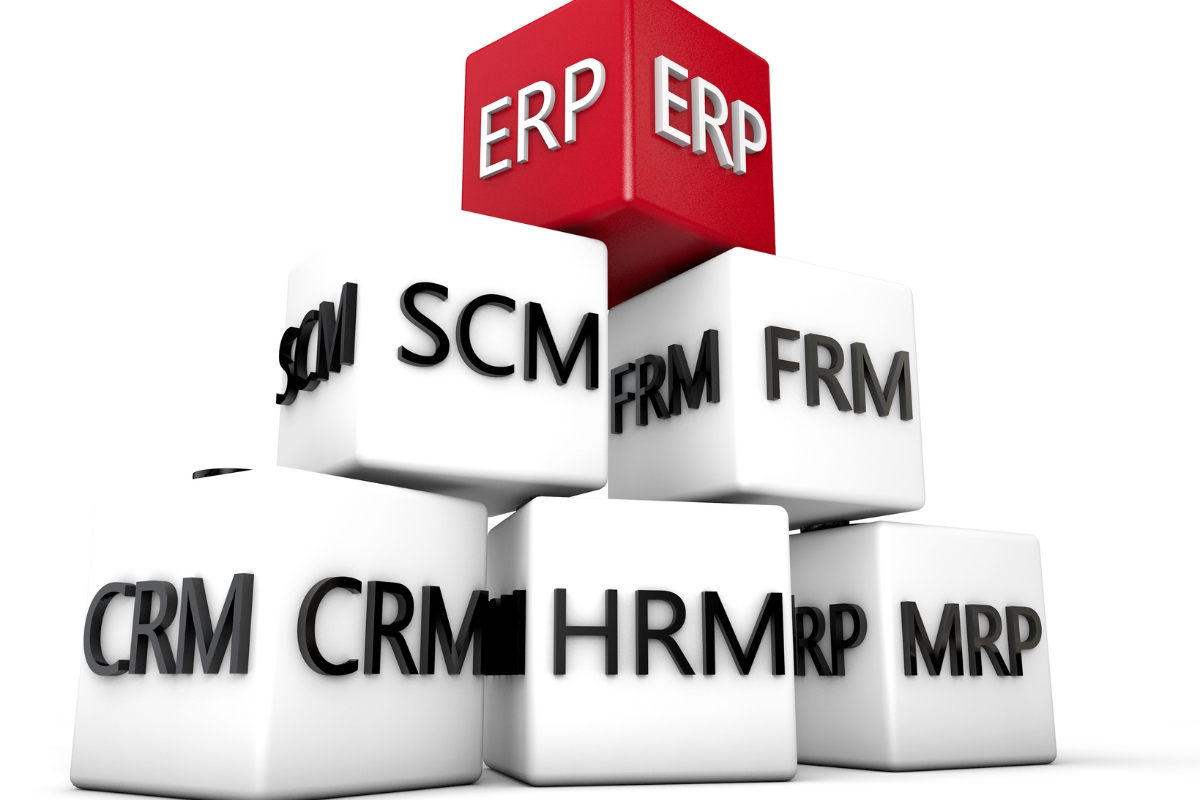
Customer-related information can quickly become difficult to manage when leads, enquiries, conversations, sales activities, and follow-ups are scattered across spreadsheets, emails, and separate applications. A CRM system brings these activities into a more structured environment, helping businesses manage customer relationships while giving sales and service teams better visibility. For businesses evaluating CRM and ERP software in Kenya, understanding the specific problems a CRM can solve helps determine whether it is the right solution for their customer-facing operations:
1. Managing Leads and Sales Opportunities
A CRM system can organize prospects and sales opportunities from the first enquiry through different stages of the sales process. Teams can record lead details, assign prospects to sales representatives, schedule follow-ups, track opportunities, and monitor progress toward conversion. This structured approach helps businesses reduce missed opportunities and maintain a clearer view of their sales activities.
2. Centralizing Customer Information
Customer information can become fragmented when different teams maintain separate records across spreadsheets, emails, messaging platforms, and other tools. A CRM can centralize customer contacts, enquiries, communication history, transactions, preferences, and other relationship information in one accessible system. This gives authorized users a more complete view of each customer and reduces the need to search through multiple sources for important information.
3. Automating Customer Follow-Ups
Manual follow-ups can be inconsistent, particularly when sales teams manage large numbers of prospects and customers. CRM systems can automate reminders, notifications, task assignments, emails, and other routine follow-up activities based on defined workflows or customer actions. This can help teams respond on time, maintain consistent communication, and reduce the risk of opportunities being overlooked.
4. Improving Sales Visibility
A CRM provides businesses with tools for monitoring sales activities and opportunities across different stages of the customer journey. Sales pipelines, dashboards, reports, conversion rates, salesperson performance, and forecasting information can help managers understand what is happening across the sales process. With this visibility, management can identify bottlenecks, evaluate performance, and make more informed decisions about sales activities.
5. Improving Customer Service
Customer service teams need access to accurate information to respond effectively to enquiries, complaints, requests, and ongoing support needs. A CRM can provide access to customer profiles, previous interactions, communication records, and relevant service information from a centralized platform. This can help employees understand the customer’s history and provide more consistent and informed support.
6. Supporting Customer Retention
Retaining customers requires businesses to understand previous interactions and maintain meaningful communication after an initial sale. CRM systems can help teams track customer activity, communication history, preferences, follow-ups, and service interactions that can inform retention strategies. Businesses can use this information to maintain relationships, identify opportunities for continued engagement, and encourage repeat business.
What Business Problems Can an ERP System Solve?
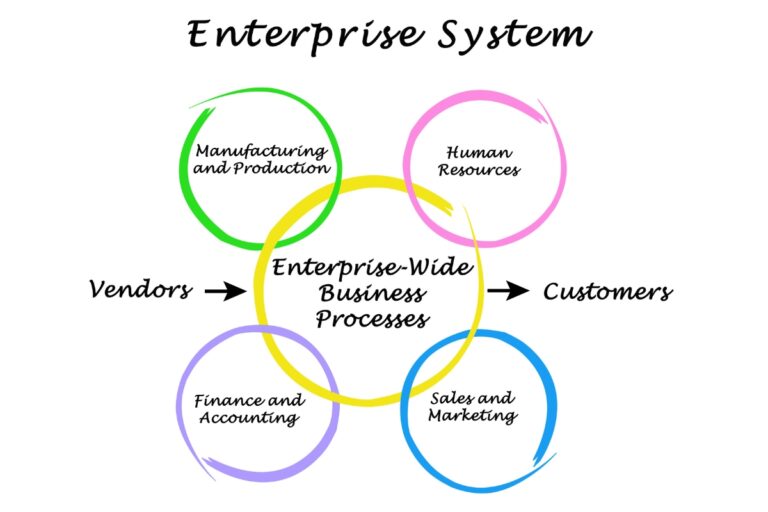
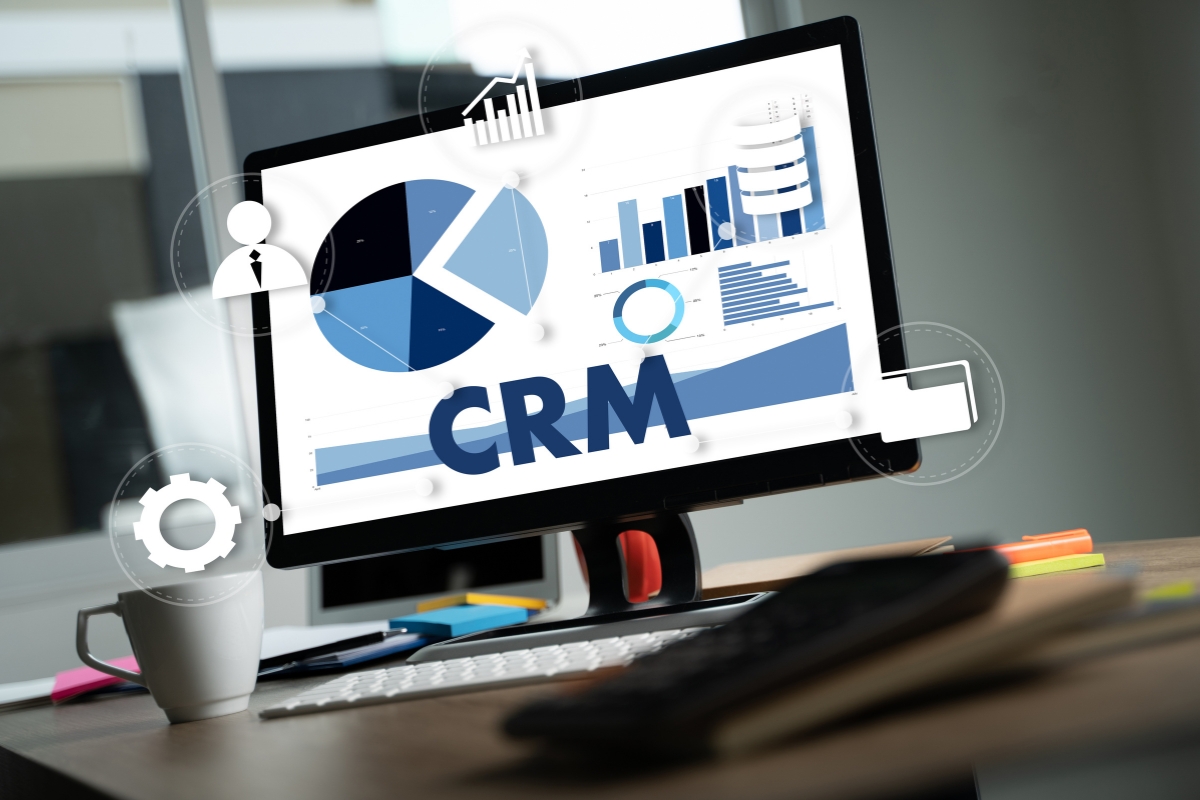
Businesses can struggle with operational inefficiencies when finance, procurement, inventory, human resources, and other departments rely on disconnected systems or separate records. An ERP system connects these core functions through a centralized environment, allowing information to move more consistently between departments and giving management greater operational visibility. When assessing CRM and ERP software in Kenya, businesses should understand whether their main challenges extend beyond customer management into broader internal operations:
1. Connecting Core Business Functions
An ERP system brings multiple departments and operational processes into a connected environment rather than requiring each function to operate independently. Finance, procurement, inventory, human resources, operations, and other departments can work with shared information according to their roles and responsibilities. This can reduce information silos, improve coordination, and create a more consistent flow of business data.
2. Managing Finance and Accounting
ERP systems can support financial processes such as invoicing, expense management, payments, financial records, and reporting. By connecting financial information with other business activities, an ERP can help management understand how operational activities affect financial performance. Centralized financial data can also make it easier to monitor transactions, review records, and prepare reports.
3. Managing Inventory and Procurement
Businesses that handle physical products need accurate information about stock levels, purchases, suppliers, and inventory movement. An ERP can help monitor available stock, manage purchasing activities, maintain supplier information, track inventory changes, and support replenishment processes. Connecting inventory and procurement information can help businesses reduce stock-related inefficiencies and make purchasing decisions based on more reliable data.
4. Coordinating Human Resources
An ERP can support internal human resource processes by centralizing employee records and administrative information. Depending on the system and business requirements, this may include employee information, leave management, attendance, onboarding, payroll-related workflows, and other internal processes. Connecting HR information with broader business operations can give authorized managers better visibility into workforce-related activities.
5. Improving Operational Visibility
When business information is spread across departments, management may struggle to understand overall performance or identify operational problems quickly. An ERP brings information from different functions into a more connected environment, making it easier to monitor activities across the organization. This can help managers identify inefficiencies, track performance, and understand how different departments contribute to overall business operations.
6. Supporting Management Reporting
Effective management decisions depend on timely and reliable information from across the organization. ERP systems can centralize business data and use dashboards, reports, performance indicators, and other reporting tools to present information in a more useful format. This can help management monitor financial performance, inventory, operations, workforce activities, and other key areas when making strategic and day-to-day decisions.
When Should a Business Consider a Custom Business Management System?
Standard software can provide useful functionality, but it may not always fit the way a particular business operates, especially when processes are specialized or spread across multiple platforms. A custom business management system can be considered when existing CRM, ERP, or other applications create limitations that affect efficiency, data management, automation, or operational control. For businesses comparing CRM and ERP software in Kenya, identifying these limitations can help determine when custom development may provide a more suitable approach:
1. When Existing Software Does Not Match Business Processes
Standard software may require employees to adapt important workflows to predefined processes that do not reflect how the business actually operates. When this creates unnecessary work, repeated data entry, workarounds, or process limitations, a custom system may provide a better fit. Custom development allows the system’s functionality and workflows to be structured around the organization’s actual operational requirements.
2. When the Business Has Unique Operational Workflows
Some businesses rely on specialized processes that generic CRM or ERP platforms may not support effectively. These can include industry-specific procedures, unique approval structures, specialized calculations, customer journeys, or internal operational rules. A custom business management system can be designed around these requirements instead of forcing employees to modify important processes to suit standard software.
3. When Multiple Systems Create Operational Gaps
Businesses often accumulate spreadsheets, websites, applications, databases, and manual processes as they grow, creating gaps between different parts of the operation. A custom system can help connect these processes and create a more structured flow of information between platforms. This can reduce duplicate data entry, improve information accessibility, and give teams a more connected way to manage business activities.
4. When the Business Needs Specialized Automation
Standard automation features may not cover every workflow a business needs to streamline. Custom development can support specific approvals, notifications, calculations, dashboards, customer or employee portals, business rules, and automated tasks based on the organization’s requirements. This allows automation to address actual operational bottlenecks rather than adding generic features that provide limited value.
5. When the Business Requires Greater Control Over Data and Processes
Some organizations require specific data structures, user permissions, workflows, reporting formats, or system behavior that standard platforms cannot provide without significant modification. A custom system can be structured around these requirements, giving the business greater control over how information is captured, accessed, processed, and reported. This can be particularly valuable when operational data plays an important role in managing the business.
6. When the Business Needs a System That Can Evolve With Its Operations
Business requirements can change as an organization adds users, services, departments, locations, integrations, or new processes. A custom system can be planned with these future requirements in mind, allowing new functionality and integrations to be introduced as the business develops. This can make the digital system a long-term part of the organization’s operations rather than a solution that becomes restrictive as requirements grow.
How Do You Know Whether Your Business Needs a CRM, ERP, or Custom System?
Choosing between a CRM, ERP, and custom business management system requires more than comparing features or software prices. Businesses need to examine their current operations, users, processes, systems, data, integrations, and future requirements to understand which approach can solve their specific problems. A structured assessment can make it easier to evaluate CRM and ERP software in Kenya alongside custom development and determine which option provides the best operational fit:
1. Assess Your Primary Business Problem
Start by identifying the main problem the business needs the system to solve. The challenge may involve managing customer relationships, improving sales, coordinating internal operations, managing finances, connecting departments, or supporting unique workflows. Understanding the primary problem helps narrow down whether a CRM, ERP, custom system, or combination of solutions is appropriate.
2. Assess the Departments and Users Involved
Consider which people and departments will use or interact with the system, including employees, managers, customers, suppliers, administrators, and other stakeholders. The number and type of users can influence the required functionality, permissions, workflows, integrations, and system structure. This assessment also helps determine whether the business needs a focused customer management platform or a broader system covering multiple operational areas.
3. Assess the Processes You Need to Manage
Map the processes that the system needs to support from start to finish. Identify which workflows are common and can be handled by standard software and which involve specialized steps, approvals, calculations, or business rules. This helps businesses determine whether an established CRM or ERP can meet their requirements or whether custom functionality is necessary.
4. Assess Your Existing Software
Review the software, spreadsheets, websites, databases, and other tools the business currently uses. Identify what each system does well, where information gaps occur, which processes remain manual, and whether existing platforms can be integrated or extended. This prevents businesses from replacing useful systems unnecessarily and helps reveal where a new solution would provide the greatest value.
5. Assess Your Integration Requirements
Determine which systems need to exchange information and how that information should move between them. Requirements may include connections with websites, accounting platforms, payment systems, inventory systems, communication tools, databases, customer portals, or other applications. Understanding these requirements early helps businesses evaluate whether standard CRM or ERP software can integrate effectively or whether custom integration and development are needed.
6. Assess Your Reporting Requirements
Identify the information management needs to monitor business performance and make decisions. This may include sales, customers, costs, inventory, employee activities, financial performance, operational efficiency, or other business indicators. Defining reporting requirements early helps ensure that the selected system can provide useful dashboards, reports, and data rather than simply storing information.
7. Assess Your Future Growth Requirements
Consider how the business may change as it grows and whether the chosen system can accommodate additional users, locations, products, transactions, departments, services, integrations, or workflows. A solution that works for the current operation may become restrictive if it cannot support future requirements. Assessing scalability helps businesses choose a system that can continue delivering value as their operational needs develop.
What Challenges Should Businesses Expect When Implementing CRM or ERP Software?
Implementing CRM or ERP software can improve business operations, but introducing a new system also changes how people, processes, data, and technology work together. Problems can arise when businesses select software without clear requirements, underestimate implementation work, or fail to prepare employees and existing systems for the transition. Businesses considering CRM and ERP software in Kenya should therefore understand the common implementation challenges and plan for them before deployment:

1. Choosing Software Without Clear Requirements
Selecting software before defining business requirements can result in a system that does not adequately address the organization’s actual problems. Businesses may end up paying for unnecessary features while discovering that important workflows, integrations, or reporting needs are not properly supported. Defining processes, users, functions, and objectives before evaluating software can reduce the risk of making an unsuitable choice.
2. Data Migration Problems
Moving information from spreadsheets, legacy applications, databases, or other systems can expose inaccurate, duplicated, incomplete, or poorly structured records. If this information is transferred without proper cleaning and validation, the new system may contain unreliable data from the beginning. Businesses should therefore review, clean, organize, and test existing data before completing migration.
3. Integration Challenges
A new CRM or ERP may need to exchange information with websites, accounting platforms, payment systems, databases, inventory tools, communication applications, or other existing systems. Integration problems can occur when platforms use incompatible data structures, limited interfaces, or different processes for handling information. Assessing technical compatibility and integration requirements early can help reduce these issues during implementation.
4. Employee Resistance
Employees may resist a new system when they are unfamiliar with it, do not understand its benefits, or feel that it makes their existing workflows more difficult. Changes to responsibilities, processes, and daily tasks can also affect adoption if employees are not adequately prepared. Clear communication, practical training, user involvement, and ongoing support can help employees understand and adopt the new system.
5. Implementation Complexity
CRM and ERP implementation can involve configuration, customization, data migration, integrations, testing, deployment, documentation, training, and change management. The more complex the organization’s processes and system requirements are, the more planning and coordination the implementation may require. Breaking the project into clear stages and testing each important component can help businesses manage this complexity.
6. Unexpected Costs
The initial software price may not account for all costs involved in making the system operational. Additional expenses can arise from customization, integrations, data migration, training, technical support, maintenance, infrastructure, and future requirements. Businesses should identify these potential costs during planning so that the project budget reflects the broader implementation and ownership requirements.
7. Overcomplicating Business Processes
Businesses can sometimes introduce unnecessary complexity by adopting software with functions, workflows, or modules that do not provide meaningful value. Adding too many features or creating complicated processes can make the system harder for employees to use and maintain. The implementation should therefore focus on solving genuine business problems and simplifying workflows where possible rather than adding complexity for its own sake.
8. Poor Post-Implementation Support
Launching a CRM or ERP does not mark the end of the project because users may encounter issues and business requirements can change after deployment. Ongoing technical support, maintenance, monitoring, security updates, performance reviews, and system improvements can help the solution continue working effectively. Businesses should consider post-implementation support from the planning stage rather than treating it as an afterthought.
How Much Does CRM, ERP, or Custom Business Management Software Cost?
The cost of business management software varies significantly because businesses have different users, processes, functionality, integrations, data requirements, and implementation needs. A standard CRM or ERP may involve recurring licensing or subscription fees, while customization and custom development can introduce additional project costs based on the required functionality. Rather than relying on an arbitrary fixed price, businesses evaluating CRM and ERP software in Kenya should consider the full range of costs involved in selecting, implementing, operating, and improving the system:
1. Software Licensing or Subscription Costs
Standard CRM and ERP platforms may charge recurring licensing or subscription fees based on factors such as users, modules, functionality, usage, or service level. Businesses should understand what is included in the selected plan and which features or users may require additional fees. These recurring costs should be considered when calculating the long-term investment in the system.
2. Customization Costs
Standard software may require configuration or customization to align with a business’s workflows and requirements. Costs can increase when the organization needs modifications to existing features, interfaces, reports, permissions, or workflows. Businesses should distinguish between standard configuration and more extensive customization when evaluating the expected investment.
3. Custom Development Costs
Custom business management software can involve requirements analysis, system design, database development, workflow development, interfaces, dashboards, user management, and other specialized functionality. The investment depends on the complexity and scope of the system being developed rather than a single standard price. More specialized requirements generally require more planning, development, testing, and implementation work.
4. Integration Costs
Connecting a CRM, ERP, or custom system with existing websites, payment platforms, accounting software, databases, inventory systems, or other applications may require additional technical work. Integration costs can depend on the number of systems involved, available APIs or interfaces, data structures, authentication requirements, and the complexity of information exchange. These requirements should be identified before implementation so they can be included in the project scope.
5. Data Migration Costs
Existing information may need to be reviewed, cleaned, reorganized, converted, and transferred into the new system. The effort required depends on the amount and quality of the data, the number of existing sources, and the differences between the old and new data structures. Businesses should account for data preparation and migration rather than assuming that existing records can simply be imported without additional work.
6. Implementation and Training Costs
Implementation may require system setup, configuration, testing, documentation, employee training, deployment, and change management. The level of effort can increase when the system involves multiple departments, locations, integrations, or complex workflows. Training is particularly important because a system only delivers value when employees can use its features and processes effectively.
7. Support and Maintenance Costs
After deployment, businesses may need ongoing technical support, security updates, maintenance, troubleshooting, monitoring, performance improvements, and system enhancements. Standard software may include some support and updates within its subscription, while custom systems may require separate maintenance arrangements. Planning for these ongoing requirements helps prevent the system from becoming outdated or unreliable.
8. Total Cost of Ownership
Businesses should compare the complete lifecycle cost of each option instead of focusing only on the initial purchase, subscription, or development price. Total cost of ownership can include software fees, customization, development, integrations, migration, training, infrastructure, support, maintenance, security, and future improvements. Evaluating these costs alongside the expected operational value provides a more realistic basis for deciding whether a CRM, ERP, custom system, or combination of approaches is financially appropriate.
Should a Business Buy Standard Software or Build a Custom Business Management System?
Choosing between standard software and custom development is not simply a decision between buying an existing product and building something new. The better approach depends on how closely available CRM or ERP functionality matches the business’s processes, integrations, users, and future requirements. For businesses comparing CRM and ERP software in Kenya, the decision should ultimately be based on which approach can solve the operational problem effectively while delivering sustainable business value:
1. Choose Standard Software When Your Requirements Are Common
Standard software can be a practical choice when an established CRM or ERP already provides the functions the business needs. If the organization requires common capabilities such as customer management, sales tracking, accounting, inventory, procurement, or basic reporting, an existing platform may provide sufficient functionality without requiring extensive development. Businesses should first determine whether the available features adequately support their requirements before considering custom development.
2. Choose Standard Software When Faster Deployment Is a Priority
Established CRM and ERP platforms can provide ready-made functionality that businesses can configure and deploy without developing every component from the beginning. This can be useful when an organization needs to introduce new capabilities within a defined timeframe or address an immediate operational need. However, faster deployment should not come at the expense of important requirements, usability, integration, or long-term suitability.
3. Choose Custom Development When Your Processes Are Highly Specialized
Custom development may be more appropriate when important business processes do not fit effectively within standard CRM or ERP workflows. Specialized approval processes, calculations, customer journeys, operational rules, or industry-specific requirements may require functionality that existing platforms cannot provide without significant workarounds. A custom system can be designed around these processes so that the technology supports the way the business actually operates.
4. Choose Custom Development When Integration Requirements Are Complex
Businesses operating across websites, databases, accounting platforms, payment systems, portals, internal applications, and other systems may have integration requirements that standard software cannot fully address. Custom development can provide specialized connections that allow information to move between these platforms according to the organization’s specific processes and data requirements. This can help create a more connected digital environment where existing systems need to work together rather than operate as isolated tools.
5. Choose Custom Development When Business-Specific Workflows Are Critical
Custom development can be valuable when unique workflows are central to how the business delivers its products or services. These may include specialized approvals, calculations, dashboards, customer or employee portals, notifications, automated processes, or business rules that directly affect operations. Building these requirements into the system can give the business greater control over how important processes are managed.
6. Consider a Hybrid Approach
Businesses do not always have to choose entirely between standard software and custom development. A hybrid approach can combine an established CRM or ERP with custom applications, integrations, portals, dashboards, or automation designed to address specific gaps. This can allow a business to benefit from proven standard functionality while developing only the specialized components required for its unique operations.
7. Base the Decision on Business Value
The best approach is the one that addresses the actual business problem without creating unnecessary cost, complexity, or operational limitations. Businesses should consider flexibility, scalability, usability, integration, implementation requirements, ongoing costs, and the value the system is expected to deliver over time. Whether the final decision is standard software, custom development, or a combination of both, the choice should support measurable improvements in business operations.
What Mistakes Should Businesses Avoid When Choosing CRM, ERP, or Custom Software?
Choosing business management software can become costly when decisions are based on assumptions rather than clearly defined requirements and operational needs. Businesses can encounter problems when they overlook existing processes, integration requirements, employee adoption, data quality, scalability, or the long-term responsibilities associated with the system. Avoiding the following mistakes can help businesses make more informed decisions when evaluating CRM and ERP software in Kenya or considering custom development:
1. Choosing Software Based Only on Price
A low purchase or subscription price does not necessarily mean that a system provides the best value for the business. A cheaper platform may require expensive customization, additional integrations, extensive manual work, or frequent workarounds to meet important requirements. Businesses should compare total cost of ownership and expected business value rather than selecting software based solely on its initial price.
2. Choosing a System Based on Features Instead of Requirements
A system can have hundreds of features and still fail to solve the problems that matter most to the business. Selecting software because it has an impressive feature list can lead to unnecessary complexity and costs when many of those functions are not relevant. Businesses should define their essential requirements first and then evaluate whether the available functionality supports them effectively.
3. Ignoring Existing Business Processes
Introducing software without understanding current workflows can create unnecessary disruption and force employees to adopt processes that do not fit the organization. Businesses should map important processes, identify inefficiencies, and determine which workflows need to remain, change, or become automated. This assessment helps ensure that the selected system supports meaningful operational improvements rather than simply replacing existing tools.
4. Failing to Consider Integration
Selecting software without checking how it will connect with existing systems can create new information silos. Businesses may need integrations with websites, accounting platforms, payment systems, databases, inventory applications, communication tools, or other platforms. Integration requirements should therefore be identified before selecting a solution and included in the implementation plan.
5. Underestimating Data Migration
Moving information from spreadsheets, databases, legacy applications, or other systems can be more complicated than expected. Old records may contain duplicates, missing information, inconsistent formats, or inaccurate data that can affect the new system. Businesses should assess, clean, structure, and validate existing information before migration rather than treating data transfer as a simple technical step.
6. Ignoring Employee Adoption and Training
Even a technically capable system can fail to deliver value when employees do not understand how or why they should use it. Poor communication, inadequate training, and major workflow changes can create resistance and result in employees returning to manual processes or unofficial tools. Businesses should involve relevant users, provide practical training, and support employees throughout the transition.
7. Choosing a System That Cannot Scale
A system that works for the current number of users, transactions, departments, or customers may become restrictive as the business grows. Businesses should consider future requirements such as additional users, locations, services, products, integrations, and operational complexity before making a selection. Choosing a scalable approach can reduce the need for disruptive system changes later.
8. Over-Customizing Standard Software
Customization can help standard software meet specific requirements, but excessive modifications can increase costs, complexity, maintenance requirements, and upgrade difficulties. Businesses should first determine whether a requirement is genuinely important before modifying an established platform. Where extensive customization becomes necessary to make standard software fit the business, it may be worth evaluating whether custom development or a hybrid approach would be more appropriate.
9. Building Custom Software Without Proper Requirements
Custom development without clear requirements can result in changing project scope, unexpected costs, delayed timelines, and software that does not solve the intended business problem. Before development begins, businesses should define objectives, users, workflows, functionality, data requirements, integrations, reporting needs, and expected outcomes. Proper requirements planning creates a clearer foundation for design, development, testing, and implementation.
10. Failing to Consider Long-Term Support and Maintenance
Business software requires attention after deployment to remain secure, reliable, useful, and aligned with changing requirements. Businesses should consider technical support, maintenance, updates, security, monitoring, troubleshooting, integrations, and future improvements when evaluating a solution. Planning for these responsibilities from the beginning helps prevent the system from becoming outdated or unreliable after implementation.
How Should Businesses Plan the Selection and Implementation of a Business Management System?
Selecting and implementing a business management system requires more than comparing software features or choosing the most popular option. Businesses need a structured process that connects their operational problems, processes, users, data, technology, and future requirements with the right solution. For businesses evaluating CRM and ERP software in Kenya or considering custom development, the selection and implementation process should follow these practical steps:
1. Define the Business Problems
Start by identifying the specific problems the business needs the system to solve. These may include manual processes, duplicated data, poor customer follow-up, disconnected departments, inefficient reporting, inventory challenges, or limited management visibility. Clearly defining these problems creates a practical basis for determining what the new system must achieve.
2. Map Existing Processes
Document how important business activities currently work from start to finish. Identify the people involved, information used, systems accessed, approvals required, repetitive tasks, delays, and points where information is lost or duplicated. Process mapping helps the business understand what should be improved before deciding how technology should support those activities.
3. Identify Functional Requirements
List the functions the business needs from the system based on its actual operations. Requirements may include customer management, sales tracking, accounting, inventory management, employee management, reporting, workflow automation, booking, forms, dashboards, or specialized operational functions. Separating essential requirements from optional features helps prevent businesses from paying for functionality they do not need.
4. Identify Integration and Data Requirements
Determine which existing systems, websites, databases, payment platforms, communication tools, or other applications need to exchange information with the new system. The business should also assess what data needs to be transferred, where it is stored, who needs access to it, and how it should be protected. This step is particularly important when evaluating CRM and ERP software in Kenya because integration limitations can affect how effectively different business functions work together.
5. Compare CRM, ERP, and Custom Options
Use the identified requirements to determine which type of solution is most appropriate. A CRM may be suitable when customer relationships and sales processes are the primary concern, while an ERP may better address interconnected internal operations across departments. Custom business management software may be more suitable when the business has specialized workflows, complex integrations, or requirements that standard platforms cannot adequately support.
6. Evaluate Suitable Solutions
Shortlist solutions that match the business requirements and evaluate them against practical criteria. Consider functionality, usability, customization, integrations, security, scalability, vendor or development support, implementation requirements, and compatibility with existing systems. Businesses should assess each option against their actual needs rather than selecting a solution based on demonstrations, feature counts, or brand recognition alone.
7. Assess Implementation and Total Costs
Calculate the expected cost of putting the system into operation, not just the initial purchase or development price. Consider licensing, subscriptions, customization, development, integrations, data migration, training, implementation, support, maintenance, and future upgrades. Comparing the total cost of ownership helps businesses determine whether a solution provides sustainable value over time.
8. Select the Preferred Approach
After evaluating the available options, select the approach that best balances business requirements, cost, complexity, scalability, and expected value. The decision may involve adopting a standard CRM, implementing an ERP, developing a custom system, or combining different solutions. Documenting why the preferred approach was selected also gives stakeholders a clear reference throughout implementation.
9. Plan Data Migration and Integration
Before implementation begins, create a clear plan for moving existing information and connecting required systems. Clean duplicate, outdated, incomplete, or inaccurate data before migration and determine how information will flow between integrated applications. Testing migration and integration processes before full deployment can reduce disruptions and help protect important business information.
10. Prepare Employees and Stakeholders
Involve employees and other relevant stakeholders before the new system goes live. Explain why the system is being introduced, how it will change existing processes, and what responsibilities users will have. Providing appropriate training, documentation, and support can improve adoption and reduce resistance to changes in established workflows.
11. Implement and Test the System
Implement the selected solution according to a defined rollout plan and test its key functions before relying on it for normal business operations. Test workflows, integrations, user permissions, data accuracy, reports, automation, and other critical processes using realistic business scenarios. A phased rollout may also help businesses identify and resolve problems before expanding the system across the organization.
12. Measure Performance and Improve the System
Post-launch monitoring should determine whether the system is actually solving the problems identified at the beginning of the project. Track relevant measures such as processing time, employee productivity, customer response times, data accuracy, reporting efficiency, system usage, and operational costs. Use these results and user feedback to improve workflows, adjust configurations, add useful capabilities, and ensure the system continues to support changing business requirements.
Why Choose Smepal Consultancy Agency for Business Management Systems?
Choosing a business management system should begin with understanding how the business operates rather than simply comparing software features. At Smepal Consultancy Agency, we approach digital systems as a business improvement decision that should support processes, users, information, customers, and long-term objectives. For businesses evaluating CRM and ERP software in Kenya or considering other digital approaches, we help connect business requirements with a practical and scalable system strategy:
1. We Start With Your Business Requirements
We begin by understanding the business, its objectives, users, processes, operational challenges, and areas that require improvement. This helps establish what the system needs to accomplish before any specific software or development approach is considered. A clear understanding of business requirements provides a stronger foundation for selecting an appropriate digital solution.
2. We Assess Your Existing Systems
We review the technology and processes the business already uses, including CRM and ERP platforms, software applications, websites, databases, spreadsheets, and manual workflows. This assessment can reveal duplicated information, disconnected systems, inefficient processes, and existing capabilities that may still provide value. Understanding the current environment also helps avoid replacing systems unnecessarily.
3. We Help Identify the Right Digital Approach
Not every business requires the same type of solution. We can help assess whether standard software, customization, system integration, or custom development is better suited to the business requirements. The objective is to identify an approach that addresses the actual operational need without introducing unnecessary complexity.
4. We Consider Business Processes and Workflows
A business management system should support the way an organization actually operates rather than forcing every process into an unsuitable structure. We consider workflows, approvals, responsibilities, information flows, repetitive activities, and interactions between different users or departments. This helps ensure the proposed digital approach supports practical business operations.
5. We Consider Integration and Data Requirements
Businesses often depend on multiple systems to manage customers, transactions, operations, websites, payments, reporting, and other activities. We consider how these systems need to exchange information and how business data should be accessed, managed, and protected. Reliable integration and well-managed data can help reduce duplication and improve the flow of information across the organization.
6. We Focus on Practical Business Value
Technology should contribute to measurable business improvements rather than simply adding more software. We consider how a proposed system can improve efficiency, employee productivity, customer service, reporting, cost control, decision-making, and business growth. This keeps the technology decision connected to practical outcomes.
7. We Help Businesses Plan Scalable Digital Systems
Business requirements can change as organizations add users, departments, products, customers, transactions, and new processes. We consider these potential changes when helping businesses plan their digital systems so that the chosen approach can support future requirements. This can reduce the risk of adopting a solution that becomes restrictive as the organization grows.
8. We Support a Strategic Digital Systems Approach
Our approach connects the different stages of a digital systems decision, from identifying the business problem and defining requirements to assessing existing technology, selecting an appropriate approach, and planning implementation. We focus on helping businesses make informed technology decisions rather than simply recommending a particular software product. This positions Smepal Consultancy Agency as a strategic digital systems partner focused on practical solutions, effective workflows, useful information, and long-term business value.
Frequently Asked Questions About CRM and ERP Software in Kenya
Businesses often have different requirements when deciding between customer relationship management, enterprise resource planning, and custom business management solutions. Understanding how these systems differ can help decision-makers evaluate their current operations, technology requirements, and future plans more effectively. The following answers address common questions businesses may have before selecting CRM and ERP software in Kenya:
1. What Is the Difference Between CRM and ERP Software?
CRM software primarily focuses on managing customer relationships, sales activities, leads, communication, and customer information. ERP software has a broader internal focus and can connect functions such as finance, inventory, procurement, human resources, and operations. Some businesses may use both systems when they need to manage customer-facing and internal business processes together.
2. Does a Small Business Need a CRM or ERP System?
Company size alone does not determine whether a business needs CRM or ERP software. The decision should consider the number and complexity of business processes, customers, departments, transactions, users, reporting requirements, and operational challenges. A small business with relatively complex customer or operational requirements may benefit from a system, while another may manage effectively with simpler tools.
3. Can CRM and ERP Software Work Together?
Yes, CRM and ERP software can work together when the platforms support suitable integration methods. Integration can allow relevant customer, sales, financial, inventory, or operational information to move between systems without requiring unnecessary manual data entry. This can provide a more connected view of business activities while allowing each system to serve its primary purpose.
4. When Should a Business Consider Custom Business Management Software?
A business should consider custom development when its processes are highly specialized, standard software cannot adequately support important requirements, or significant integration gaps remain between existing systems. Custom software may also be appropriate when the business needs specialized workflows, automation, dashboards, or controls that available platforms cannot provide effectively. The decision should follow a clear assessment of requirements rather than an assumption that custom software is always better.
5. Is Custom Business Management Software Better Than ERP Software?
Neither option is universally better because each addresses different business requirements. ERP software can provide established functionality for common business processes, while custom development can provide greater flexibility for specialized workflows and requirements. The more suitable approach depends on the business’s processes, integrations, budget, implementation needs, and long-term objectives.
6. How Much Does CRM and ERP Software Cost in Kenya?
The cost of CRM and ERP software varies according to the platform, number of users, required functionality, customization, implementation, integrations, data migration, training, support, and ongoing licensing or subscription requirements. Custom development can involve additional costs for requirements analysis, design, development, testing, deployment, and maintenance. Businesses should therefore evaluate total cost of ownership rather than comparing only the initial software price.
7. Can Existing Business Software Be Integrated With a CRM or ERP?
Existing software can often be integrated with a CRM or ERP when the systems provide suitable interfaces, APIs, data structures, or other integration capabilities. However, technical compatibility, data quality, security requirements, and the complexity of the desired connection can affect what is practical. Businesses should assess these requirements before selecting a new system or committing to an integration approach.
8. Should a Business Replace Its Existing Software Before Buying an ERP?
Not necessarily. Businesses should first assess whether their existing software can be integrated, upgraded, extended, or retained alongside an ERP system. Replacing functional systems without understanding their role can increase costs and create unnecessary disruption, while a well-planned integration strategy may allow useful existing technology to remain in place.
9. How Long Does It Take to Implement a CRM or ERP System?
Implementation time depends on the project’s scope and complexity. The number of users and modules, level of customization, data migration requirements, integrations, testing, training, and implementation approach can all affect the timeline. A system with limited configuration may be implemented more quickly than a complex solution involving multiple departments, integrations, and significant process changes.
10. What Should Businesses Consider Before Choosing CRM and ERP Software in Kenya?
Businesses should consider their requirements, existing processes, users, data, integrations, security, scalability, implementation needs, and total cost of ownership. They should also determine whether their requirements are better served by CRM software, ERP software, custom development, or a combination of approaches. Evaluating these factors before selection can reduce the risk of investing in a system that does not adequately support business operations.
11. Can Smepal Consultancy Agency Help a Business Choose Between CRM, ERP, and Custom Software?
Yes. Smepal Consultancy Agency can assess business processes, existing systems, operational requirements, integration needs, users, data, and business objectives to help identify an appropriate digital approach. This may involve evaluating standard software, customization, integration, or custom business management system development based on the specific requirements. The focus is on helping the business make a practical technology decision that supports its operations and future growth.
Choose the Right Business Management System With Smepal Consultancy Agency Today!
Do not choose business software based only on features, price, or popularity; assess your processes, customer management, internal operations, existing systems, data, integrations, and future requirements first. Smepal Consultancy Agency can help you determine whether CRM, ERP, custom development, or a combination of approaches best fits your business needs. We help businesses plan practical digital systems that support workflows, integration, automation, scalability, and measurable operational value. Contact us to discuss your business management system requirements and plan the right digital approach for your organization.