Custom Software vs Off-the-Shelf Solutions: Which Is Better for Growing Businesses?
Growing businesses often face difficult decisions when choosing software that can support expanding operations without creating unnecessary costs, limitations, or complexity. While ready-made software may seem practical because it is readily available, some businesses require solutions designed around their specific processes, workflows, and operational goals. The choice between these approaches involves more than comparing features, as flexibility, functionality, cost, implementation, scalability, and overall business fit can significantly affect the value a software solution delivers. Understanding custom software vs off-the-shelf software can therefore help growing businesses evaluate both approaches and determine which option better supports their current requirements and future growth.
What Is Custom Software?
Custom software is a digital solution developed specifically around the needs, processes, and objectives of a particular business or organization. Unlike ready-made applications that provide a standard set of features, custom software can be designed to support how a business actually operates and manages its work. Understanding custom software is an important part of comparing custom software vs off-the-shelf software:
1. What Is Custom Software Development?
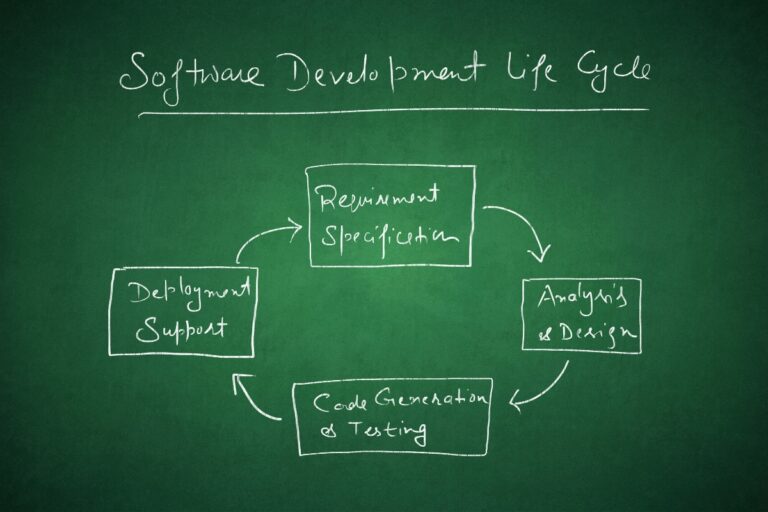
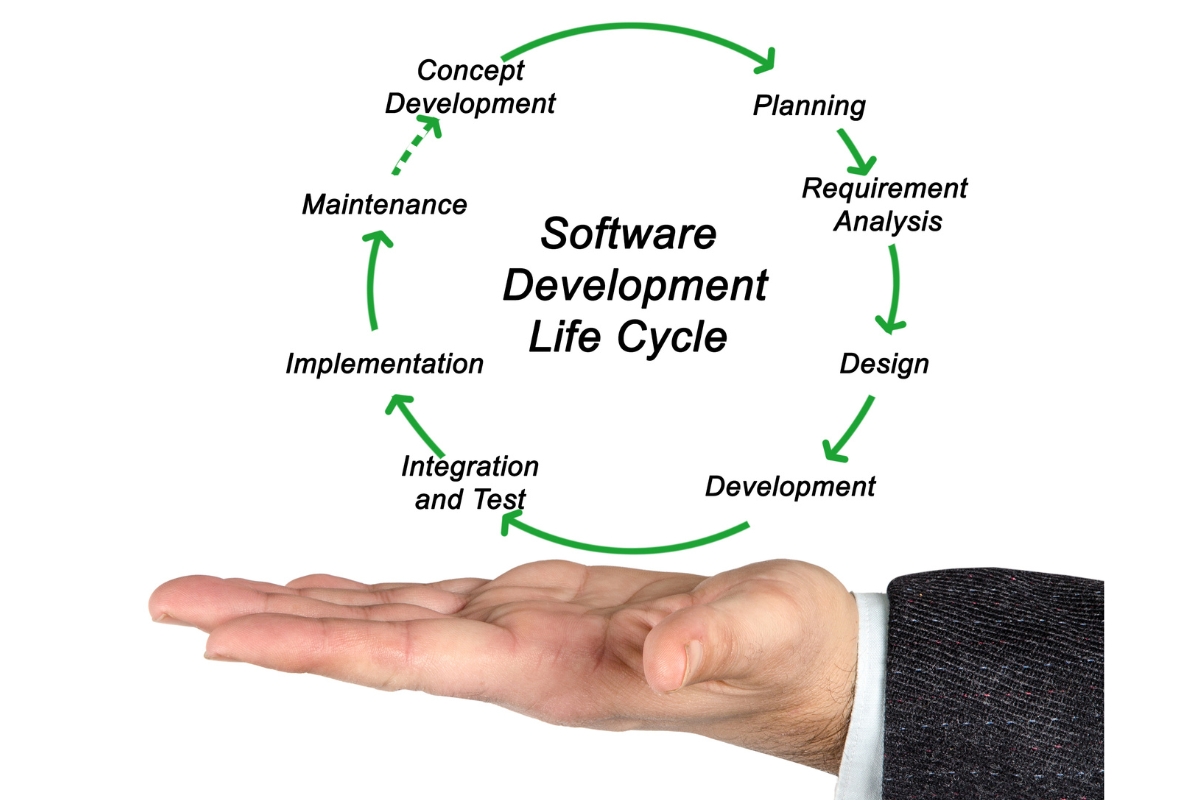
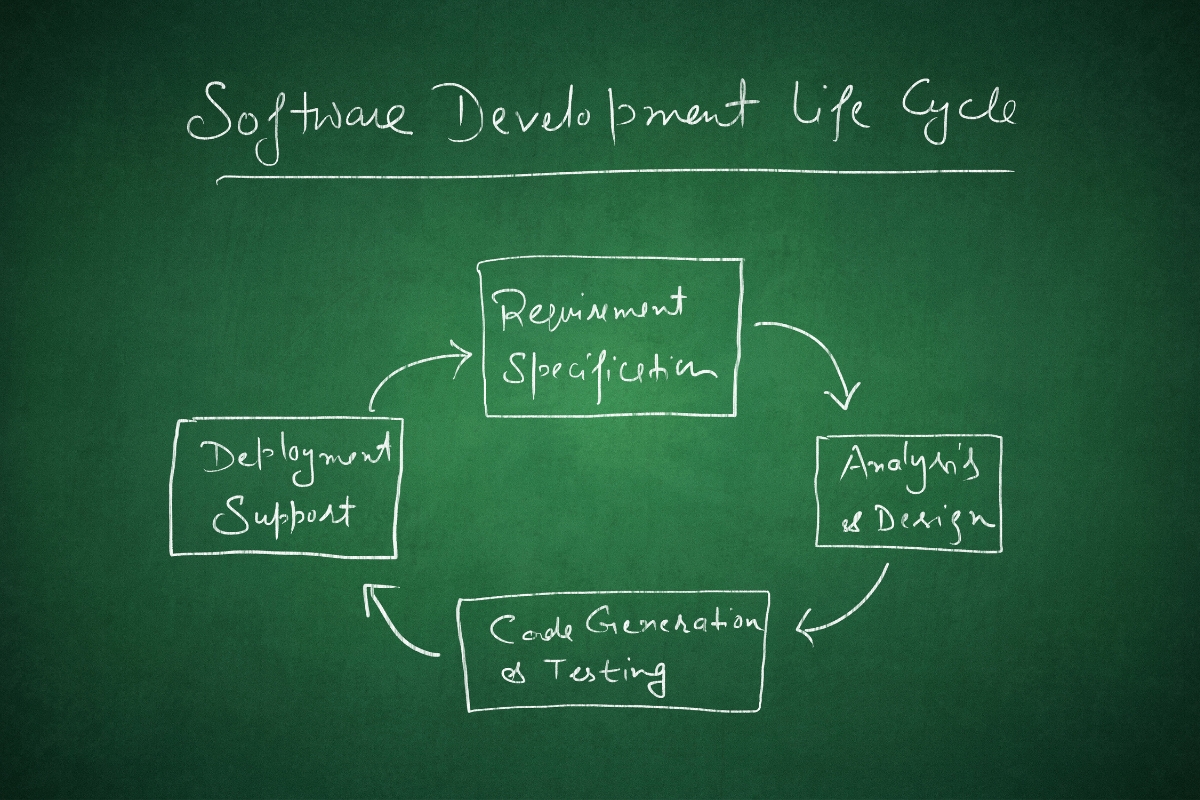
Custom software development involves planning, designing, building, testing, and maintaining software based on specific business requirements. Instead of adapting business processes to a predefined platform, the development process starts by understanding what the organization needs the software to accomplish. This can include developing business management systems, client portals, booking platforms, dashboards, workflow solutions, or applications that connect different business functions. The resulting system is structured around the organization’s requirements rather than a general market audience.
2. How Does Custom Software Work?
Custom software works by providing functionality designed around defined business processes, users, and operational requirements. Development teams first assess how the business works, identify the information and tasks the system needs to handle, and then design features around those requirements. The software can include different user roles, automated workflows, integrations, reporting tools, dashboards, and other functions that support specific operations. As requirements change, the system can also be updated or expanded to accommodate new business needs.
3. What Types of Businesses Use Custom Software?
Businesses use custom software when their operations require functionality that standard applications cannot adequately provide. This can include growing companies with complex workflows, organizations managing large volumes of information, businesses that need several systems to work together, and companies with specialized industry requirements. Custom solutions can also benefit businesses seeking greater control over customer interactions, internal operations, reporting, automation, or data management. The suitability of custom development ultimately depends on the complexity of the business and the value that a tailored system can provide.
4. What Business Problems Can Custom Software Solve?
Custom software can address operational problems that arise when businesses rely on disconnected applications, manual processes, spreadsheets, or systems that do not match their workflows. A tailored solution can bring information into a more connected environment, automate repetitive tasks, improve access to business data, and create clearer processes for employees and customers. It can also help businesses reduce unnecessary work, improve coordination between departments, and strengthen reporting and decision-making. The goal is not simply to create new software but to solve specific business problems through a system designed around measurable operational needs.
5. How Can Custom Software Adapt to Specific Workflows?
Custom software can be structured around the sequence of tasks, approvals, information flows, and responsibilities that make up a business’s actual workflow. For example, a system can automate an enquiry from initial submission through assignment, follow-up, approval, payment, and reporting based on the organization’s requirements. This level of flexibility allows businesses to define processes that may not be available in standard software or may require extensive workarounds. As the business evolves, developers can also modify workflows and functionality to support new processes, users, services, or operational requirements.
What Is Off-the-Shelf Software?
Off-the-shelf software is a ready-made solution developed for a broad market and designed to address common business or user requirements. Businesses can typically purchase or subscribe to these applications and begin using their existing features without commissioning an entirely new system. This approach provides a practical alternative in the custom software vs off-the-shelf software decision:
1. What Is Off-the-Shelf Software?
Off-the-shelf software is a pre-developed application that is made available to multiple businesses or users rather than being created exclusively for one organization. Examples include accounting platforms, customer relationship management systems, project management tools, communication applications, and other commonly used business software. These products generally provide predefined features that address widely shared needs across their target markets. Businesses select a suitable product and adjust their operations or available settings to work with its capabilities.
2. How Does Ready-Made Software Work?
Ready-made software works by providing users with an established platform that is already developed, tested, and prepared for deployment. Depending on the product, businesses may access it through a subscription, license, cloud platform, or locally installed application. Users can normally configure settings, permissions, templates, and other available options without changing the underlying software. Some platforms also provide integrations or limited customization features, although the level of flexibility depends on the vendor and product.
3. What Types of Businesses Use Off-the-Shelf Software?
Off-the-shelf software is commonly used by businesses whose processes closely match the standard functions provided by available applications. Small businesses, growing companies, professional service providers, retailers, and organizations with straightforward administrative needs may benefit from ready-made solutions. It can also be useful when a business needs to implement a common function quickly without investing in a dedicated development project. The best fit depends on whether the software can support the organization’s requirements without creating significant operational compromises.
4. What Features Are Typically Included?
Ready-made software typically includes features designed to meet common requirements within its target market. Depending on the application, these may include user management, reporting, communication tools, invoicing, customer records, scheduling, document management, analytics, or task management. Vendors may also provide integrations, security features, technical support, and regular updates as part of the product. Businesses should evaluate these features based on their actual requirements rather than assuming that a larger feature list automatically represents better value.
5. What Are the Limitations of Ready-Made Software?
The main limitation of off-the-shelf software is that its functionality is determined largely by what the vendor has chosen to build for its wider customer base. A business may therefore encounter features that do not match its processes, missing functionality that requires workarounds, or integration limitations when connecting the platform to other systems. Customization may also be restricted to the options provided by the vendor, while future changes can depend on the product’s development roadmap. These limitations become more important when a growing business has increasingly specialized workflows or requirements that standard software cannot accommodate effectively.
What Is the Difference Between Custom Software and Off-the-Shelf Software?
The main difference between custom software and off-the-shelf software is how each solution is designed, implemented, and adapted to business requirements. Custom software is developed around the processes of a specific organization, while off-the-shelf software provides predefined functionality designed for a broader range of users. When comparing custom software vs off-the-shelf software, growing businesses should consider the following differences:
1. Business-Specific Functionality
Custom software is designed around the specific functions a business needs to perform, allowing the system to reflect its operational requirements. Off-the-shelf software provides a predefined set of features intended to serve common requirements across many organizations. A business choosing between the two should therefore assess whether its existing processes fit the available functionality or require a more tailored approach. This makes business-specific functionality one of the most important factors in the custom software vs off-the-shelf software comparison.
2. Flexibility and Customization
Custom software generally provides greater flexibility because its functionality can be planned around the organization’s requirements. Businesses can determine how information moves through the system, which users can access specific functions, and how different processes should operate. Off-the-shelf software may offer configuration and customization options, but these are usually limited to what the vendor supports. Therefore, custom software vs off-the-shelf software can involve a significant difference in how much control a business has over the way its system operates.
3. Implementation and Deployment
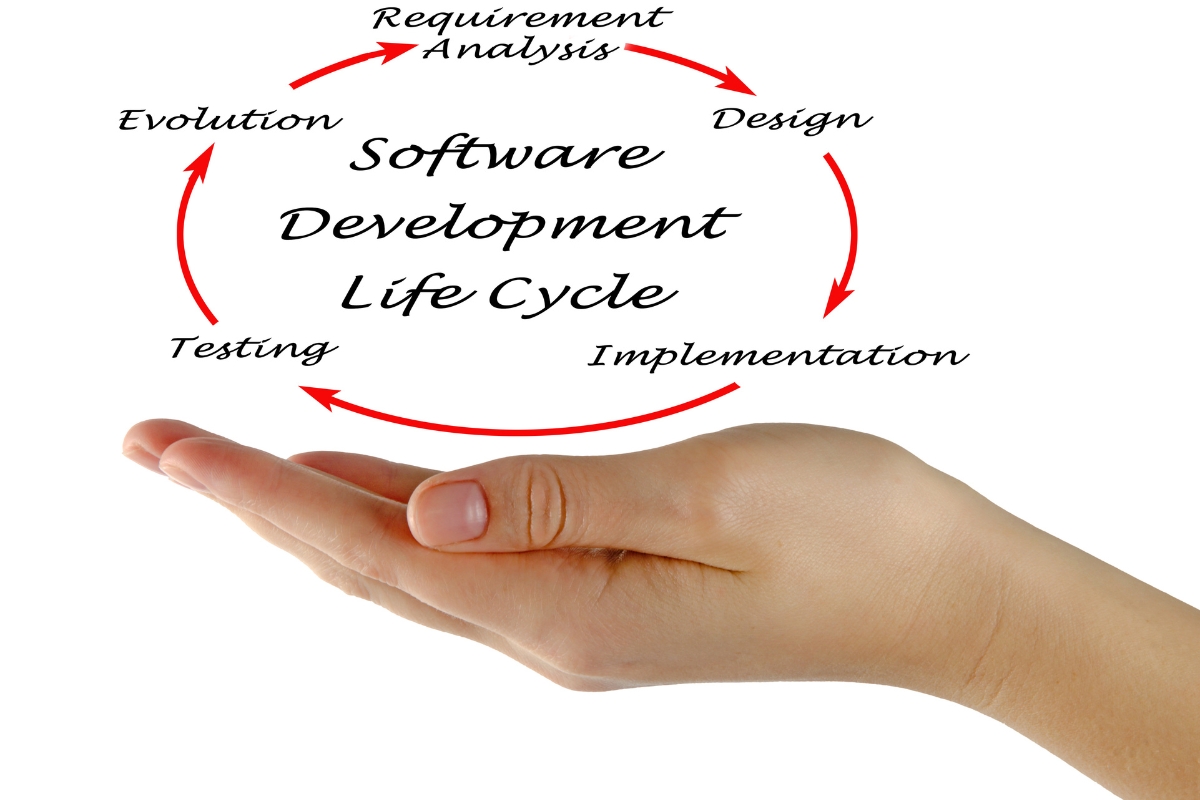
Off-the-shelf software can usually be implemented more quickly because the core product has already been developed and is ready for users. Custom software requires requirements analysis, planning, design, development, testing, and deployment before the completed solution can be used. Although this can make custom implementation more involved, it allows the business to establish functionality around its actual processes from the beginning. The right choice depends on whether immediate access to standard functionality or a tailored implementation provides greater value.
4. Scalability and Future Growth
Custom software can be planned with a business’s expected growth in mind, making it possible to expand functionality, user capacity, workflows, and integrations as requirements change. Off-the-shelf platforms may also scale effectively, particularly when vendors have designed them to support growing numbers of users and data. However, businesses remain dependent on the scalability options provided by the product and vendor. In the custom software vs off-the-shelf software decision, growing organizations should consider not only what the system can support today but also what it may need to support in the future.
5. Integration With Existing Systems
Custom software can be designed to integrate with existing business applications, databases, websites, payment platforms, communication tools, or other digital systems according to defined requirements. Off-the-shelf software may provide integrations through built-in connections, APIs, or third-party tools, but the available options depend on the vendor. Integration limitations can become increasingly difficult when a business relies on several systems that need to exchange information. Businesses should therefore assess how each option will fit into their existing digital environment before making a decision.
6. User Experience and Usability
Custom software can be designed around the specific users who will operate the system, including their roles, responsibilities, workflows, and information needs. This can make the interface more focused by presenting users with the functions and information relevant to their work. Off-the-shelf software must generally accommodate a wider range of users, which can result in features or interfaces that are not directly relevant to every organization. The better option is the one that allows employees and customers to complete important tasks efficiently and with minimal unnecessary complexity.
7. Maintenance and Ongoing Development
Both custom and off-the-shelf software require ongoing maintenance, updates, security management, and performance monitoring. With custom software, the business can determine which improvements, fixes, integrations, and new functions should be prioritized based on its requirements. With off-the-shelf software, the vendor generally controls product updates, new features, technical changes, and much of the maintenance process. This difference is important when evaluating custom software vs off-the-shelf software because it affects how much influence the business has over the system’s future development.
8. Ownership and Control
Custom software can provide businesses with greater control over functionality, development priorities, integrations, and future changes, depending on the ownership and licensing arrangements established during development. Off-the-shelf software generally operates under the vendor’s licensing or subscription terms, which determine how the product can be used and modified. Businesses should review ownership, access, licensing, data management, and development rights before committing to either approach. These considerations can significantly influence the long-term value of a software investment.
Custom Software vs Off-the-Shelf Software: Which Has the Better Business Fit?
The better software option is not necessarily the one with the most features or the lowest initial cost, but the one that supports how a business actually operates. Custom software can provide a closer fit for organizations with specialized requirements, while off-the-shelf software may be more practical when standard functionality meets most operational needs. The custom software vs off-the-shelf software decision should therefore be evaluated against the following aspects of business fit:
1. Matching Software to Existing Business Processes
Software should support important business processes rather than forcing employees to constantly adjust their work to accommodate the system. Custom software can be structured around existing workflows, approvals, responsibilities, and information requirements. Off-the-shelf software may work well when its predefined processes closely match the way the business operates. A growing organization should identify where each option fits naturally and where it would require significant changes to established processes.
2. Supporting Unique Business Requirements
Some businesses have requirements that are difficult to address with general-purpose applications. These may involve specialized customer journeys, internal approval processes, industry-specific data, unique reporting needs, or particular operational rules. Custom software can be developed around these requirements, while off-the-shelf solutions may require workarounds or additional tools. In the custom software vs off-the-shelf software comparison, the more distinctive the business requirements, the more important software flexibility becomes.
3. Accommodating Industry-Specific Processes
Industry requirements can influence how businesses manage customers, information, transactions, compliance processes, service delivery, and reporting. An off-the-shelf solution designed for a particular industry may already provide useful functionality, making it a practical choice. However, businesses with processes that differ significantly from industry standards may benefit from a system designed around their specific operations. The right approach depends on whether an available platform can accommodate the organization’s processes without creating unnecessary limitations.
4. Reducing Unnecessary Features
More features do not automatically make software more suitable for a business. Off-the-shelf platforms can include numerous functions designed to appeal to a broad customer base, even when a particular organization only needs a smaller set of capabilities. Custom software can focus on the functions that directly support the business, potentially creating a more streamlined user experience. This can make custom software vs off-the-shelf software a question of relevance as much as functionality.
5. Supporting Specialized Workflows
Specialized workflows may involve multiple departments, approval stages, automated actions, customer interactions, or connections between different systems. Custom software can be designed to follow these workflows precisely, including rules for assigning tasks, moving information, triggering notifications, and generating reports. Off-the-shelf software can support specialized workflows when its configuration and automation capabilities are sufficient. Businesses should therefore examine the actual complexity of their workflows before deciding which approach provides the better fit.
6. Adapting Software as Business Needs Change
Growing businesses rarely operate exactly the same way for years, as they may introduce new services, expand teams, enter new markets, or change internal processes. Custom software can be modified to support these changes when the development structure allows for ongoing improvements. Off-the-shelf software can also evolve through vendor updates, but businesses have less control over which changes are introduced and when. A strong custom software vs off-the-shelf software evaluation should therefore consider how easily each option can respond to the organization’s expected changes.
Which Option Is More Cost-Effective for Growing Businesses?
The cost of software should be evaluated beyond the amount a business pays to acquire or access the system. Custom software may require a larger initial investment, while off-the-shelf software can involve recurring licensing, customization, integration, and subscription expenses over time. When comparing custom software vs off-the-shelf software, growing businesses should consider the full cost of ownership and the business value each approach can deliver:
1. Initial Software Investment
Custom software generally requires a higher initial investment because the solution must be researched, planned, designed, developed, tested, and deployed around the business’s requirements. Off-the-shelf software usually has a lower entry cost because the core product has already been developed for a wider market. However, a lower initial price does not necessarily make a solution more cost-effective in the long term. Businesses should consider whether the initial investment creates a solution that can effectively support their operations and growth.
2. Subscription and Licensing Costs
Off-the-shelf software commonly uses subscription or licensing models that require businesses to make recurring payments for access to the platform and its features. These costs may vary according to the number of users, selected features, storage requirements, or service level. Custom software may avoid some ongoing subscription charges, although businesses still need to budget for hosting, infrastructure, maintenance, security, and technical support where applicable. The custom software vs off-the-shelf software comparison should therefore account for recurring costs rather than focusing only on the purchase price.
3. Customization Costs
Businesses may need to customize off-the-shelf software when its standard functionality does not fully match their requirements. Depending on the platform, customization can involve paid extensions, additional modules, third-party applications, or specialized development work. Custom software incorporates the required functionality into the development plan from the outset, although additional changes can still create further development costs. Businesses should compare the cost of adapting a ready-made system with the cost of developing functionality specifically around their needs.
4. Maintenance and Support Costs
Both approaches require ongoing maintenance and support to keep software secure, functional, and reliable. With off-the-shelf software, the vendor may handle many updates, bug fixes, infrastructure requirements, and technical improvements as part of the subscription or licensing arrangement. Custom software requires a defined maintenance and support strategy covering security updates, performance improvements, technical fixes, backups, and future enhancements. These ongoing responsibilities should be included when evaluating the real cost of either option.
5. Integration and Implementation Costs
Software implementation can create additional expenses when a business needs to migrate data, train employees, configure workflows, or connect the new system to existing applications. Off-the-shelf software may provide ready-made integrations, but businesses can still incur costs when required systems are not directly compatible. Custom software can be developed with specific integration requirements in mind, although the planning and development involved can increase the initial project cost. A proper cost comparison should therefore include implementation and integration rather than treating software acquisition as the only expense.
6. Long-Term Return on Investment
The value of software depends on how effectively it improves business operations and supports organizational objectives. A custom solution may deliver stronger long-term value when it reduces manual work, connects disconnected processes, improves reporting, supports automation, or enables workflows that standard software cannot handle effectively. Off-the-shelf software may provide a strong return when its existing functionality addresses most business requirements without significant adaptation. The most cost-effective choice in custom software vs off-the-shelf software is therefore the one that produces sufficient business value relative to its overall investment.
7. Total Cost of Ownership
Total cost of ownership considers the complete financial impact of a software solution throughout its useful life. This can include development or licensing, subscriptions, customization, implementation, integrations, training, maintenance, support, infrastructure, upgrades, and future changes. A solution with a lower starting price can become more expensive if the business continually pays for features, users, integrations, or workarounds that it needs to operate effectively. Comparing the total cost of ownership gives growing businesses a more realistic basis for choosing between custom and off-the-shelf solutions.
How Does Scalability Compare Between Custom and Off-the-Shelf Software?
Scalability determines how effectively software can continue supporting a business as its users, data, processes, and operational demands increase. Both custom and off-the-shelf software can be scalable, but their ability to accommodate growth depends on how the system was designed and the options available to the business. In the custom software vs off-the-shelf software comparison, growing organizations should examine how each approach can respond to changing demands:
1. Supporting More Users
As businesses grow, more employees, departments, customers, or other users may need access to their digital systems. Custom software can be designed with user roles, permissions, account structures, and capacity requirements that reflect the organization’s expected growth. Off-the-shelf platforms may offer scalable user plans, but businesses may need to move to higher subscription tiers as usage increases. The better option depends on the expected number and types of users and how much control the business requires over user management.
2. Managing Increasing Business Data
Business growth often produces more customer records, transactions, documents, enquiries, reports, and operational data. Custom software can be designed around the organization’s data structures and reporting requirements, with the capacity to evolve as information volumes increase. Established off-the-shelf platforms may already have infrastructure capable of handling significant data volumes, although storage limits and plan restrictions can vary between products. Businesses should assess both current and projected data requirements before choosing a solution.
3. Adding New Features and Functions
Growing organizations may need new features as they introduce services, improve operations, or respond to changing customer expectations. Custom software can be extended with additional functionality based on the business’s priorities and technical architecture. Off-the-shelf software can also gain new features when the vendor releases updates or when compatible add-ons are available. However, businesses have less influence over which features a vendor develops, making future functionality an important consideration when comparing the two approaches.
4. Supporting New Business Processes
Growth can introduce new workflows involving departments, services, locations, customers, suppliers, or management functions. Custom software can be expanded to accommodate these processes when the system has been developed with future changes in mind. Off-the-shelf software may support new processes through configuration, additional modules, or integrations, but its flexibility depends on the platform. Businesses should therefore consider whether their future processes are likely to remain within standard software capabilities or become increasingly specialized.
5. Expanding Into New Markets or Locations
Entering new markets or locations can create additional requirements involving users, currencies, languages, reporting structures, customer management, and operational workflows. Custom software can be designed to accommodate these requirements when they are identified during planning or future development. Off-the-shelf platforms may already support multiple locations and markets, particularly when serving an international customer base. The right approach depends on the complexity of the expansion and whether the available software can support the business without requiring extensive workarounds.
6. Adapting to Organizational Growth
Organizational growth can change how teams communicate, how decisions are made, how responsibilities are assigned, and how information moves through the business. Custom software can evolve alongside these changes by introducing new workflows, integrations, dashboards, permissions, and functionality where necessary. Off-the-shelf software can remain effective when its capabilities continue to match the organization’s changing needs, but businesses remain dependent on the vendor’s product direction. For this reason, scalability should be assessed as part of the broader custom software vs off-the-shelf software decision rather than treated simply as the ability to handle more users.
What Are the Advantages of Custom Software for Growing Businesses?
Custom software can provide growing businesses with greater control over how their digital systems support daily operations and future objectives. Its main value comes from creating functionality around actual business requirements rather than forcing teams to work within a fixed set of features. However, the benefits of custom development depend on the organization’s needs, resources, and long-term goals:
1. Greater Control Over Functionality
Custom software allows businesses to determine which functions the system should include and how those functions should work. This gives organizations greater control over workflows, user permissions, data handling, reporting, automation, and other operational requirements. Businesses can prioritize functionality that directly supports their objectives instead of paying for or working around features they do not need. This level of control can be particularly valuable when standard software cannot adequately support important business processes.
2. Better Alignment With Business Processes
A custom system can be designed around the way a business actually operates, including its workflows, approval processes, responsibilities, and information requirements. Employees can follow processes within the system instead of creating manual workarounds to compensate for software limitations. This can improve consistency, reduce unnecessary steps, and make important information easier to manage. Better process alignment is one of the key reasons businesses may consider custom software as they become more operationally complex.
3. Greater Flexibility for Future Changes
Growing businesses often introduce new services, change internal processes, expand teams, or modify how they serve customers. Custom software can be developed with these potential changes in mind, allowing functionality to be expanded or adjusted as requirements evolve. New workflows, reports, integrations, user roles, or automation features can be introduced according to business priorities. This provides greater flexibility than relying entirely on the fixed development direction of a ready-made platform.
4. Improved Integration Capabilities
Custom software can be designed to connect with the systems a business already uses, including websites, databases, payment platforms, customer management tools, communication applications, and other business systems. These integrations can help information move between systems more efficiently and reduce repetitive data entry. Businesses can also plan integrations around their specific data and workflow requirements. This can be particularly useful when disconnected systems are creating information gaps or additional administrative work.
5. More Control Over User Experience
Custom software gives businesses greater influence over how employees, customers, administrators, and other users interact with the system. Interfaces can be structured around the tasks each user needs to complete, making relevant information and functions easier to access. This can reduce unnecessary complexity and create workflows that are more intuitive for the intended users. A well-planned user experience can also support adoption by making the system more closely aligned with everyday business activities.
6. Support for Competitive Differentiation
Businesses can use custom software to support processes, services, or customer experiences that distinguish them from competitors. Instead of relying entirely on the same standard tools available to other organizations, a business can develop digital capabilities around its particular strategy and operational strengths. Custom systems may support unique customer journeys, specialized services, automation, reporting, or internal processes that contribute to differentiation. However, the investment is most valuable when the custom functionality creates a meaningful business advantage rather than simply making the software different.
What Are the Advantages of Off-the-Shelf Software for Growing Businesses?
Off-the-shelf software can be a practical choice when a business needs established functionality that closely matches its operational requirements. Because these products are already developed for a wider market, businesses can often implement them without undertaking a full software development project. In the custom software vs off-the-shelf software decision, ready-made solutions can offer several advantages when speed, established functionality, and standard processes are priorities:

1. Faster Implementation
Off-the-shelf software is already developed and can generally be configured and deployed faster than a solution that must be built from the beginning. This allows businesses to introduce essential functionality without waiting for a lengthy development cycle. Faster implementation can be particularly useful when an organization needs to address an immediate operational requirement. However, businesses should still allow time for configuration, data migration, user training, and integration where necessary.
2. Lower Initial Development Requirements
Ready-made software does not require a business to fund the full development of a new application before using it. Instead, organizations can typically purchase a license or subscription and configure the available functionality according to their requirements. This can make off-the-shelf software more accessible for businesses with limited budgets or straightforward operational needs. The lower initial requirement should still be evaluated alongside recurring subscriptions, customization, implementation, and other long-term costs.
3. Access to Established Features
Off-the-shelf platforms generally provide features that have already been developed, tested, and used by other customers. Businesses can therefore access established functionality without having to define and develop every component themselves. Depending on the product, these features may include reporting, customer management, scheduling, accounting, communication, collaboration, or document management. When these capabilities match the organization’s needs, a ready-made platform can provide substantial practical value.
4. Existing Technical Support
Many established software vendors provide technical support through documentation, help centres, support teams, training resources, or other service channels. This gives businesses access to assistance when they encounter configuration, usage, or technical issues. The level of support varies between vendors and subscription plans, so organizations should evaluate the available support before selecting a platform. Reliable vendor support can reduce the internal technical resources required to manage everyday software issues.
5. Regular Vendor Updates
Software vendors often release updates that introduce new features, improve performance, address bugs, and strengthen security. Businesses using established platforms can benefit from these improvements without having to develop every update internally. Vendors may also adapt their products in response to changing technologies, customer expectations, or industry requirements. However, businesses should review the vendor’s update policy and product roadmap because they have limited control over which changes are introduced.
6. Suitable for Standard Business Processes
Off-the-shelf software can be highly effective when a business follows processes that are common across its industry or business function. Accounting, project management, customer relationship management, communication, scheduling, and other standard activities can often be supported effectively by existing platforms. In these situations, developing a custom system may add unnecessary complexity when an established solution already meets the organization’s requirements. The key is to confirm that the software supports essential processes without creating significant limitations or manual workarounds.
What Are the Limitations of Custom Software?
Custom software can provide significant flexibility, but developing a tailored system also requires careful planning, investment, and ongoing management. Businesses need to understand these considerations before choosing custom development, particularly when a ready-made solution may already meet most of their requirements. Evaluating these limitations helps organizations make a more informed custom software vs off-the-shelf software decision:

1. Higher Initial Investment
Custom software generally requires a higher upfront investment because the solution must be researched, planned, designed, developed, tested, and deployed around specific requirements. The cost can also increase when the project involves complex workflows, integrations, security requirements, or specialized functionality. This initial investment may be justified when the resulting system solves important business problems, but businesses should assess the expected value before committing resources. A detailed requirements and cost assessment can help establish whether custom development is financially appropriate.
2. Longer Development Time
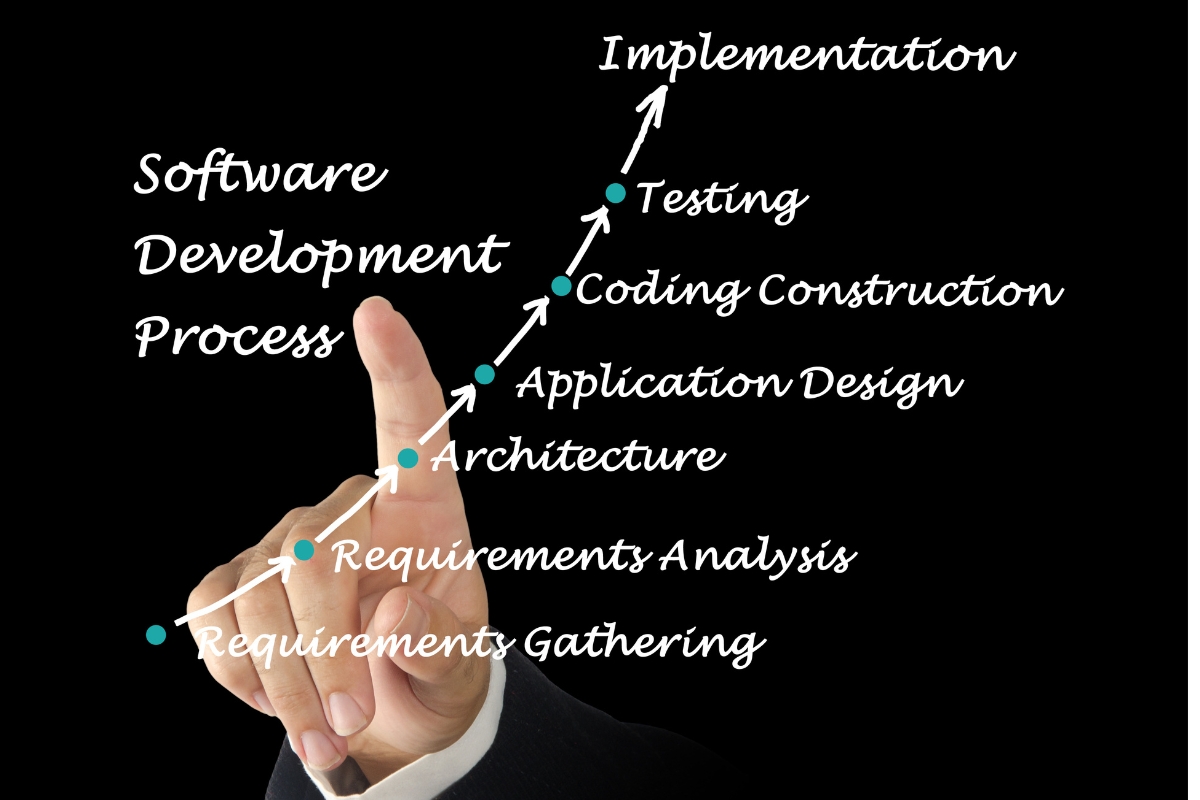
Unlike ready-made software that can often be configured and deployed relatively quickly, custom software takes time to build and test. The development process may involve requirements gathering, system architecture, interface design, development, testing, revisions, deployment, and user training. Complex projects can therefore take considerably longer before the complete system is ready for use. Businesses should establish realistic timelines and prioritize essential functionality to avoid unnecessary delays.
3. Requirements Must Be Clearly Defined
Custom development depends heavily on understanding what the software needs to accomplish. Unclear requirements can result in missing functionality, unnecessary features, changes during development, project delays, or additional costs. Businesses should therefore invest time in documenting processes, user needs, workflows, integrations, and expected outcomes before development begins. Clear requirements provide a stronger foundation for creating software that actually supports the organization’s operations.
4. Development Requires Ongoing Planning
Custom software should not be treated as a project that ends permanently when the initial version is launched. Growing businesses may need additional functionality, workflow changes, integrations, performance improvements, or security updates as their requirements evolve. Planning for these changes helps prevent the system from becoming outdated or difficult to expand. Businesses should establish a clear approach for prioritizing and managing future development based on operational needs and long-term objectives.
5. Technical Maintenance Is Still Necessary
Custom software requires ongoing technical maintenance to remain secure, reliable, compatible, and functional. Businesses may need to address bugs, update dependencies, improve performance, maintain integrations, manage backups, and respond to changing security requirements. These responsibilities can require access to suitable technical expertise either internally or through a development partner. The need for ongoing maintenance should therefore be included when evaluating the total investment in custom software.
What Are the Limitations of Off-the-Shelf Software?
Off-the-shelf software can provide fast access to established functionality, but its standardized design can become restrictive when a growing business develops more complex requirements. Organizations may need to adapt their processes to the capabilities of the platform or use additional tools to address gaps in functionality. Understanding these limitations is essential when comparing custom software vs off-the-shelf software:
1. Limited Customization
Ready-made software typically allows customization only within the options provided by the vendor. Businesses may be able to adjust settings, user roles, workflows, templates, or integrations, but they generally cannot change the core functionality freely. This can become restrictive when an organization has processes that differ significantly from the assumptions built into the platform. Extensive customization may also require additional applications or development work.
2. Features That Do Not Match Business Needs
Off-the-shelf software is designed to serve a broad customer base, so its features may not perfectly match the requirements of every business. Some organizations may encounter unnecessary functions while still lacking capabilities needed for specific processes. Employees may then rely on spreadsheets, separate applications, manual data entry, or other workarounds to fill the gaps. As business operations become more complex, these workarounds can reduce efficiency and create information management challenges.
3. Dependence on Vendor Capabilities
Businesses using off-the-shelf software depend on the vendor for product updates, technical improvements, supported integrations, and future functionality. The vendor ultimately determines the direction of the platform and which features receive development priority. A business may therefore have limited influence when an important capability is discontinued, changed, delayed, or not added. Vendor reliability, support quality, product stability, and long-term development plans should be considered before adopting a platform.
4. Integration Restrictions
Although many ready-made platforms provide integrations, businesses may find that their required systems are not fully compatible with the available options. An application may lack a required API, provide limited data access, or require third-party tools to connect with other systems. These restrictions can create additional costs and technical complexity when a business depends on several applications. Integration capabilities should therefore be assessed before choosing an off-the-shelf solution.
5. Recurring Subscription Costs
Many ready-made software platforms operate through recurring subscription models, which can create ongoing expenses for businesses. Costs may increase as the organization adds users, requires additional storage, accesses advanced features, or moves to higher service tiers. While these payments can make software more accessible initially, they can become significant over several years. Businesses should compare recurring costs with the expected value and consider them as part of the total cost of ownership.
6. Limited Control Over Future Changes
Businesses generally have limited control over how and when an off-the-shelf platform changes. Vendors may introduce new features, modify existing functionality, change pricing, discontinue products, or alter integrations according to their own strategies. These changes can affect business workflows even when the organization would prefer to maintain its existing setup. For growing businesses, this lack of control can become an important consideration when determining whether a ready-made platform will remain suitable over the long term.
How Should Growing Businesses Choose Between Custom and Off-the-Shelf Software?
Choosing between custom and off-the-shelf software requires businesses to look beyond features and consider how well each option supports their actual operations. Neither approach is automatically better because the right choice depends on business processes, requirements, growth plans, resources, and expected long-term value. A practical custom software vs off-the-shelf software evaluation should consider the following factors:
1. Assess Your Business Processes
Start by documenting how the business currently handles important activities, including customer management, sales, approvals, reporting, communication, payments, and internal workflows. Identify which processes work efficiently and which ones depend on manual steps, spreadsheets, disconnected applications, or workarounds. If an off-the-shelf platform can support these processes with minimal changes, it may be a practical option. Where important processes require significant adaptation, custom software may provide a better operational fit.
2. Identify Your Specific Requirements
Define what the software needs to accomplish before comparing individual products or development options. Requirements may include user roles, workflows, reporting, automation, integrations, data management, customer-facing functions, security, and other business-specific capabilities. Separating essential requirements from desirable features can also prevent businesses from choosing software based on an impressive but irrelevant feature list. Clear requirements make the custom software vs off-the-shelf software decision more objective.
3. Consider Your Growth Plans
Consider how the business expects its operations to change over the next several years rather than focusing only on current requirements. Growth may involve more users, customers, data, locations, services, departments, or increasingly complex workflows. An off-the-shelf platform may provide sufficient scalability if its capacity and functionality align with these plans. Custom development may be more appropriate when future growth is expected to introduce requirements that standard software is unlikely to support.
4. Evaluate Integration Requirements
List the systems that the new software needs to connect with, such as websites, accounting applications, payment systems, customer management platforms, databases, communication tools, or internal applications. Check whether an off-the-shelf platform provides the necessary integrations and whether those connections can support the required data flows. For custom software, integration requirements can be incorporated into the system architecture and development plan. This assessment can help businesses avoid adopting a platform that creates another disconnected system.
5. Assess Your Budget and Resources
Evaluate not only what the business can spend initially but also the resources available for implementation, training, support, maintenance, and future changes. Off-the-shelf software may require less initial development investment, while custom software generally requires greater upfront planning and development resources. However, the cheaper option at the beginning may not remain cheaper if the business later needs extensive customization or additional tools. Businesses should therefore compare available resources against the expected costs and operational benefits of each approach.
6. Consider the Cost of Future Changes
Software requirements rarely remain completely static as a business grows. Consider how much it may cost to add users, introduce new workflows, integrate another system, modify reports, or add new functionality under each approach. Custom software can be developed with future changes in mind, while off-the-shelf platforms depend largely on the customization and development options provided by the vendor. Including potential future costs creates a more realistic comparison than focusing only on the initial investment.
7. Evaluate the Importance of Software Flexibility
Determine how important it is for the business to control how its software functions and evolves. Organizations with standard processes may not need extensive flexibility and can benefit from an established platform that already provides the required functionality. Businesses with specialized workflows or frequently changing requirements may place greater value on the ability to modify their systems. The more critical flexibility is to business operations, the more carefully custom development should be considered.
8. Compare Long-Term Business Value
The final decision should consider how effectively each option will help the business achieve its operational and strategic objectives. Look at potential improvements in efficiency, productivity, customer experience, reporting, automation, coordination, and decision-making alongside the total investment required. A solution that costs more initially may provide stronger value if it addresses important problems and supports future growth effectively. Likewise, an off-the-shelf platform can be the better investment when it meets business requirements without unnecessary complexity.
When Should a Growing Business Consider Custom Software?
A growing business may need to consider custom software when its existing digital tools are no longer supporting important operations effectively. This does not mean every limitation requires a new system, but persistent operational problems can indicate that generic software has become unsuitable for the organization’s needs. Several practical signals can help determine whether custom development deserves serious consideration:
1. Existing Software Cannot Support Important Processes
A strong signal is when the software currently used by the business cannot adequately support essential processes. Employees may have to change established workflows, perform tasks outside the system, or use additional applications to complete routine activities. When these limitations affect efficiency, customer service, reporting, or operational control, a more tailored solution may be worth evaluating. The goal is to determine whether the underlying software can realistically support the business as it continues to grow.
2. Employees Rely on Manual Workarounds
Frequent reliance on spreadsheets, manual data entry, repeated file transfers, emails, or other workarounds can indicate that existing software does not adequately support business operations. These methods can increase the risk of errors, duplicate work, information gaps, and delays. Custom software can potentially automate or connect processes that currently require significant manual effort. Before investing in development, however, businesses should identify the specific processes causing the problem and determine whether simpler improvements could resolve them.
3. Multiple Systems Create Information Gaps
Using several software applications is not necessarily a problem, but difficulties can arise when those systems cannot exchange information effectively. Employees may have to enter the same data into multiple platforms or search through different systems to obtain a complete view of a customer, transaction, project, or business activity. A custom system can be designed to connect important information and workflows into a more coordinated environment. This can be particularly valuable when disconnected systems are affecting reporting and decision-making.
4. The Business Has Unique Operational Requirements
Businesses with specialized services, processes, customer journeys, approval structures, or reporting requirements may find that standard software does not provide an adequate fit. Custom development allows these requirements to become part of the system’s design rather than forcing the organization to adapt its operations around generic functionality. However, the uniqueness of a process alone does not justify custom software. Businesses should consider development when the specialized requirement creates meaningful operational value and cannot be addressed effectively through available solutions.
5. Integration Has Become a Major Challenge
Integration problems can become more significant as a business adopts additional digital tools. When important systems cannot communicate reliably, information may become fragmented and employees may spend considerable time transferring data between platforms. Custom software can be planned around the business’s existing technology environment and required integrations. This can help create more connected workflows where standard platforms cannot provide the necessary level of integration.
6. The Business Needs Greater Control Over Its Digital Systems
A business may consider custom software when it needs greater control over functionality, workflows, user access, integrations, data management, and future development. Off-the-shelf platforms generally operate within the capabilities and policies established by their vendors, which can limit how much an organization can influence the system. Custom development can provide greater control when the business has specific long-term digital objectives that require a tailored approach. The decision should still be based on business requirements, available resources, and expected value rather than customization alone.