Custom Digital Systems Development Services: What Can a Digital Systems Developer Build for Your Business?
When spreadsheets, disconnected tools, and manual processes start slowing your business down, you may need more than another off-the-shelf software solution. Custom digital systems development services allow businesses to build technology around their actual workflows, requirements, customers, and growth goals. But what can a digital systems developer actually build for your business? From management platforms and customer portals to automated workflows, dashboards, databases, integrations, and tailored business systems, this guide explores what is possible and how these solutions can transform the way your business operates.

What Are Custom Digital Systems Development Services?
Custom digital systems development services involve creating software around a business’s specific processes, users, data, and operational goals rather than forcing the business to adapt to generic software. These systems can bring different business functions together while providing greater control over workflows, features, integrations, and scalability. To understand how customized systems work and where they can create value, consider the following:
1. Understanding Custom Digital Systems
A custom digital system is software developed specifically around the requirements of a particular business or organization. Unlike ready-made software, which provides predefined features for a broad range of users, a custom system can be built around specific workflows, user roles, data structures, approval processes, dashboards, and operational requirements. For example, a business could develop one platform that combines customer management, staff assignments, reporting, invoicing, notifications, and performance tracking instead of relying on several disconnected applications.
2. Why Businesses Need Customized Systems
Businesses often need customized systems when generic software cannot properly support the way they operate. Unique workflows, specialized reporting requirements, complex approval processes, industry-specific operations, or the need to connect several departments can make standard software difficult to use efficiently. Custom development can address these gaps by creating functionality around the business’s actual processes, reducing repetitive work, improving information flow, and giving teams better visibility over their operations.
3. What a Digital Systems Developer Does
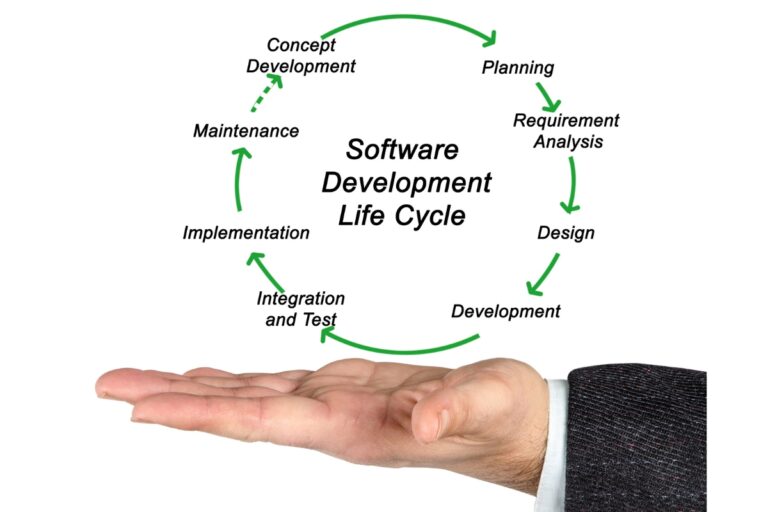
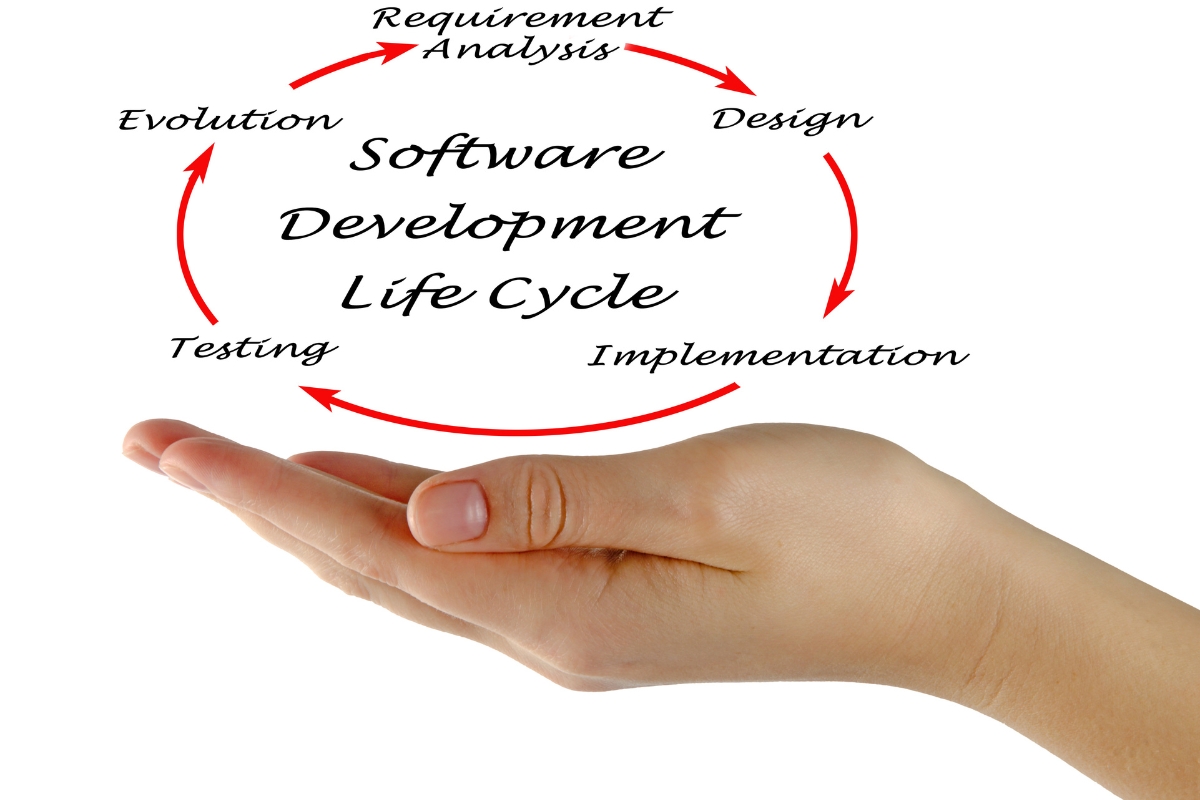
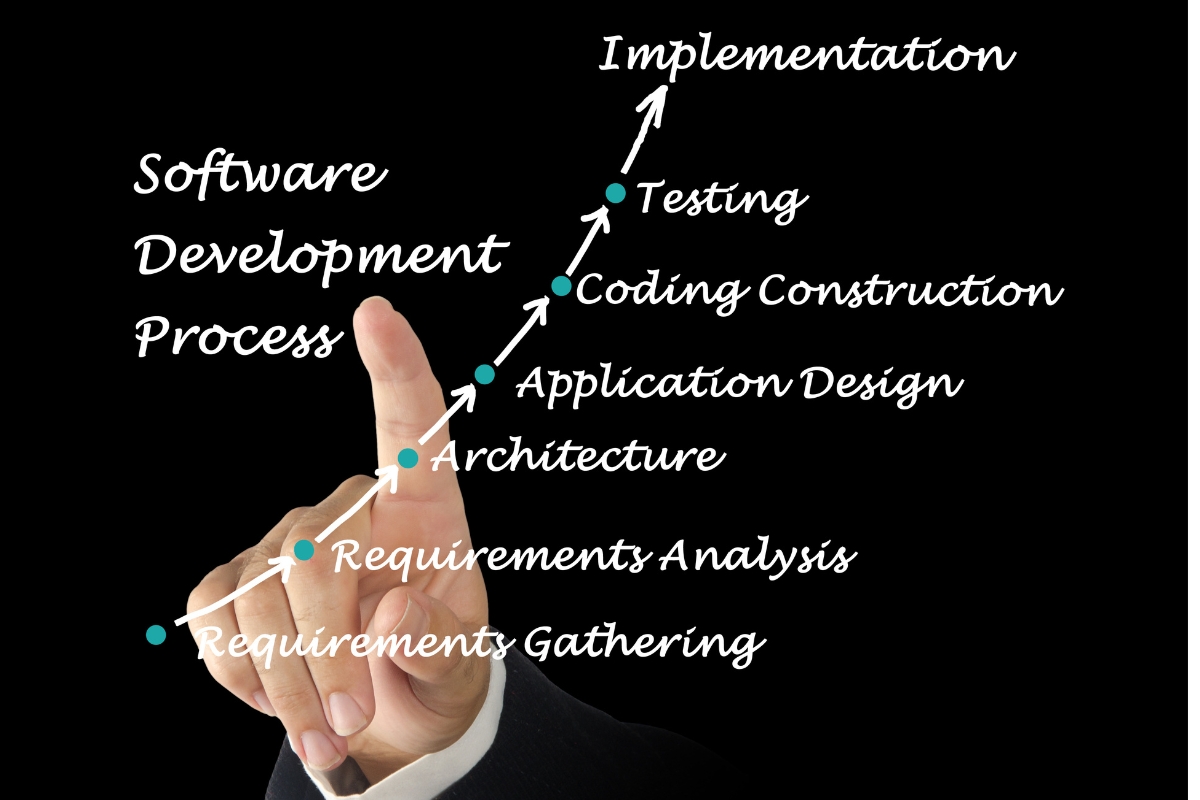
A digital systems developer turns business requirements into a functional technology solution by working through the process from planning to implementation. This typically involves understanding the business, analyzing requirements, designing the system structure, developing features, configuring databases and integrations, testing functionality, fixing issues, implementing the system, and supporting future improvements. The developer therefore combines technical development with an understanding of how the proposed system needs to work within the business.
4. Custom Systems vs Ready-Made Software
Custom systems offer greater flexibility because their features, workflows, integrations, user permissions, and scalability can be designed around specific business requirements, while ready-made software generally limits businesses to its existing functionality and configuration options. Ready-made solutions can be quicker to adopt and may suit businesses with straightforward needs, but customization can provide greater control when operations are specialized or continuously evolving. The better option depends on the business’s requirements, budget, complexity, growth plans, and the level of control it needs from its technology.
What Types of Digital Systems Can a Developer Build for Your Business?
A digital systems developer can build different types of software depending on how a business operates, what problems it needs to solve, and where it wants greater efficiency. From managing employees and customers to tracking finances, inventory, bookings, and performance, a system can bring important business activities into one connected environment. Some of the most useful digital systems a developer can build include:
1. Business Management Systems
Business management systems centralize important operations, tasks, users, records, and workflows within one platform. A customized system can help management assign responsibilities, monitor processes, manage records, control user access, track progress, and coordinate different departments without depending on multiple disconnected tools. This creates a more organized operating environment where businesses can manage daily activities and access important information from a central system.
2. Customer and Client Management Systems
Customer and client management systems organize information about customers, interactions, follow-ups, service requests, communication, and ongoing relationships. A developer can create functionality for storing customer records, tracking enquiries, assigning follow-ups, recording interactions, sending notifications, and monitoring the progress of client requests. This gives businesses a structured way to manage relationships while reducing the risk of missed follow-ups or scattered customer information.
3. Employee and Task Management Systems
Employee and task management systems help businesses coordinate people, responsibilities, assignments, approvals, deadlines, and performance. A customized platform can allow managers to assign tasks, set deadlines, monitor completion, approve work, track employee activities, and view progress through dashboards or reports. Such systems can improve internal coordination by giving employees and managers a shared view of what needs to be done and what has already been completed.
4. Inventory and Stock Management Systems
Inventory and stock management systems help businesses maintain accurate information about products, quantities, movements, suppliers, and stock levels. A developer can build features for recording incoming and outgoing stock, monitoring quantities, managing supplier information, identifying low-stock items, and maintaining transaction histories. This can help businesses reduce manual stock tracking, improve visibility, and make better purchasing and inventory decisions.
5. Booking and Scheduling Systems
Booking and scheduling systems can be developed to manage appointments, reservations, availability, schedules, and customer notifications according to a business’s specific requirements. The system can allow users to select available dates or time slots, submit bookings, receive confirmations, and receive automated reminders while staff manage schedules from an administrative interface. Businesses can also integrate customized scheduling systems with other internal processes to reduce manual coordination and improve how bookings are handled.
6. Financial and Payment Management Systems
Financial and payment management systems can organize invoices, payments, transaction records, financial workflows, and related business information in one platform. A developer can create functionality for generating invoices, recording transactions, tracking outstanding payments, monitoring financial activities, and connecting the system with supported payment platforms or other financial tools. This can give businesses better visibility over their payment processes while reducing repetitive manual record keeping.
7. Reporting and Dashboard Systems
Reporting and dashboard systems turn business data into accessible information that management can use to monitor performance and make decisions. A customized system can display key performance indicators, sales information, employee activity, customer data, financial figures, task progress, or other metrics through dashboards and automated reports. Instead of manually compiling information from different sources, decision-makers can have relevant business information presented in a structured and easy-to-monitor format.
8. Industry-Specific Digital Platforms
Developers can also build complete digital platforms around the unique requirements of a particular industry, business model, or organization. These platforms can combine several functions such as customer management, bookings, payments, listings, communication, reporting, user accounts, and administration into one tailored solution. This makes custom development particularly useful when a business has specialized processes that cannot be effectively supported by standard software.
How Can Custom Digital Systems Automate Business Processes?
Custom digital systems can do more than store business information by automatically carrying out routine actions when specific conditions or events occur. Businesses can define rules that determine what should happen, who should be notified, and what information should change as a process moves forward. Some of the key ways automation can be built into a digital system include:
1. Automating Repetitive Tasks
A digital system can automatically perform routine activities when predefined conditions are met, reducing the need for employees to repeat the same actions manually. For example, submitting a new customer request could automatically create a task, assign it to the appropriate employee, update the request status, and record the activity. This allows businesses to create consistent workflows while saving time and reducing avoidable manual errors.
2. Automating Notifications
Systems can automatically send reminders, alerts, and status updates when particular events occur or deadlines approach. An employee could receive a notification when a task is assigned, a manager could be alerted when an approval is required, or a customer could receive an update when their request changes status. These automated communications help keep relevant users informed without requiring someone to manually send every update.
3. Automating Approvals
Custom systems can move approval requests between responsible users according to predefined workflows and business rules. Once an employee submits a request, the system can automatically identify the appropriate approver, notify them, record their decision, and move the request to the next stage. This makes approval processes easier to track while reducing delays caused by manually forwarding requests or following up with different users.
4. Automating Data Updates
Connected parts of a digital system can automatically update information when a related action takes place, eliminating unnecessary repeated data entry. For example, updating a customer’s status in one part of the system can automatically reflect that change in relevant dashboards, reports, tasks, or customer records. This helps maintain more consistent information while reducing the risk of employees entering different versions of the same data.
5. Automating Reports
A custom system can generate reports automatically based on defined schedules, data conditions, or reporting requirements. Management could receive daily, weekly, or monthly information covering sales, tasks, payments, employee activities, customer records, or other business metrics without manually compiling the data each time. Automated reporting gives decision-makers regular access to current information and reduces the administrative effort involved in preparing reports.
6. Automating Customer Follow-Ups
Systems can trigger appropriate follow-up actions based on customer activities, requests, statuses, or defined periods of inactivity. For instance, a system could remind an employee to contact a customer after a quotation is issued or notify a team member when a service request has remained unresolved for a specified period. This creates a more structured follow-up process and helps businesses maintain customer engagement without relying entirely on manual reminders.
How Can Custom Digital Systems Integrate With Existing Business Tools?
Businesses rarely operate using one application, which makes integration an important consideration when developing a new digital system. A custom platform can be designed to exchange relevant information with existing websites, payment services, accounting tools, customer platforms, and other applications where compatible integration methods are available. Common integration approaches include:
1. Website Integration
A custom system can connect with a business website to exchange information relevant to customers and internal operations. For example, information submitted through an online form can be sent directly into the system, while selected records, products, services, bookings, or other information can be displayed on the website. This creates a connection between the public-facing website and the business’s internal operations.
2. Payment Platform Integration
Digital systems can integrate with supported payment gateways and transaction platforms to facilitate payment-related processes. Depending on the available integration capabilities, a system can receive transaction information, update payment statuses, record references, and trigger relevant actions after a successful or unsuccessful transaction. This can reduce manual payment verification and help businesses maintain more accurate transaction records.
3. Accounting Software Integration
Where suitable integration capabilities exist, a custom system can exchange relevant financial information with accounting software. This may allow information such as invoices, payment records, customer details, or transaction data to move between systems without requiring employees to enter the same information repeatedly. The specific integration depends on the accounting platform, available APIs, data requirements, and the business’s financial workflow.
4. Customer Management Integration
A custom system can connect customer information with other platforms used to manage relationships, communication, or service delivery. Relevant customer records, interactions, requests, or status information can be exchanged between connected systems where the platforms support the required integration. This can give teams a more consistent view of customer information and reduce duplication across different applications.
5. API-Based Integrations
APIs, or application programming interfaces, allow different software applications to communicate and exchange defined information. A digital systems developer can use available APIs to connect a custom system with external services such as payment platforms, accounting applications, communication tools, websites, or other business software. The integration can be designed around the data and actions that each connected platform allows, making APIs an important part of building connected digital environments.
6. Synchronizing Business Data
Integration can reduce duplicated data entry by allowing relevant information to move automatically between connected systems. When properly designed, synchronization can help keep customer records, transaction information, inventory data, bookings, or other operational information consistent across platforms. This gives businesses a more connected flow of information while reducing the errors and delays that can occur when employees repeatedly transfer data manually.
How Do Custom Digital Systems Improve Business Operations?
Custom digital systems can improve business operations by connecting processes, people, information, and tools in ways that support how the organization actually works. By reducing unnecessary manual activities and making important information easier to access, businesses can improve efficiency while giving teams greater control over daily operations. The main operational improvements can include:
1. Reduce Manual Work
Custom digital systems can reduce repetitive administrative activities by automating tasks that would otherwise require employees to enter, transfer, organize, or update information manually. Processes such as data entry, task assignment, notifications, approvals, record updates, and report generation can be structured to require less manual intervention. This allows employees to focus more of their time on activities that require judgment, communication, and business expertise.
2. Improve Operational Efficiency
A well-designed system can make workflows faster by removing unnecessary steps, connecting related activities, and directing work to the appropriate users automatically. Employees can access the information and tools they need within the same environment instead of repeatedly switching between disconnected platforms or manually passing information between teams. This can create smoother processes and help businesses complete routine activities more efficiently.
3. Improve Data Accuracy
Structured digital processes can reduce errors by standardizing how information is entered, stored, updated, and shared across the organization. Automated data transfers and validation rules can also reduce duplicated records and inconsistent information caused by repeated manual entry. More reliable business data makes it easier for employees and managers to work with accurate information when carrying out daily activities or making decisions.
4. Increase Operational Visibility
Custom systems can give managers a clearer view of activities, progress, workloads, performance, and other operational information through dashboards and reports. Instead of relying on separate updates from different employees or departments, management can access relevant information from a centralized system. Greater visibility can make it easier to identify delays, monitor targets, understand performance, and take action when an issue requires attention.
5. Improve Employee Productivity
Employees can become more productive when they spend less time searching for information, transferring data between platforms, following up on routine activities, or completing repetitive administrative tasks. A customized system can provide relevant records, assigned tasks, notifications, documents, and workflows in a structured environment. This gives employees more time to concentrate on productive work while making their responsibilities easier to manage.
6. Support Better Customer Experiences
Improved internal systems can have a direct effect on how customers experience a business. When customer information is organized, requests are tracked, employees receive timely notifications, and follow-ups are structured, businesses can respond more quickly and consistently. Custom digital systems therefore help connect operational improvements with better service delivery, clearer communication, and more reliable customer interactions.
What Should Businesses Consider Before Building a Custom Digital System?
Building a custom digital system requires more than deciding which features should appear on the final platform. Businesses need to understand their current operations, define what the system should achieve, and determine the resources required to develop and maintain it. Before development begins, businesses should consider the following:
1. Define the Business Problem
Development should begin with a clear business problem, operational challenge, or measurable objective that the proposed system is expected to address. A business might want to reduce manual work, centralize information, improve customer management, automate workflows, or gain better visibility over its operations. Clearly defining the problem helps ensure that the system solves a real business need rather than simply adding technology without a practical purpose.
2. Map Current Workflows
Businesses should document how their processes currently work before deciding how the new system should function. Mapping activities between employees, departments, customers, approvals, records, and existing tools can reveal bottlenecks, duplicated work, unnecessary steps, and opportunities for automation. This information gives the developer a clearer understanding of the existing operation and provides a stronger foundation for designing the new system.
3. Identify Required Functionality
Businesses should distinguish essential functionality from features that would be useful but are not immediately necessary. Core requirements might include user accounts, dashboards, task management, reporting, payments, customer records, notifications, or integrations, depending on the business. Prioritizing functionality helps control the initial scope and allows development to focus on the features that provide the greatest operational value.
4. Identify Users and Permissions
The business should determine who will use the system, what each user needs to accomplish, and what information each role should be allowed to access. Employees, managers, administrators, customers, suppliers, and other users may require different permissions and interfaces. Defining these roles early helps developers build appropriate access controls and supports better management of sensitive business information.
5. Determine Integration Requirements
Businesses should identify the existing platforms that the new system needs to communicate with before development starts. These could include websites, payment platforms, accounting software, customer management tools, communication services, or other applications used in daily operations. Understanding integration requirements early helps developers determine what APIs or other connection methods are available and prevents important technical requirements from being overlooked.
6. Plan for Scalability
A system should be designed with the business’s future needs in mind rather than only its current size. Businesses should consider potential increases in users, data volumes, transactions, functionality, integrations, departments, and locations as they grow. Planning for scalability from the beginning can make it easier to expand the system later without requiring a complete rebuild.
7. Establish a Realistic Budget
The cost of developing a custom digital system depends on factors such as its functionality, complexity, number of users, integrations, security requirements, design, development time, testing, implementation, and ongoing support. A clearly defined scope helps businesses and developers establish a more realistic investment range and reduces the risk of uncontrolled requirements increasing development costs. Businesses should therefore evaluate the expected operational value of the system alongside the initial development investment.
What Challenges Can Businesses Face With Custom Digital Systems Development?
Custom digital systems can deliver significant operational benefits, but successful development requires careful planning and active involvement from the business. Challenges can arise when requirements are unclear, project expectations change, existing platforms are difficult to connect, or users are not adequately prepared for the new system. Understanding these challenges early can help businesses plan for them effectively:
1. Unclear Requirements
Poorly defined requirements can make it difficult for a developer to understand what the system needs to accomplish and which functionality the business actually requires. This can lead to unsuitable features, misunderstandings, scope problems, and additional changes during development. Clear requirements, workflows, user needs, and business objectives provide a stronger foundation for building a system that addresses the intended problems.
2. Changing Project Scope
Adding significant features after development has already started can affect both project costs and delivery timelines. New requirements may require changes to the system architecture, database, interfaces, integrations, or existing functionality, creating additional development work. Businesses can reduce this risk by agreeing on core requirements early and managing new requests through a structured change process.
3. Integration Complexity
Connecting a custom system to existing software can become technically complex when different platforms use different data structures, APIs, security requirements, or integration limitations. Developers may need to assess how information should move between systems and determine what each external platform allows. Careful technical planning before development helps identify integration challenges and establish an appropriate approach.
4. User Adoption
A technically capable system may still deliver limited value if employees find it difficult to use or do not understand why they should adopt it. Usability, clear communication, appropriate training, and employee involvement can help users understand the new workflows and become comfortable with the system. Involving relevant users during requirements gathering and testing can also identify practical issues before implementation.
5. Data Migration
Moving existing records from spreadsheets, databases, physical records, or older software into a new system can present challenges around data quality, formatting, duplication, and compatibility. Businesses may need to clean, organize, validate, and map existing information before it can be transferred correctly. A structured migration process helps protect important records and ensures that useful historical information remains accessible after implementation.
6. Security Requirements
Custom digital systems may handle sensitive business, employee, customer, financial, or operational information, making security an important part of development. Appropriate controls can include user permissions, authentication, secure data handling, backups, monitoring, and other safeguards suited to the system’s requirements. Security should be considered throughout design and development rather than treated as an addition after the system is completed.
7. Ongoing Maintenance
Launching a digital system is not necessarily the end of the development process because software may require updates, monitoring, technical support, security improvements, bug fixes, and new functionality over time. Business requirements can also change as the organization grows or introduces new processes and tools. Planning for ongoing maintenance helps keep the system secure, functional, and aligned with the business after launch.
How Much Do Custom Digital Systems Development Services Cost?
There is no single price for custom digital systems development services because every system is built around different business requirements, functionality, users, integrations, and technical needs. The final investment depends on the scope and complexity of the solution as well as the resources required to develop, implement, secure, and maintain it. Several factors can influence the overall cost:
1. System Complexity
The complexity of the proposed system directly affects the amount of planning, design, development, testing, and implementation required. A simple internal tool with a few workflows will generally require less development effort than a large platform with multiple user types, interconnected modules, automation, advanced reporting, and complex business rules. Businesses should therefore assess the complexity of the processes they want the system to manage when estimating development requirements.
2. Required Features
The number and complexity of features can significantly influence development costs. Functions such as user management, dashboards, customer records, automated workflows, payments, reporting, document management, notifications, and specialized business processes each require different levels of development work. Clearly prioritizing essential functionality can help businesses control the initial scope while leaving room for additional features in future phases.
3. Integrations
Third-party integrations can add development requirements because each external platform may have its own APIs, technical specifications, authentication methods, data structures, and limitations. Connecting a system with a payment platform, accounting application, website, communication service, or another business tool may therefore require additional development and testing. The number and complexity of required integrations should be assessed when establishing the project scope and budget.
4. Number of Users
The expected number and types of users can influence how a system is designed and the resources required to support it. A system serving a small internal team may have different requirements from one supporting hundreds or thousands of employees, customers, suppliers, or other users. Different access levels, permissions, authentication requirements, usage patterns, and performance expectations can all affect the technical architecture and development effort.
5. Security and Infrastructure
Infrastructure requirements such as hosting, databases, backups, security controls, data storage, monitoring, and system performance can contribute to the overall investment. Systems handling sensitive or high volumes of information may require stronger security measures and infrastructure than simpler applications. These requirements should be considered alongside development costs so that the business has a realistic understanding of the resources needed to operate the system reliably.
6. Maintenance and Support
Businesses should consider post-launch maintenance and support as part of the overall investment rather than focusing only on the initial development cost. Ongoing expenses may include hosting, monitoring, technical support, security updates, bug fixes, system improvements, integrations, and additional functionality as requirements change. Including these costs in the planning process helps businesses prepare for the long-term operation and growth of their digital system.