10 Key Components of a Successful Google Business Profile in Kenya
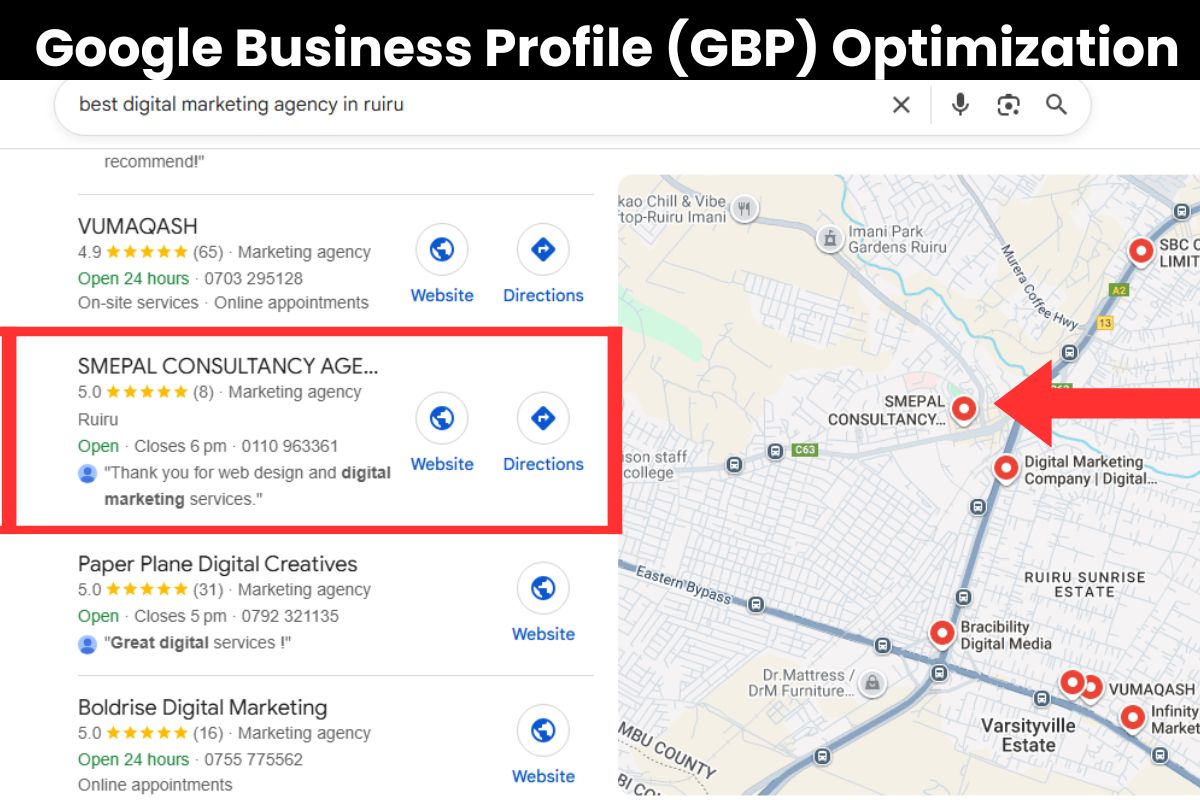
Have you ever wondered why some businesses dominate local search results while others barely get noticed, even with a strong online presence? With over 70% of buying decisions influenced by what customers see on Google, an optimized Google My Business profile can be the difference between steady growth and missed opportunities. At Smepal Digital Marketing Agency, we help transform scattered listing information into a streamlined, trust-building asset that strengthens customer confidence.

1. Accurate Business Name for Brand Consistency
Your business name is one of the strongest identifiers your audience relies on to recognize and trust your brand. Keeping it accurate, consistent, and compliant ensures your profile aligns with the business customers expect to interact with. To maintain clarity, trust, and strong visibility, focus on these essential elements that keep your business name reliable across all platforms:
a. Match Your Online and Offline Branding
Your business name should appear exactly the same on your signage, website, social channels, and listings. This consistency strengthens your brand identity and helps search engines confirm your legitimacy.
b. Avoid Keyword Stuffing or Taglines
Adding extra words like services, locations, or promotional terms may seem beneficial but often leads to guideline violations. A clean and simple name protects your profile and preserves your professional credibility.
c. Ensure Legal and Citation Consistency
Your official business documents, invoices, and third-party listings should reflect your business name exactly. When external sources match your profile, you reinforce data accuracy and improve trust signals across search engines.
d. Confirm Formatting and Spelling Accuracy
Even small inconsistencies in punctuation, capitalization, or spacing can confuse customers and create duplicate listings. Ensuring the correct format supports a unified digital identity and improves local search validation.
Example
Correct: Smepal Digital Marketing Agency
Incorrect: Smepal Digital Marketing Agency – Local SEO, GBP Optimization
2. Correct Primary and Secondary Business Categories
Selecting the right categories is essential because it helps search engines understand your core services and match your business with the most relevant customer searches. Your primary category shapes your strongest ranking opportunities, while your secondary categories broaden your reach across related service areas. To improve accuracy, strengthen relevance signals, and support wider visibility in local results, focus on these key category selection strategies:
a. Choose a Precise and Relevant Primary Category
Your primary category should reflect the main service your business is best known for, not a broad or generic label. This helps search engines interpret your specialty correctly and ensures your listing appears for the most accurate customer queries. A precise primary category typically drives the highest-quality traffic and converts more effectively.
b. Add Secondary Categories That Support Core Services
Secondary categories should enhance your visibility without diluting your primary focus. Each one should represent a real service you offer and align with the customer problems you solve. When chosen well, they expand your search presence and create multiple entry points for potential clients across different service-related queries.
c. Avoid Adding Categories You Do Not Fully Offer
Adding irrelevant or partially related categories may confuse search engines and mislead potential customers. Inaccurate categories weaken your authority and can reduce your ranking strength in the areas that matter most. Staying truthful and strategic with your category selection protects the integrity of your listing.
d. Review and Update Categories as Your Business Evolves
Your offerings may expand over time, and regular category reviews help ensure your profile stays current. Updating categories to reflect new services improves relevance signals and ensures your listing remains competitive. A scheduled review also helps you maintain alignment across your website and external listings.

Example
Primary Category: Marketing Agency
Secondary Categories:
-
Advertising agency
-
Internet marketing service
-
Business development service
3. Keyword-Optimized Business Description
Your business description gives potential customers a clear snapshot of who you are, the services you provide, and the value they can expect from choosing you. When crafted around natural, relevant keyword variations, it helps search engines categorize your offerings more accurately without sounding promotional or forced. To improve clarity, strengthen relevance, and communicate genuine authority, focus on these essential elements when writing your description:
a. Start With a Clear Statement of Who You Are
The opening sentence should introduce your business in a straightforward manner that reflects your brand identity. This ensures customers immediately understand what your company represents and establishes a strong first impression that builds trust from the start.
b. Describe Your Core Services Using Natural Language
Avoid inserting keywords artificially; instead, describe your main offerings clearly and conversationally. Search engines pick up on these naturally integrated terms, helping increase relevance while maintaining an authentic and customer-friendly tone.
c. Highlight the Unique Value You Provide
Customers want to know what sets your business apart, so use your description to communicate your strengths, specialties, and measurable benefits. When your value is clear, it not only improves engagement but also increases conversion potential by showing why your business is the right choice.
d. Keep the Description Concise, Informative, and Easy to Read
Long paragraphs or overly promotional language can reduce readability and overwhelm users. A well-structured description that stays focused on your core message is more effective, more user-friendly, and better aligned with search engine expectations.
Example

5. Clickable Phone Number and Website Link

Clickable contact options are essential for creating a smooth user experience and encouraging immediate action from potential customers. When your phone number and website link are easy to access, users are far more likely to call, visit your site, or take the next step toward becoming clients. These elements also strengthen Google’s trust in your profile by signaling completeness and reliability. To improve accessibility, support faster customer engagement, and increase conversions, focus on the following components:
a. Ensure Your Phone Number Is Click-to-Call
Make your phone number fully interactive so users on mobile devices can contact you instantly. A click-to-call setup eliminates barriers, increases inquiries, and provides a direct communication pathway that encourages real-time engagement.
b. Use a Clean, Professional Website Link
Ensure your website link is correctly formatted, secure (HTTPS), and leads to a relevant landing page. A clean link improves user trust, reduces bounce rates, and guides visitors directly to the information or services they need.
c. Maintain Consistent Contact Information Across the Web
Consistency across your Google Business Profile, website, and all online listings helps reinforce credibility. Matching details minimize confusion for both users and search engines, improving trust signals and strengthening your local presence.
d. Check Mobile-Friendliness Regularly
Most users access business listings via mobile devices, so your contact elements must function smoothly across all screen sizes. Regular testing ensures your phone button works correctly and your website loads quickly without errors.
Example
-
Phone: +254 110 963 361 (click-to-call enabled)
-
Website: www.smepal.co.ke (clickable)
8. Customer Reviews and Reputation Management
Customer reviews are one of the strongest factors influencing your visibility, credibility, and ability to convert new customers. A steady stream of authentic feedback helps Google understand your reliability while shaping how potential clients perceive your brand. Responding thoughtfully to both positive and negative reviews demonstrates professionalism and shows customers that you value their experiences. To strengthen your reputation and improve long-term trust, focus on the following review strategies:
a. Encourage Customers to Leave Genuine Feedback
Ask satisfied clients to share their experiences through simple, timely review requests. More frequent reviews help reinforce your relevance and establish social proof.
b. Respond Promptly to All Reviews
Acknowledge positive comments with gratitude and address negative ones with professionalism and solutions. Consistent engagement shows that you care about customer satisfaction and continuous improvement.
c. Highlight Key Services Naturally in Review Responses
Use responses as an opportunity to reinforce what you offer without sounding promotional. This helps future readers understand your expertise while keeping your tone authentic.
d. Monitor Trends to Improve Customer Experience
Review patterns in customer feedback to identify strengths and areas needing improvement. Data from reviews can guide service enhancements and inform operational decisions.
Example
Review Request Message:
“We’d love to hear your feedback! If you enjoyed your experience with Smepal Digital Marketing Agency, please share a review to help others discover our services.”
Frequently Asked Questions About Optimizing a Google My Business profile
Before exploring these frequently asked questions, it is important to understand that many businesses depend on their Google My Business profile for local visibility yet feel overwhelmed by the optimization process. The following answers provide clear, strategic guidance to help you strengthen performance, increase customer engagement, and maximize your local ranking potential:
1. How often should we update our Google My Business profile?
You should update your listing whenever you make any business changes, whether small or major. This includes adjustments to hours, new services, pricing updates, staff changes, promotions, or seasonal announcements. Regular updates help your profile remain accurate and active, both of which signal to Google that your business is reliable and engaged. The more current your information, the more likely customers are to trust your brand and take action when they visit your listing.
2. Does posting regularly increase the visibility of a Google My Business profile?
Yes. Consistent posting directly improves visibility because Google recognizes your activity as a sign of business relevance. Regular content—such as offers, updates, or educational posts—also increases customer engagement and encourages more clicks. When customers interact with your posts, your listing becomes more competitive in local search results. Posting at least once a week helps sustain momentum and demonstrates that your business is active and responsive.
3. Should photos be professionally taken for a Google My Business profile?
Professional photography is helpful, but not mandatory. What matters most is that your photos are clean, clear, well-lit, and relevant to your services. High-quality visuals improve user trust and encourage potential customers to spend more time engaging with your listing. Research shows that businesses with strong visuals receive significantly more clicks and direction requests. Whether you use a professional photographer or a modern smartphone, consistency and clarity are the key drivers of visual performance.
4. Can multiple service categories help a Google My Business profile rank better?
Yes, adding multiple relevant categories can expand your visibility across various search intentions. Your primary category should reflect your core service, while secondary categories should support the range of what you offer. However, adding too many categories—especially unrelated ones—can confuse Google about your main expertise. The best approach is to select categories that accurately represent your business and align with customer search behavior.
5. How do reviews affect a Google My Business profile?
Reviews impact visibility, customer perception, and conversion behavior. Google uses review signals—such as volume, frequency, and sentiment—to evaluate how trustworthy and relevant your business is. Positive reviews reassure potential customers and significantly increase the likelihood of clicks, calls, and bookings. Responding to reviews demonstrates customer care, builds credibility, and encourages more people to share their experiences. A strong review strategy can dramatically improve performance across all metrics.
6. Why is a complete Google My Business profile important?
A complete listing performs better because Google prioritizes businesses that provide comprehensive and up-to-date details. Customers also prefer listings with full information because they eliminate uncertainty and make decision-making easier. A well-completed profile increases local ranking potential, improves user engagement, and strengthens your authority within your industry. Accuracy, depth, and clarity are essential for building trust and attracting high-intent customers.
7. Can we manage multiple locations under one Google My Business profile?
Yes, multiple locations can be managed from one dashboard, but each location requires its own dedicated listing. This ensures that Google can accurately associate each location with its physical address and service area. Managing multiple listings helps maintain consistency while giving your business broader visibility across different regions. With structured location management, each branch can optimize its own reviews, photos, and operational details for maximum performance.
8. How does the business description influence search performance?
Your business description influences visibility by helping Google understand the nature of your services and the type of customers you serve. A strong description communicates your value, highlights your strengths, and sets expectations for potential clients. When written strategically, it improves relevance for search queries and supports better engagement. It is also an opportunity to differentiate your brand and create a stronger impression before users click deeper into your content.
9. What is the best way to increase calls from a Google My Business profile?
To increase calls, focus on enhancing your contact options, maintaining updated business information, and providing compelling calls-to-action across posts. High-quality photos, strong reviews, and clear descriptions all motivate users to contact your business directly. Ensuring your number is click-to-call enabled also reduces friction for mobile users. Combining these elements creates a smooth customer journey that encourages more phone inquiries and conversions.
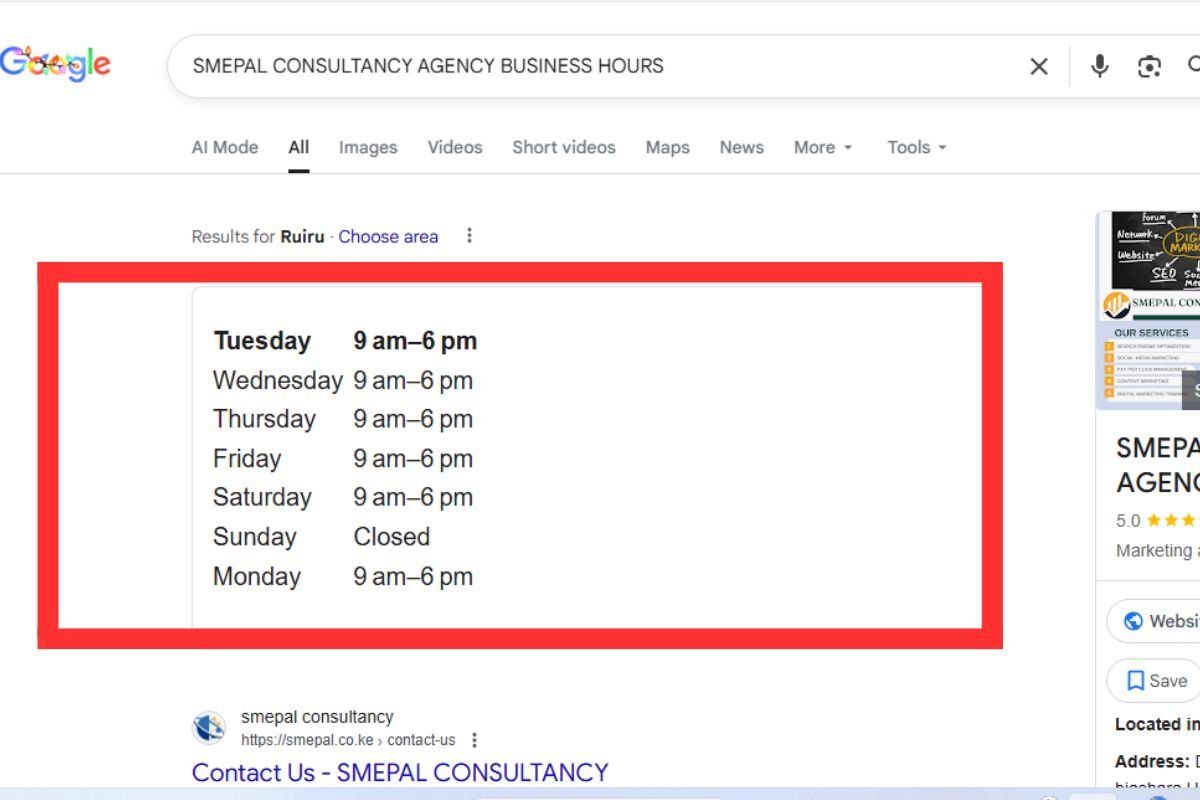
10. Do outdated business hours negatively affect a Google My Business profile?
Yes. Incorrect business hours can frustrate customers, lead to missed opportunities, and even trigger negative reviews. Google also monitors the accuracy of operational information because it affects user experience. Outdated hours reduce trust and may cause customers to choose a competitor with clearer, more reliable details. Updating your hours—especially during holidays, special events, or seasonal shifts—is essential for maintaining credibility and improving customer satisfaction.
11. How do we improve local ranking using our Google My Business profile?
Local ranking improves when your profile remains consistent, active, and complete. This includes posting regularly, collecting reviews, maintaining accurate NAP information (name, address, phone number), updating visuals, and optimizing your services. Google rewards businesses that demonstrate reliability through both content freshness and user interaction. The more signals your profile sends, the more competitive you become in your local area.
12. Should a Google My Business profile link directly to the homepage?
Not always. A landing page that aligns with user intent—such as a service-specific page—can lead to higher conversions because it meets customer needs immediately. Linking to your homepage is appropriate when it provides a clear path to your main services, but linking to a targeted page can improve engagement and reduce bounce rates. The most effective choice is the page that best supports your user’s search intent and encourages them to take the next step.