




Home » Business Automation Solutions in Kenya

Business Automation Solutions in Kenya

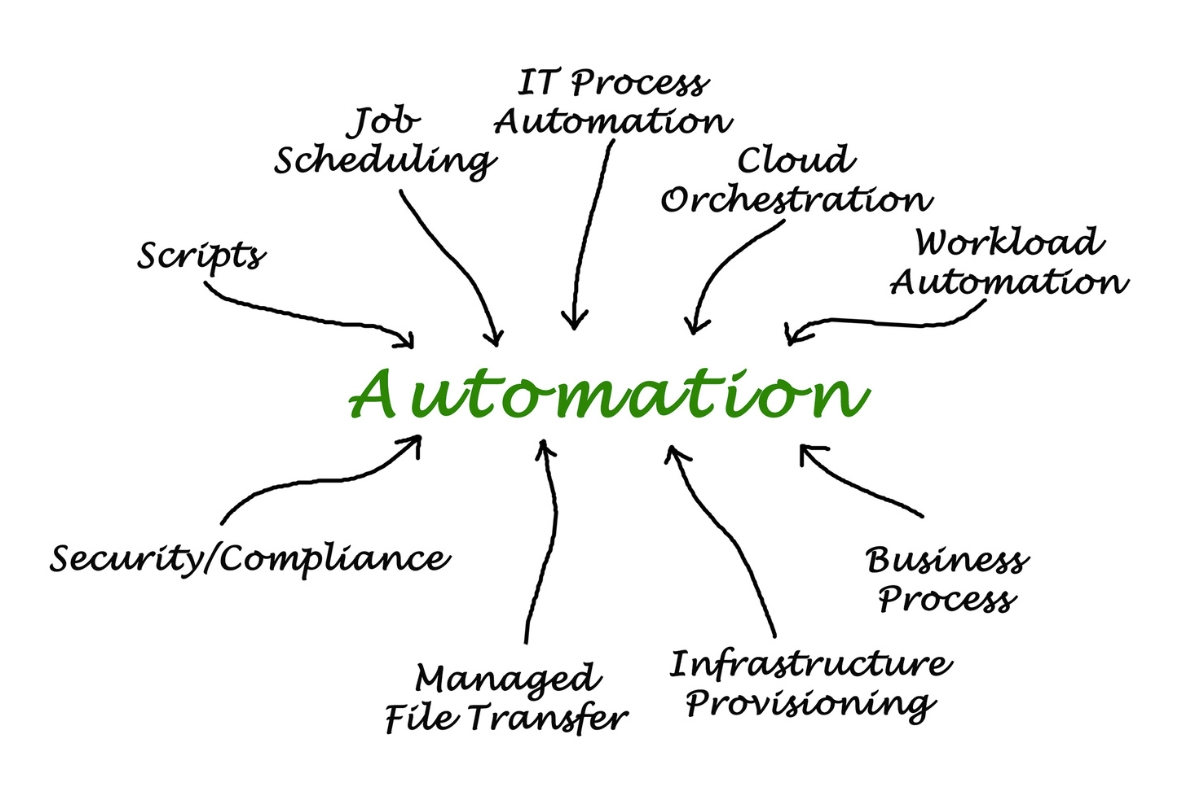
Kenyan businesses manage many recurring activities, from customer interactions and internal workflows to record keeping, approvals, communication, payments, and reporting. Business automation has become a practical way to manage these everyday processes more consistently by using defined digital workflows to handle suitable tasks and information. The right automation approach depends on how existing processes work, which systems are already in use, what users require, and the business objectives the solution needs to support. Understanding business automation solutions in Kenya provides a necessary foundation before selecting, configuring, integrating, or developing an automation solution.

business process automation services

Understanding Business Automation Solutions in Kenya

Businesses use different processes to manage customer requests, sales activities, payments, approvals, employee tasks, records, communication, and reporting. Business automation connects suitable technology with defined business processes so that specific tasks, actions, and information flows can occur with less manual intervention. Understanding how business automation solutions in Kenya work provides a foundation for determining where automation can appropriately support a business:

1. What Are Business Automation Solutions in Kenya?

Business automation solutions in Kenya are digital systems, workflows, and technologies designed to automate or coordinate defined business activities. They can use software, integrations, rules, triggers, databases, and other digital components to move information or initiate actions according to established processes. Automation does not simply mean replacing employees with software because many processes still require human judgment, approvals, customer interaction, or oversight. The appropriate solution should address a specific operational requirement and fit how the business actually works.

2. How Does Business Automation Work?

Business automation works by defining what should happen when a particular event or condition occurs within a process. A trigger can start an action, while predefined rules determine how information should be processed, where it should move, which notification should be sent, or whether approval is required before the next step. For example, a customer enquiry could trigger a record in a CRM, assign a task to a staff member, and generate a notification based on defined rules. The level of automation depends on the process, available technology, system integrations, and the degree of human involvement required.

3. What Business Processes Can Be Automated?

Businesses can automate processes that involve recurring activities, defined rules, predictable information flows, or routine administrative actions. These may include customer enquiries, lead handling, booking workflows, invoicing, payment notifications, approvals, employee tasks, document processing, reporting, reminders, and internal communications. The suitability of a process depends on its structure and requirements rather than simply how frequently it occurs. Businesses should therefore assess the process first to determine which activities can be automated effectively and where human involvement should remain.

4. What Technologies Support Business Automation?

Business automation can use different technologies depending on the processes and systems involved. Workflow platforms can manage defined tasks and approvals, while CRM and ERP systems can coordinate customer, financial, operational, or organizational information. APIs, integrations, and databases can allow information to move between systems, while custom web applications, dashboards, and notification tools can support more specific requirements. These technologies are components of an automation environment rather than the business process itself, so the appropriate technical approach should be determined by the requirements the automation needs to address.

What Are the Benefits of Business Automation Solutions in Kenya?

Business automation can influence how organizations handle recurring activities and coordinate information across their operations. Its value depends on whether automation addresses genuine process requirements and is implemented in a way that fits the business environment. For Kenyan businesses, appropriate business automation solutions in Kenya can support day-to-day operations in several practical ways:

business process automation services

1. Reduce Repetitive Manual Work

Suitable automation can handle recurring, rule-based activities that would otherwise require staff to perform the same actions repeatedly. This can reduce the amount of time spent on tasks such as transferring information between systems, sending routine notifications, updating records, or preparing recurring reports. Staff can then focus their attention on activities that require judgment, communication, or other forms of human involvement, while oversight remains available where necessary.

2. Improve Operational Efficiency

Automation can help reduce unnecessary steps by moving information and tasks through defined workflows according to established rules. For example, a completed action in one stage can automatically initiate a related task, update a record, or notify the appropriate person instead of requiring each step to be handled manually. The resulting efficiency depends on how well the underlying process is designed and how effectively the relevant systems support the workflow.

3. Reduce Process Errors

Predefined rules and automated data movement can reduce certain inconsistencies associated with repeated manual entry or routine process handling. When information is captured and transferred according to defined conditions, there may be fewer opportunities for some types of duplication, omission, or incorrect data entry. Automation does not eliminate errors, however, because poorly configured workflows, incorrect source data, or integration problems can also produce inaccurate results, making validation, testing, and monitoring important.

4. Improve Customer Response Times

Automation can support faster handling of customer interactions by triggering confirmations, notifications, reminders, enquiry acknowledgements, and follow-up tasks at appropriate stages. This allows some routine communication to occur without requiring staff to initiate every action manually. The actual response time depends on the workflow design, communication channels, system performance, and whether human review is required.

5. Improve Business Visibility

Automated processes can generate and organize operational information as activities move through defined workflows. This information can feed reports and dashboards that help authorized users monitor areas such as transactions, tasks, customer activity, workflow status, or other relevant business measures. The usefulness of this visibility depends on the accuracy, completeness, and consistency of the information being collected.

6. Support Consistent Business Processes

Defined automated workflows can help businesses apply the same rules and process steps to recurring activities. Task routing, approvals, notifications, record updates, and other actions can follow established conditions rather than depending entirely on individual staff members remembering each step. The process should be reviewed before automation so that the system supports a useful workflow rather than simply reproducing unnecessary or inefficient activities.

7. Support Business Scalability

Appropriately designed automation can help businesses handle increasing volumes of transactions, tasks, or information without requiring every additional activity to be performed manually. This can be particularly relevant when a business expands its customer base, services, users, or operational workflows. The ability to support growth depends on system architecture, workflow design, integrations, infrastructure, and capacity, so automation alone does not guarantee scalability or business growth.

Where Can Business Automation Solutions Be Used in Kenya?

Automation can support different parts of a business when repetitive activities, defined rules, or connected information create an opportunity to improve how work is handled. The appropriate application depends on the organization’s operations, customer journey, internal structure, existing systems, and objectives. Kenyan businesses can consider business automation solutions in Kenya across a range of operational and customer-facing processes:

business process automation services

1. Sales and Lead Management Automation

Sales automation can help businesses capture enquiries, assign leads, update customer records, and manage follow-up activities according to defined workflows. A new lead can trigger actions such as creating a CRM record, assigning responsibility to a sales representative, or scheduling a follow-up task. Connecting these activities can help sales teams manage lead information through a more consistent process.

2. Customer Service and Enquiry Automation

Businesses can automate parts of customer service by capturing enquiries, acknowledging requests, routing them to appropriate staff, and generating follow-up reminders. A customer request can also be assigned a status or escalated when it meets predefined conditions. The appropriate workflow depends on the nature of the service, communication channels, response requirements, and level of human involvement needed.

3. Booking and Appointment Automation

Booking automation can manage activities such as online reservations, availability updates, confirmations, reminders, cancellations, and calendar synchronization. Where the relevant systems support it, booking workflows can also connect with payment platforms so that payment information is associated with the appropriate transaction or reservation. These connections can help coordinate customer bookings with the operational processes that follow them.

4. Payment and Invoicing Automation

Businesses can automate parts of their invoicing and payment workflows, including invoice creation, payment notifications, transaction records, and payment status updates. M-Pesa and other payment integrations may also be incorporated where the relevant services and systems provide suitable technical capabilities. Reconciliation and financial verification may still require defined controls or human review, particularly where financial records need to be confirmed before further actions occur.

5. Employee and Internal Workflow Automation

Internal processes such as task assignment, leave requests, approvals, document routing, departmental requests, and progress tracking can be managed through automated workflows. For example, a submitted request can be routed to the appropriate person for approval and then trigger a notification or record update after a decision is made. This approach can help coordinate routine internal activities while retaining human decisions where they are required.

6. Inventory and Operations Automation

Inventory and operational workflows can use automation to update stock records, generate reorder notifications, process orders, assign operational tasks, and maintain relevant records. Connections with other business systems can allow information to move between inventory, sales, purchasing, accounting, or order management processes. The appropriate automation depends on how stock and operational activities are currently managed and which systems are involved.

7. Reporting and Dashboard Automation

Businesses can automate the collection and organization of information used in reports and dashboards. Data from relevant systems can be transferred or processed according to defined workflows to support regular reporting and operational monitoring. Automated reporting can improve access to current information, but its usefulness still depends on the quality, consistency, and relevance of the underlying data.

8. Marketing and Customer Engagement Automation

Marketing and customer engagement workflows can automate activities such as email sequences, follow-ups, campaign triggers, lead nurturing, customer segmentation, and scheduled communications. Actions can be triggered by defined customer activities or changes in a customer record. The workflow should reflect the organization’s communication objectives, customer journey, consent requirements, and preferred communication channels.

How Are Business Automation Solutions in Kenya Implemented?

Successful automation starts with understanding the business process rather than selecting technology first. The implementation approach should identify where work currently happens, what information moves through the process, which activities require human decisions, and where automation can provide practical value. A structured implementation process can then move from business analysis and requirements definition toward solution design, development, integration, testing, deployment, and refinement:

business process automation services

1. Map Existing Business Processes

The first step is to understand how the relevant business process currently operates from beginning to end. This involves documenting manual steps, approvals, handoffs, delays, dependencies, systems, and responsibilities involved in completing the process. Mapping the existing workflow provides a clearer basis for determining what should be automated and what should remain under human control.

2. Identify Automation Opportunities

Once the process is understood, businesses can identify activities that are repetitive, rule-based, time-consuming, or suitable for consistent digital handling. Not every activity should be automated, particularly where decisions depend heavily on context, judgment, or direct human interaction. Prioritizing automation opportunities according to actual business needs helps keep the project focused on practical operational improvements.

3. Define Business and Technical Requirements

Requirements should describe what the automation needs to accomplish and how it needs to operate within the existing business environment. This can include functions, users, data, workflows, permissions, integrations, notifications, reporting requirements, and exception handling. Defining these requirements before selecting technology helps prevent the solution from being driven primarily by available software features.

4. Select an Appropriate Automation Approach

The appropriate approach may involve configuring existing software, using a workflow platform, integrating current systems, developing custom functionality, or combining several methods. A business does not necessarily need to replace its existing software when suitable systems can be connected or extended to support the required process. The choice should reflect requirements, resources, existing infrastructure, technical capabilities, and business objectives.

5. Design Automated Workflows

The workflow design defines what starts an automated process, what conditions apply, which actions should occur, and where information should move. It can also specify approvals, exceptions, notifications, system responses, and points where human intervention is required. Designing these rules around the actual business process helps ensure that automation supports the intended way of working.

6. Integrate Relevant Business Systems

Where automation depends on information from multiple platforms, the relevant systems need to be connected through suitable integration methods. These may include APIs, connectors, webhooks, middleware, or custom integrations depending on the capabilities of the systems involved. The integration should define what information is exchanged, when it is exchanged, how it is interpreted, and how failures or exceptions are handled.

7. Develop or Configure the Automation Solution

The required workflows can then be configured within suitable platforms or developed as part of a custom digital system. This stage may involve creating rules, connecting databases, developing interfaces, configuring notifications, integrating existing applications, and establishing appropriate user permissions. Data handling and access controls should be considered as part of the implementation rather than added after the solution is completed.

8. Test Automated Processes

Testing should examine both normal workflows and situations that could cause the automation to behave differently from the expected process. This can include incorrect inputs, exceptions, failed system connections, duplicate actions, notifications, permissions, and other relevant edge cases. Testing helps verify that information moves correctly and that the automated workflow produces the intended operational result before wider deployment.

9. Deploy, Monitor, and Refine

After testing, the automation can be introduced into the relevant business operations while its performance is monitored. Businesses can review errors, workflow interruptions, user feedback, data quality, and other relevant indicators to identify areas that require adjustment. Refining the solution based on actual operational use helps keep the automation aligned with business processes as requirements evolve.

How to Choose the Right Business Automation Solution in Kenya

Selecting an automation solution requires more than comparing software features or choosing the platform with the most functions. The appropriate option depends on the business process, existing systems, users, technical environment, resources, security requirements, and long-term objectives. Evaluating these factors can help businesses determine an approach to business automation solutions in Kenya that fits their actual operating environment:

business process automation services

1. Assess the Business Process First

The business process should be understood before selecting an automation technology or platform. This involves identifying the problem the automation should address, the steps involved, where delays or repetitive work occur, and which parts of the process require human judgment. Reviewing the workflow first also helps prevent businesses from automating inefficient processes without addressing the underlying process issues.

2. Evaluate Existing Systems and Software

Existing systems can influence how automation should be implemented and whether new software is actually necessary. Businesses can review their CRM, accounting, ERP, booking, communication, inventory, and other platforms to determine what can be configured, integrated, extended, or retained. Understanding the current technology environment can also help avoid creating unnecessary duplication between systems.

3. Consider Integration Capabilities

The ability of existing systems to communicate with one another is an important consideration when automation depends on shared information. Businesses can evaluate available APIs, connectors, webhooks, data exchange methods, authentication requirements, and other integration options. Where standard connections are insufficient, custom integration may be considered based on the technical capabilities and requirements of the systems involved.

4. Evaluate Data Requirements

Automation depends on information being available in a form that the relevant systems can process and exchange correctly. Businesses should identify what data needs to be collected, processed, transferred, or stored and consider its format, quality, ownership, access, and synchronization requirements. It is also useful to define which system should act as the primary source for particular information to reduce conflicting or duplicated records.

5. Consider Security and Access Controls

Automation can involve the movement or processing of business and customer information across multiple systems. The solution should therefore be evaluated according to authentication, authorization, user roles, permissions, data protection, logging, and monitoring requirements. The appropriate controls depend on the type and sensitivity of information involved as well as the systems and workflows being connected.

6. Evaluate Scalability and Future Requirements

A suitable automation solution should be considered in relation to how the business may change over time. Businesses can assess expected changes in users, transaction volumes, services, workflows, locations, and connected systems to determine whether the proposed approach can accommodate relevant requirements. A more complex or feature-heavy solution is not automatically more appropriate, so scalability should be considered alongside actual business needs and available resources.

7. Consider Total Implementation and Ongoing Costs

The financial requirements of automation extend beyond the initial software or development cost. Businesses may need to consider configuration or development, integrations, infrastructure, subscriptions, testing, training, support, maintenance, upgrades, and future changes. Reviewing these factors together provides a more complete understanding of the investment required without relying on an unsupported standard price.

8. Consider Support and Maintenance

Businesses should determine how the automation solution will be monitored, maintained, updated, and troubleshot after implementation. This may involve internal technical staff, a software provider, a development partner, or a combination of support arrangements depending on the solution. Including ongoing technical management in the decision helps ensure that the automation remains functional as systems, workflows, and business requirements change.

What Are the Challenges of Business Automation Solutions in Kenya?

Business automation can introduce technical and operational dependencies that require proper planning and management. Challenges may arise from existing processes, incompatible systems, data quality, integration limitations, security requirements, user adoption, and changes in business needs. Understanding these considerations helps businesses approach business automation solutions in Kenya with realistic expectations and appropriate controls:

business process automation services

1. Automating Poorly Defined Processes

Automation depends on clear rules and process steps, so unclear workflows can make it difficult to determine what the system should do. Automating a poorly understood process may simply reproduce unnecessary steps or create new complications within the workflow. Process mapping and review should therefore take place before automation is designed.

2. Integrating Different Business Systems

Different systems may use different data structures, technologies, APIs, authentication methods, and business rules. These differences can make direct integration more complex and may require configuration, middleware, connectors, or custom development. The appropriate approach depends on the capabilities of the systems and the information that needs to move between them.

3. Maintaining Data Accuracy

Automated workflows depend on the information they receive from connected systems and users. Incomplete, duplicated, outdated, or incorrectly formatted data can affect subsequent automated actions and records. Data validation, synchronization rules, monitoring, and clearly defined data ownership can help maintain reliable information throughout the workflow.

4. Managing Security Across Automated Workflows

Automation may move information between several applications, databases, users, and services. Each connection needs appropriate authentication, authorization, access controls, data protection, logging, and monitoring based on the information being handled. Security therefore needs to be considered throughout the design, implementation, configuration, and ongoing maintenance of the automation environment.

5. Handling Automation Failures

Automated workflows can encounter failed triggers, unavailable systems, incorrect inputs, integration errors, or communication failures. Without appropriate controls, an unsuccessful action can prevent subsequent steps from occurring or leave information in an incomplete state. Error handling, alerts, retries, logs, and defined human intervention procedures can help businesses identify and manage these situations.

6. Managing Changes to Connected Systems

Changes to software, APIs, data structures, authentication methods, workflows, or business requirements can affect existing automation. An integration that previously worked as expected may require modification after a connected system is updated. Businesses should therefore include testing, monitoring, documentation, and maintenance when managing changes to their automated environment.

7. Managing User Adoption and Process Changes

Employees may need to understand new workflows, system responsibilities, approval points, and procedures after automation is introduced. Without appropriate communication and training, users may be uncertain about which activities the system handles and where their involvement is still required. User feedback and gradual process adjustments can help clarify responsibilities and ensure the automation supports the way work is actually performed.

8. Maintaining Automation Over Time

Automation is not necessarily a one-time implementation because systems, processes, users, and business requirements can change. Ongoing management may include monitoring workflows, resolving errors, updating integrations, reviewing data quality, and adjusting processes when operational requirements change. Periodic review helps businesses determine whether the automation continues to serve its intended purpose.

How Do Business Automation Solutions Support Digital Transformation in Kenya?

Business automation can contribute to digital transformation when it becomes part of a broader effort to improve how an organization uses technology, information, and digital processes. A single automated task or software feature does not automatically constitute digital transformation because transformation involves wider changes to business processes, customer experiences, information flows, and operating models. Business automation solutions in Kenya can support this broader direction when they connect with an organization’s wider digital systems and strategic objectives:

business process automation services

1. Connect Business Processes Across Departments

Automation can connect activities that previously operated separately across different departments and operational functions. Information generated during one process can trigger an action, update a record, or notify another department according to defined workflow rules. This can help organizations create more connected operations instead of relying on separate manual processes for each department.

2. Create Connected Digital Workflows

Automation can link customer-facing activities with internal processes so that information moves through defined stages of the customer and operational journey. For example, an enquiry can lead to a sales action, booking, payment process, service delivery task, and reporting activity where the relevant systems support these connections. Designing these workflows around actual business processes can help create a more coordinated digital operating environment.

3. Improve Access to Business Information

Connected automated systems can make relevant operational information available across the processes and platforms that need it. Data generated through sales, bookings, payments, customer interactions, or other activities can be transferred into appropriate records, reports, or dashboards. The usefulness of this information for monitoring and decision-making still depends on data accuracy, consistency, accessibility, and the way the business interprets it.

4. Strengthen the Digital Customer Journey

Automation can connect different stages of a customer’s digital interaction with a business, from enquiries and bookings to payments, confirmations, communication, and follow-ups. When these activities are connected, information captured at one stage can support the next stage without requiring unnecessary manual transfers. The resulting customer journey depends on the design of the workflows, systems involved, communication channels, and points where human interaction is required.

5. Support Data-Driven Business Operations

Automated processes can create structured records as transactions, customer interactions, tasks, and other activities move through defined workflows. These records can provide information for operational monitoring, reporting, and management analysis when they are captured and maintained appropriately. Automation alone does not make a business data-driven, because effective use of business information also requires suitable reporting processes, data quality, interpretation, and management practices.

6. Create a Foundation for Broader Digital Systems

Automation can form part of a wider digital systems environment by connecting CRM, ERP, booking systems, accounting platforms, dashboards, customer portals, and custom business applications. These connections can allow different digital tools to contribute to shared business processes rather than operating as isolated applications. In this context, automation becomes one component of broader digital systems development that can evolve alongside the organization’s operational requirements.

How Smepal Consultancy Agency Can Help With Business Automation Solutions in Kenya

Business automation works best when the technology reflects the processes and outcomes the organization needs to support. We approach automation by understanding existing workflows, system requirements, information flows, and operational objectives before determining whether configuration, integration, automation, or custom digital systems development is appropriate. Our role is to help businesses develop practical business automation solutions in Kenya that fit their operating environment and can be improved as their needs evolve:

business process automation services

1. We Assess Your Existing Business Processes

We begin by examining how relevant business processes currently operate before determining where automation may be appropriate. We consider repetitive activities, manual handoffs, process gaps, dependencies, and other operational requirements that may influence the solution. This helps establish a clearer connection between the business process and the technology required to support it.

2. We Identify Appropriate Automation Opportunities

We help identify activities that are suitable for automation based on their structure, frequency, rules, dependencies, and business importance. Our approach focuses on addressing practical process requirements rather than introducing automation simply because a task can technically be automated. This can help businesses concentrate their resources on workflows where automation has a defined operational purpose.

3. We Define Automation and System Requirements

We translate the relevant business processes into functional and technical requirements that can guide implementation. These requirements may cover workflows, users, data, permissions, integrations, notifications, reporting, approvals, and exception handling where applicable. Defining these requirements helps establish what the automation needs to accomplish before the technical approach is selected.

4. We Design Practical Automation Workflows

We design workflows around the actual sequence of business activities, including triggers, rules, actions, approvals, exceptions, and information flows. We also consider where human review or intervention remains necessary rather than assuming every process should operate without staff involvement. The resulting workflow can then provide a structured basis for configuration, integration, or development.

5. We Develop and Configure Automation Solutions

We can support the configuration of suitable automation platforms or the development of functionality required for specific business processes. Depending on the requirements, our work may involve configuration, system integration, custom development, or a combination of these approaches. This allows us to treat automation as part of a wider digital systems development process rather than simply recommending or selling software.

6. We Integrate Relevant Business Systems

We help connect appropriate platforms where automation depends on information moving between different systems. This may involve APIs, data exchange methods, workflow connections, payment systems, CRMs, websites, accounting platforms, dashboards, or other relevant applications. The integration approach is determined by the capabilities of the systems involved and the information and workflows that need to be connected.

7. We Test and Refine Automated Workflows

We support testing to verify that automated workflows operate according to the defined business requirements. This can include checking workflow accuracy, system communication, data movement, exceptions, permissions, notifications, and user interactions before wider deployment. Where testing or actual use identifies issues, the relevant workflows can be refined to better support the intended process.

8. We Support Ongoing Automation Improvements

We can support the continued review and improvement of automated processes as business requirements, systems, and workflows change. This may involve monitoring, maintenance, integration updates, process reviews, troubleshooting, and adjustments based on actual operational needs. Future improvements should remain connected to business requirements rather than adding features without a clear purpose.

How to Build a Long-Term Strategy for Business Automation in Kenya

Business automation should remain connected to changing operational requirements rather than function as a one-time technology project. As businesses add services, systems, employees, customers, and processes, they may need to review and adjust existing automation. A long-term strategy helps businesses keep automation aligned with practical needs and wider business objectives:

business process automation services

1. Review Automated Processes Regularly

Businesses should review automated workflows regularly to confirm that they still support the intended processes. This review can consider workflow performance, exceptions, user feedback, process changes, and recurring operational issues. Regular reviews can identify areas where the automation no longer matches the way the business operates.

2. Monitor Automation Performance and Data Quality

Businesses should monitor workflow failures, delays, incomplete information, synchronization issues, and other indicators that affect automated processes. Reliable data matters because automated workflows rely on the information they receive to trigger actions, update records, and support decisions. Monitoring both workflow performance and data quality can help identify problems before they affect wider business operations.

3. Update Automation When Systems Change

Changes to software, APIs, workflows, authentication methods, or business processes can affect existing automation. Businesses should review connected workflows whenever a significant system or process change occurs and test relevant integrations before relying on them in normal operations. This helps confirm that information continues to move correctly between connected systems.

4. Prioritize Improvements Based on Business Needs

Automation improvements should address actual operational requirements rather than focus on adding features simply because they are available. Businesses can prioritize changes according to process problems, user needs, data requirements, system limitations, and wider business objectives. This approach keeps development and maintenance work connected to a clear business purpose.

5. Align Automation With Business Growth

Business growth can change transaction volumes, users, departments, services, customer channels, and operational processes. Businesses should review their automation environment as these requirements change to determine whether existing workflows, integrations, infrastructure, and systems remain appropriate. This allows automation to develop alongside the business without assuming that every stage of growth requires the same technical approach.

Frequently Asked Questions About Business Automation Solutions in Kenya

Businesses considering automation often have practical questions about cost, implementation, suitable processes, software, integrations, security, and ongoing support. The answers depend on the business environment, existing systems, technical requirements, and scope of the automation project. The following questions address common considerations before implementing business automation solutions in Kenya:

1. How Much Do Business Automation Solutions in Kenya Cost?

The cost of business automation solutions in Kenya depends on factors such as the number and complexity of workflows, users, integrations, customization, infrastructure, development or configuration, testing, training, support, and maintenance. A straightforward workflow configuration may require a different investment from a broader automation project involving several connected systems. A meaningful estimate therefore requires an understanding of the specific business and technical requirements.

2. How Long Does Business Automation Take to Implement?

Implementation time depends on the complexity of the workflows, existing system capabilities, integrations, customization, testing, and deployment requirements. A simple workflow may require less implementation work than an automation environment that connects several business systems or requires custom development. The project scope and technical requirements should therefore determine the expected implementation timeline.

3. Can Business Automation Solutions Integrate With M-Pesa?

Business automation can potentially integrate with M-Pesa where the relevant M-Pesa service and technical capabilities support the required connection. Depending on the system, an integration may support activities such as payment requests, transaction information, payment status updates, and linking payments to relevant booking, order, or customer records. The implementation approach depends on the specific M-Pesa service, business system, integration method, and workflow requirements.

4. Can Business Automation Work With Existing Software?

Yes, automation does not always require a business to replace its existing software. Depending on system capabilities, businesses can connect existing platforms through APIs, connectors, webhooks, middleware, or custom integrations. The available integration methods, data structures, authentication requirements, and technical limitations should be assessed before determining the appropriate approach.

5. Can Small Businesses in Kenya Use Business Automation Solutions?

Small businesses can consider automation where it addresses suitable operational processes and provides a practical reason for implementation. The appropriate solution depends on the business’s processes, resources, existing systems, users, and objectives rather than its size alone. A small business may need a focused workflow solution rather than a large or complex automation environment.

6. What Processes Should a Business Automate First?

Businesses should assess their processes before deciding where to begin. Repetitive, rule-based, measurable, and operationally relevant activities can provide potential opportunities for automation, particularly where manual handling creates unnecessary work or delays. However, there is no universal starting point because the appropriate process depends on each organization’s workflow and business requirements.

7. Are Business Automation Solutions Secure?

The security of an automation solution depends on its architecture, implementation, configuration, authentication, authorization, access controls, data handling, monitoring, and ongoing maintenance. Connected systems also need appropriate controls because information may move between applications, databases, users, and external services. Businesses should therefore evaluate security throughout the design and management of the automation environment rather than treat it as a single implementation step.

8. Can Business Automation Be Customized for a Kenyan Business?

Automation can be configured or developed around specific business processes where the relevant technology supports the required workflow. Depending on the organization, this may include local payment methods, existing software, customer communication channels, approval processes, reporting requirements, and other operational needs. The feasibility of each requirement depends on the available systems, technical capabilities, integrations, and implementation scope.

9. Can Multiple Business Systems Be Connected Through Automation?

Multiple business systems can potentially connect through APIs, middleware, connectors, webhooks, or custom integrations. The connection needs to account for data synchronization, authentication, security, system compatibility, monitoring, and ongoing maintenance. Each integration should serve a defined business requirement so that connected systems support a coherent workflow rather than create unnecessary technical dependencies.

10. Does Business Automation Replace Employees?

Business automation primarily handles activities that suit defined rules, repetitive workflows, and predictable information flows. Employees may still need to provide judgment, approve actions, interact with customers, manage exceptions, verify information, and oversee automated processes. The appropriate role of automation therefore depends on the nature of the business process and the level of human involvement it requires.

business process automation services

Build Your Business Automation Solutions in Kenya With Smepal Consultancy Agency Today!

Take the next step toward more practical business automation by contacting Smepal Consultancy Agency to discuss your needs and explore an appropriate digital solution. We can help you improve workflows, reduce unnecessary manual processes, and connect relevant business systems. Our approach focuses on supporting smoother operations through automation that fits your business processes and objectives. Contact Smepal Consultancy Agency to discuss your automation requirements today.